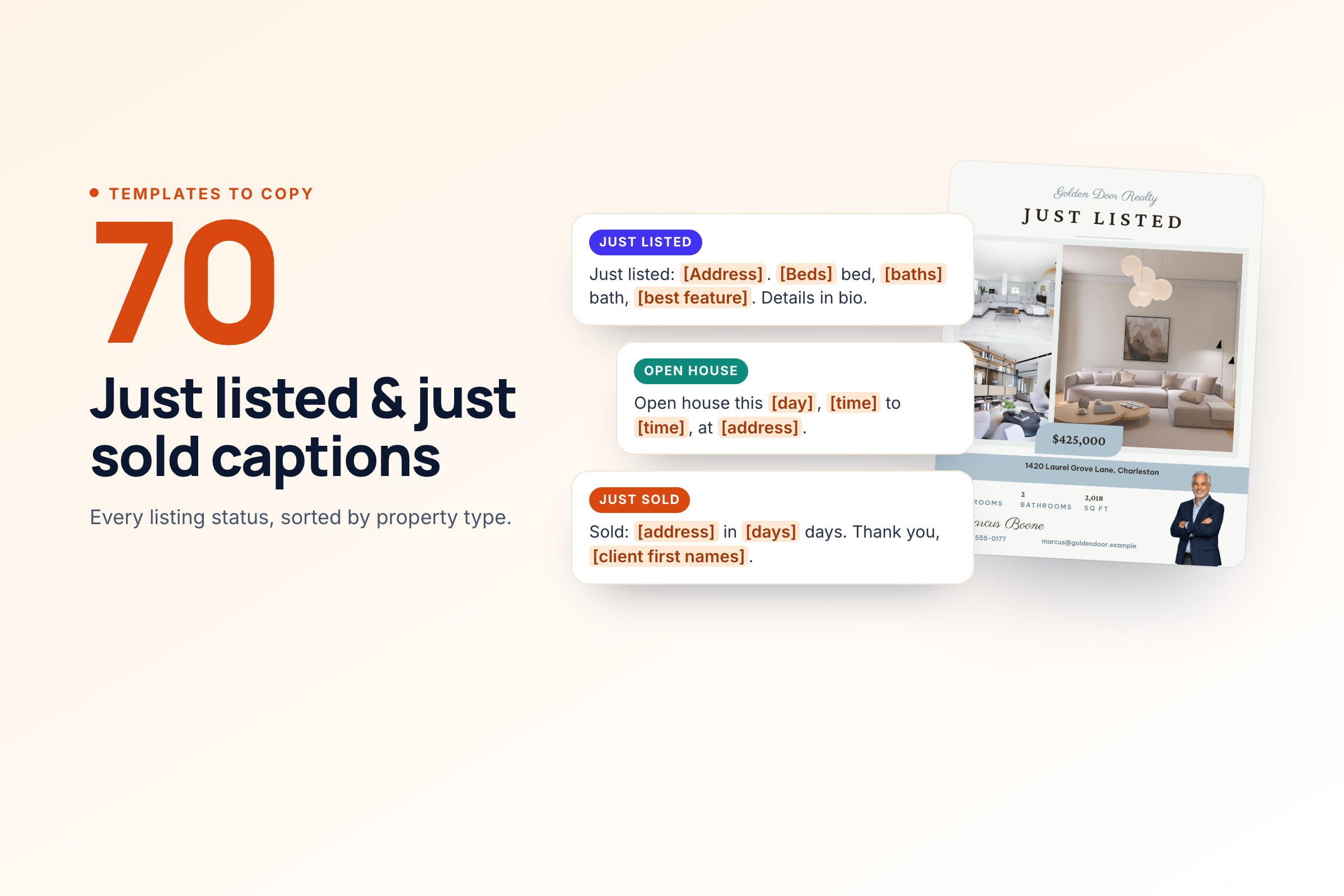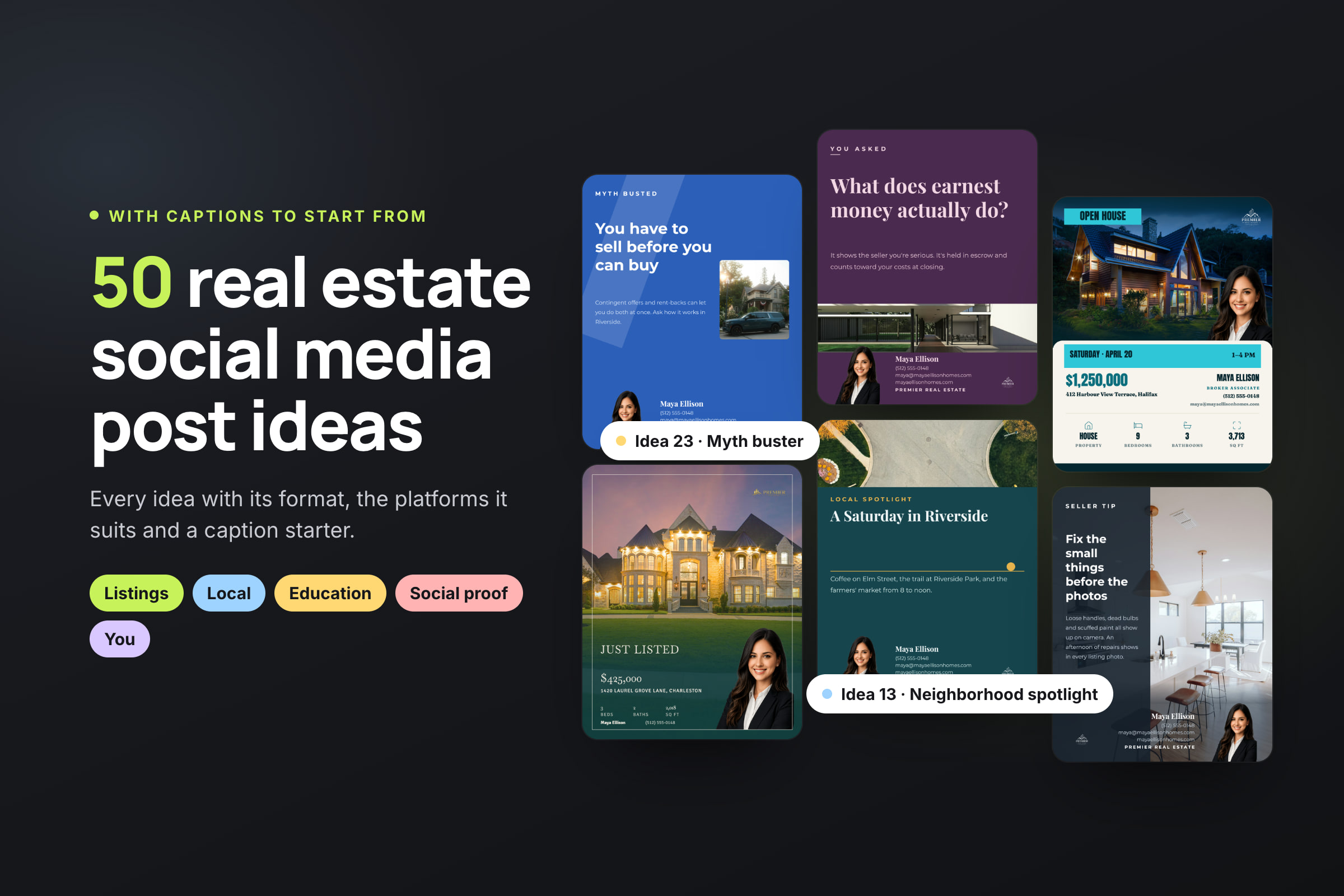
These 50 real estate social media content ideas are sorted into five groups: listings, local expertise, market education, social proof and you. Each idea comes with the format that suits it, the platforms where it works best and a caption starter to edit, so you can go from idea to post without starting from a blank screen.
The hard weeks aren't the ones with a new listing. They're the weeks between listings, when the feed goes quiet just when it should be building the next one, and most of the ideas below don't need a listing at all. Where a rule applies, such as Fair Housing wording or permission for a review, the idea says so and links to the rule. For the bigger picture of platforms and posting frequency, see our real estate social media marketing guide.
How to use these ideas: the weekly mix
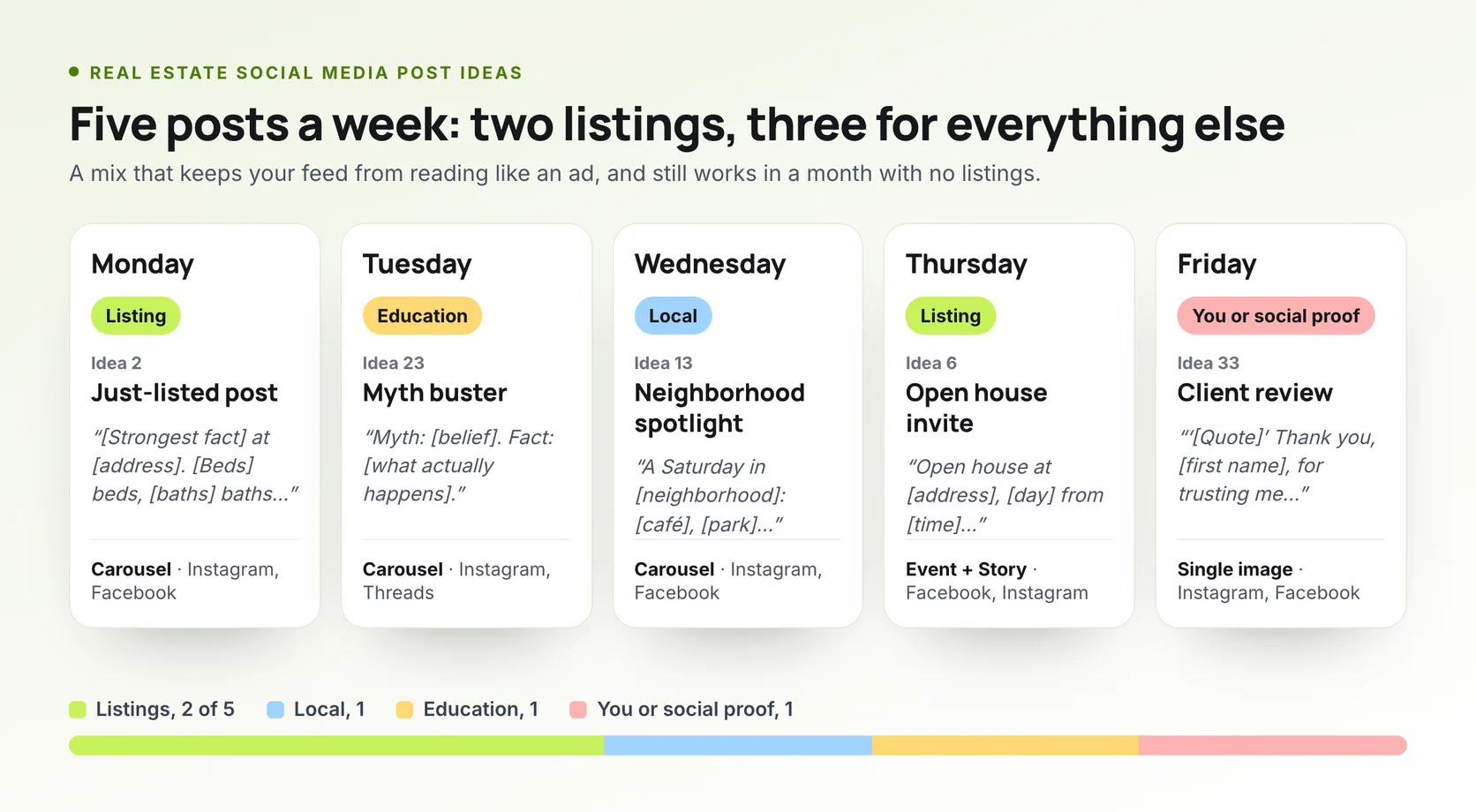
A feed of only listings reads as an advertisement, and people scroll past it like one. Our weekly posting calendar uses a simple mix that works for most agents. Of five posts a week:
- Two listing posts. A new listing, a price change, an open house or a sale.
- One local post. A place, an event or a change in your area.
- One education post. Something about buying or selling explained plainly.
- One personal or social-proof post. You, your week, or a client's result.
That puts listings at two posts in five. It's our recommendation, not survey data, so adjust it to how many listings you have. For most solo agents, three to five posts a week on your main platform is a sustainable target; our guide to how often to post breaks it down by channel.
Every idea below gives a format, the platforms where it works best and a caption starter. Fill in the [brackets] with your own details. The captions describe homes and places, never the people who should live there, as Fair Housing rules require.
Listing post ideas, from coming soon to just sold
A listing earns a post at every stage, and each stage tells people something new. For the full campaign, read how to promote a real estate listing on social media; for more captions at each stage, use our just listed and just sold captions.
1. The coming-soon teaser
One detail, no address, and the month it comes out. It gathers interested buyers before the photos go live. Check first: under NAR's Clear Cooperation Policy, a public post can start the one-business-day clock to put the listing in the MLS, and your MLS sets its own coming-soon rules.
Format: Story or single image · Best on: Instagram, Facebook
Caption starter: "Coming to [neighborhood] in [month]: [one feature]. Message me if you'd like the details before it's listed."
2. The just-listed post
Lead with the strongest true fact, not the words "just listed". Give three features with numbers and one location detail with a distance.
Format: Carousel · Best on: Instagram, Facebook, Threads
Caption starter: "[Strongest fact] at [address]. [Beds] beds, [baths] baths, [square feet] square feet, [distance] to [landmark]. Offered at [price]."
3. The one-feature close-up
One photo of the feature people will ask about: the kitchen, the view, the garden. A single strong image often stops the scroll better than twenty.
Format: Single image · Best on: Instagram, Threads
Caption starter: "The reason to see [address] in person: [feature]. [One detail about it]."
4. The photo-tour reel
Six to ten listing photos in walk-through order, about three seconds each, with the price and address on the first shot. You don't need to film anything; our guide to making a listing video from photos shows each step.
Format: Reel · Best on: Instagram, Facebook, TikTok
Caption starter: "[Address], front door to backyard in [number] seconds. [Beds] beds, [price]. Link in bio."
5. The floor-plan carousel
Pair each room photo with where it sits on the plan. Buyers save these to study before a showing.
Format: Carousel · Best on: Instagram, Facebook
Caption starter: "How [address] fits together, room by room. Save this for your showing."
6. The open house invite
The date, the time and one reason to come. On Facebook, create an event; on Instagram, post a Story reminder the morning of. Our open house social media plan covers the full week.
Format: Facebook event, Story · Best on: Facebook, Instagram
Caption starter: "Open house at [address], [day] from [time] to [time]. Come see [feature]. No appointment needed."
7. The open house recap
A short thank-you after the event, with an offer of a private showing for anyone who missed it.
Format: Story or single image · Best on: Instagram, Facebook
Caption starter: "Thank you to everyone who came through [address] on [day]. Missed it? I'm booking private showings this week."
8. The price change
State the new price plainly, then remind people what hasn't changed.
Format: Single image · Best on: Instagram, Facebook
Caption starter: "New price at [address]: [price]. Same [feature], same [distance] to [landmark]."
9. Back on the market
Keep it to the facts. If the seller agrees, you can say why it's back; otherwise don't guess.
Format: Single image · Best on: Instagram, Facebook
Caption starter: "[Address] is back on the market. [Beds] beds, [feature]. Showings from [day]."
10. Under contract
A short thank-you to everyone who viewed it. It shows buyers that homes you list move.
Format: Story · Best on: Instagram, Facebook
Caption starter: "[Address] is under contract. Thank you to everyone who came to see it."
11. Just sold
The result and what it means for neighbors thinking of selling. Check first: if you represented the buyer, say so, and don't suggest you had the listing; our compliance guide explains what a buyer's agent can post.
Format: Single image or reel · Best on: Instagram, Facebook
Caption starter: "Just sold: [address], after [number] days on the market. Own a home on [street]? Ask me what this sale means for yours."
12. For rent or just rented
Rentals follow the same rules as sales: the rent, the features, the date it's available.
Format: Single image or carousel · Best on: Facebook, Instagram
Caption starter: "For rent at [address]: [beds] beds, [feature], available [date]. [Rent] a month."
To get ten posts from one property, including a buyer-FAQ post and a price breakdown, see how to turn one listing into ten posts.
Local expertise post ideas
Buyers moving to an area are buying the neighborhood as much as the house, and the people who see your local posts include next year's sellers. Check first: describe places, distances and amenities, never who lives there. "Safe" and "family-friendly" can signal a preference under Fair Housing law; "cul-de-sac street, 0.3 miles to Riverside Park" can't. Our caption rewrites show more swaps.
13. The neighborhood spotlight
Five places you'd show a buyer on a Saturday in one neighborhood, one per slide.
Format: Carousel · Best on: Instagram, Facebook
Caption starter: "A Saturday in [neighborhood]: coffee at [café], [park] in the morning, lunch at [restaurant]. What would you add?"
14. The new-business opening
A café, a gym or a shop that just opened. Tag the business; they often share it.
Format: Single image or Story · Best on: Instagram, Facebook, Threads
Caption starter: "[Business] just opened on [street]. [What they do], open [hours]. Worth a stop."
15. The commute test
Time a real drive or train ride at rush hour and post the result. It's the question every relocating buyer asks.
Format: Reel · Best on: TikTok, Instagram
Caption starter: "I drove from [neighborhood] to [downtown] at [time] on a [weekday]. It took [minutes] minutes."
16. The park or trail guide
Length, parking, what's there, and the best time to go.
Format: Reel or carousel · Best on: Instagram, TikTok
Caption starter: "[Park] in [neighborhood]: [trail length] of trail, [feature], parking on [street]."
17. The weekend events roundup
Three things on in your town this weekend, posted on Thursday or Friday.
Format: Text or carousel · Best on: Facebook, Threads
Caption starter: "This weekend in [town]: [event], [event] and [event]. Which one are you going to?"
18. The "what's being built" update
A new road, a school building, a rezoning or a development, with the source. People want to know what will change near them.
Format: Single image or text · Best on: Facebook, Threads
Caption starter: "Planning update for [area]: [project], expected [date], according to [source]."
19. The neighborhood sales snapshot
How many homes sold in one neighborhood last month and the median price, with the source named. Every number needs a source and a month.
Format: Single image · Best on: Instagram, Facebook
Caption starter: "[Neighborhood] in [month]: [number] homes sold, median price [price]. Source: [MLS or report]."
20. The "moving here" guide
The practical things nobody tells newcomers: trash day, parking permits, utility setup, the DMV that has no wait.
Format: Carousel · Best on: Instagram, Threads
Caption starter: "Moving to [town]? Five things to sort out in your first week: [item], [item], [item]…"
21. The seasonal local guide
The farmers' market, the fall festival, the best place to watch the fireworks. Post it a week before the season starts.
Format: Carousel · Best on: Instagram, Facebook
Caption starter: "[Season] in [town]: [event], [place] and [tradition]. Save this for later."
22. The local business owner Q&A
Three questions for someone who runs a business in your area, filmed with their permission.
Format: Reel · Best on: Instagram, TikTok, Facebook
Caption starter: "Three questions for [owner] of [business] on [street]. [Best answer, in a few words]."
Market education post ideas
Education posts get saved and shared, and they give followers who are a year away from moving a reason to stay. Keep every number sourced: the month, the area and where it came from.
23. The myth buster
One common belief and what actually happens.
Format: Carousel or single image · Best on: Instagram, Threads, Facebook
Caption starter: "Myth: [belief]. Fact: [what actually happens]. Here's why."
24. Buying, step by step
The steps from pre-approval to keys, one per slide, with how long each usually takes in your market.
Format: Carousel · Best on: Instagram, Facebook
Caption starter: "Buying in [area], step by step: pre-approval, search, offer, inspection, appraisal, closing. Save this."
25. Selling, step by step
The same idea for sellers: pricing, preparing, photos, listing, offers, closing.
Format: Carousel · Best on: Instagram, Facebook
Caption starter: "Thinking of selling in [month]? Here's the order things happen, and what you do at each step."
26. One term, explained
Earnest money, contingency, appraisal gap, escrow. One term per post, in one or two sentences.
Format: Text or single image · Best on: Threads, Instagram, Facebook
Caption starter: "[Term], in plain English: [definition]. What it usually means here: [local detail]."
27. The real client question
A question a client really asked this week, with the short answer. Leave out anything that identifies them.
Format: Text · Best on: Threads, Facebook
Caption starter: "A client asked me this week: '[question]'. The short answer: [answer]."
28. What an inspection covers
What the inspector checks, and what they don't, so buyers aren't surprised.
Format: Reel or carousel · Best on: Instagram, TikTok
Caption starter: "What a home inspection covers: [item], [item], [item]. What it doesn't: [item]."
29. How offers are compared
Why the highest price doesn't always win: financing, contingencies, the closing date.
Format: Carousel · Best on: Instagram, Facebook
Caption starter: "Why the highest offer doesn't always win: [reason], [reason] and [reason]."
30. Closing costs, broken down
What closing costs pay for in your state, with a typical range and its source.
Format: Carousel · Best on: Instagram, Facebook
Caption starter: "What closing costs cover in [state]: [item], [item], [item]. Typical range: [range], per [source]."
31. The monthly market recap
Sales, median price and days on market for your area last month, compared with a year earlier, with the source.
Format: Carousel or single image · Best on: Instagram, Facebook
Caption starter: "[Area] in [month]: [sales] sales, median [price], [days] days on market. Source: [MLS]."
32. The first-time buyer checklist
A checklist people save and come back to: documents, budget, pre-approval, what to look for at showings.
Format: Carousel · Best on: Instagram
Caption starter: "First-time buyer? Save this for the week before you start looking."
Social proof post ideas
Proof beats promises, but only real proof. Check first: since October 2024, the FTC's rule on reviews and testimonials bans fake reviews, including ones written for a client or by AI, and incentives tied to a positive review. Share real reviews in the client's own words, with their permission. Our compliance guide covers reviews and testimonials in full.
33. The client review
A short quote from a real review, with the client's first name and permission.
Format: Single image · Best on: Instagram, Facebook
Caption starter: "'[Quote]' Thank you, [first name], for trusting me with your [sale or purchase] in [neighborhood]."
34. The closing-day photo
Keys in hand, with your clients' permission. If you were the buyer's agent, say you helped your buyers close.
Format: Single image · Best on: Instagram, Facebook
Caption starter: "Keys handed over in [neighborhood]. Congratulations, [first names], on your [first home or new home]!"
35. The problem we solved
A short story about a sale that needed work, told with the seller's OK: what was wrong, what you changed, what happened.
Format: Carousel or text · Best on: Facebook, Threads
Caption starter: "This listing sat for [weeks] weeks. Here's what we changed, and what happened next."
36. The partner thank-you
Thank a lender, an inspector or a stager for something specific on a deal. Check first: joint marketing with lenders and title companies has its own rules; see co-marketing.
Format: Single image · Best on: Facebook, Instagram
Caption starter: "Thank you to [name] at [company] for [specific thing] on [deal]. This is what a good team looks like."
37. The before and after
A room before and after the seller's work. Check first: label virtual staging and edited photos; some states now require it, as our guide to AI edits and virtual staging explains.
Format: Carousel · Best on: Instagram
Caption starter: "Same room, before and after: [change]. [One detail]. (Second photo [virtually staged].)"
38. The video testimonial
Thirty seconds of a happy client in their own words.
Format: Reel · Best on: Instagram, Facebook, TikTok
Caption starter: "In [first name]'s words: '[short line]'. Thank you for letting me share this."
39. The milestone
A true number: homes sold, years in the business, families helped in one neighborhood.
Format: Single image · Best on: Instagram, Facebook
Caption starter: "[Number] homes sold in [area] since [year]. Thank you to every client who trusted me."
40. The six-months-later update
A past client's first season in their new home, with their permission. It shows you stay in touch after closing.
Format: Single image · Best on: Instagram, Facebook
Caption starter: "Six months ago, [first names] got the keys in [neighborhood]. Here's their first [season] there."
Behind-the-scenes and personal post ideas
People hire people. One personal post a week makes the rest of the feed feel human. These have to be real: nobody, and no AI, can write your life for you.
41. A day in your week
A showing, an inspection, the paperwork. Short clips of an ordinary day.
Format: Reel or Stories · Best on: Instagram, TikTok
Caption starter: "What a [weekday] looks like for me: [task], [task], [task]."
42. Why you got into real estate
The real reason, in a few sentences.
Format: Reel or text · Best on: Instagram, Facebook, Threads
Caption starter: "I got into real estate because [reason]. [Year] years later, [what keeps you in it]."
43. The showing that went sideways
A light story from a showing, with no client details.
Format: Text or reel · Best on: Threads, TikTok
Caption starter: "Today's showing did not go to plan. [What happened]. [What you learned]."
44. Your go-to local lunch
Where you actually eat between appointments.
Format: Story · Best on: Instagram
Caption starter: "Lunch between showings: [dish] at [restaurant]. What's yours?"
45. The habit that keeps you organized
A tool, a checklist or a routine that saves you time.
Format: Text or single image · Best on: Threads, LinkedIn
Caption starter: "The one habit that keeps my week on track: [habit]. [Why it works]."
46. Meet the team
One person per slide, with their role and one real detail.
Format: Carousel · Best on: Instagram, Facebook, LinkedIn
Caption starter: "Meet the people behind [team name]. Swipe to say hi to [name], who [role]."
47. The community day
A volunteer day, a sponsored team or a local cause you support.
Format: Single image · Best on: Facebook, Instagram
Caption starter: "Spent [day] with [organization] helping [what you did]. Thank you to [who organized it]."
48. A lesson you learned
A mistake, or something you'd do differently, told plainly.
Format: Text · Best on: Threads, LinkedIn, Facebook
Caption starter: "Something I'd do differently: [lesson]. Here's what happened."
49. What you'd look for in your own next home
Your own wish list, as a buyer. It's personal, and it starts conversations.
Format: Carousel or text · Best on: Instagram, Threads
Caption starter: "If I were buying my next home, I'd want [feature], [feature] and [feature]. What's on your list?"
50. Your off-duty self
A hobby, a pet, a weekend. Once a month is plenty.
Format: Single image or Story · Best on: Instagram, Facebook
Caption starter: "When I'm not showing homes, I'm [activity]. [One detail]."
What to post when you have no listings
Post the 38 non-listing ideas above: local, education, social proof and personal posts. A quiet listing month is when they matter most, because they keep you in front of the people who will list next.
Four other sources help:
- Another agent's listing, with permission. You need the listing broker's consent to advertise it, and IDX display rights don't cover social media. See posting another broker's listing.
- Your past sales. A "sold last spring" recap or a before and after from a past listing, using photos you have the right to use.
- Your buyer-side wins. A closing-day photo from a purchase you helped with, with your clients' permission.
- The market itself. A monthly recap (idea 31) or a neighborhood snapshot (idea 19) needs no listing at all.
Real estate Instagram post ideas, and where each format goes
Each format does a different job, so match the idea to the format before you pick the platform.
| Format | Its job | Ideas that suit it | Where it works |
|---|---|---|---|
| Reel or short video | Reach people who don't follow you yet | 4, 15, 22, 28, 38, 41 | Instagram, Facebook, TikTok |
| Carousel | Get saved and shared | 2, 5, 13, 20, 24, 25, 29, 30, 32 | Instagram, Facebook, Threads; photo posts on TikTok |
| Story | Remind followers and share small updates | 1, 6, 10, 44 | Instagram, Facebook |
| Single image | One fact or one moment | 3, 8, 9, 19, 33, 34, 39 | Instagram, Facebook, Threads |
| Text | Questions, answers and opinions | 17, 26, 27, 43, 48 | Threads, Facebook |
On Instagram, keep to five hashtags: Instagram announced in December 2025 that posts and Reels allow up to five. For more on formats and how Instagram ranks posts, read our Instagram guide for real estate agents. For video, see our real estate reel scripts and TikTok for realtors.
Turn these ideas into a week of posts with Velisto
Velisto is a real estate content creation tool. It makes listing posts, listing campaigns and reels from your listings, and the everyday posts between them, then schedules them to Instagram, Facebook, TikTok and Threads.
For the local and education ideas above, use Plan my content:
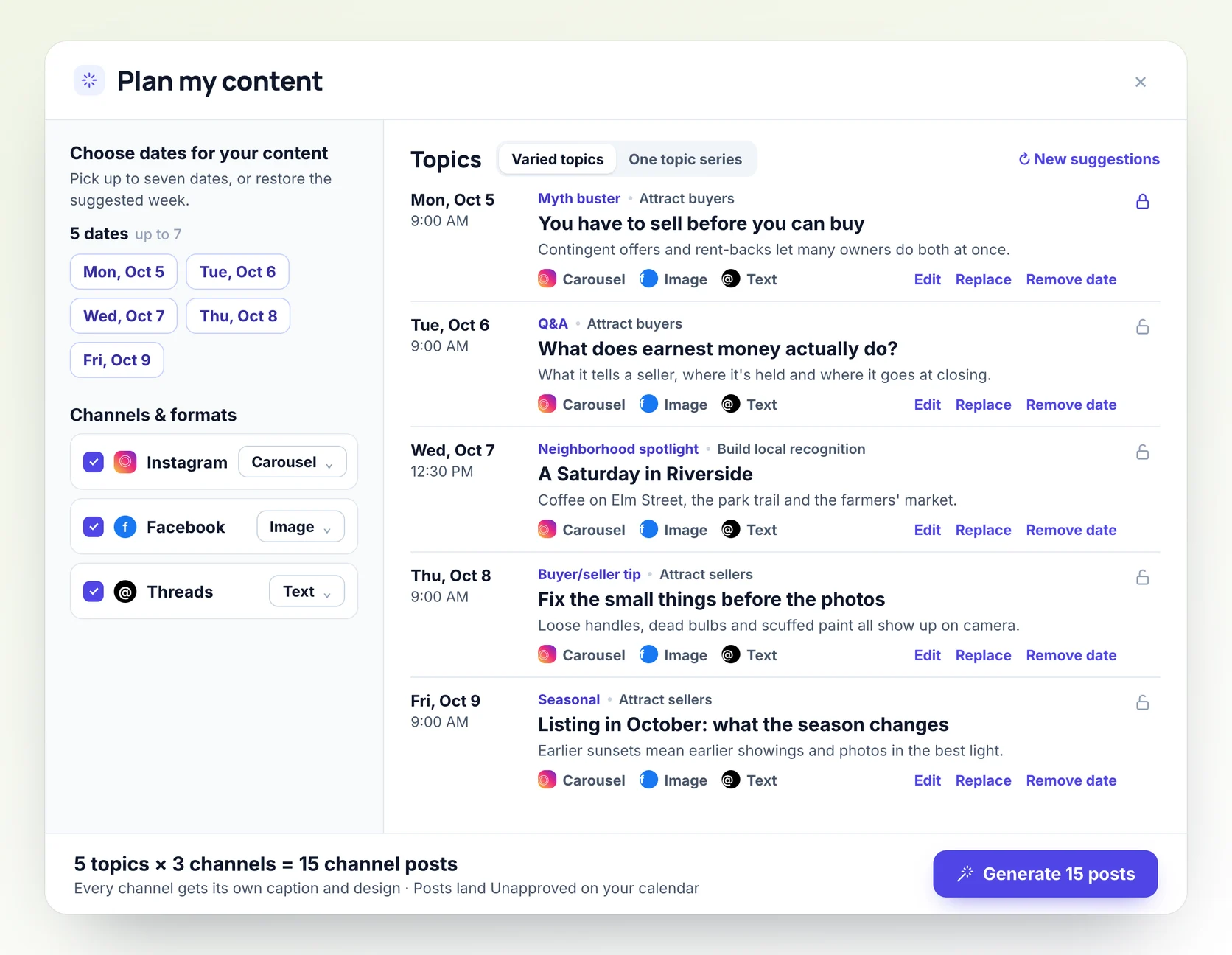
- Open Create → Plan my content. Velisto suggests a week of free dates, at times from your posting schedule. Keep them, or pick your own, up to seven.
- Review the topics, one per date, each with an angle and two or three key points. They come from buyer and seller tips, myth busters, Q&As and seasonal posts, plus neighborhood spotlights once you've filled in Markets you serve in your persona. Edit, Replace or lock any topic, or choose Add my own topic.
- Under Channels & formats, choose what each channel gets: an image or carousel on Instagram, an image or text on Facebook, a photo post on TikTok, and an image, carousel or text on Threads.
- Generate the posts. The footer counts the work: five topics on three channels is 15 channel posts, and every channel gets its own caption and design.
- The posts land Unapproved on your calendar. Open any post to change it, then Approve all. They publish at their planned times.
Done by hand, each of those 15 posts needs its own caption, a design sized for its channel and a scheduled time.
For listing ideas 1 to 12, use Create → Promote a listing. Choose an angle, from Coming Soon and Just Listed to Open House, Price Drop, Under Contract and Just Sold, and make a single post or a listing campaign that runs over several days.
Social proof and personal posts are yours to tell. Plan my content never writes about your life or your clients, because it can't know them. When you have a real story or a review to share, Create → Use my own idea turns your notes into a post in your voice.
Velisto doesn't check captions for Fair Housing wording, so read each one against the rules above before you approve it. To put your brokerage line on every AI caption, add it once in Settings → Brand & persona, under Post defaults → Add a footer to posts.
You review and approve the content; Velisto publishes it at the scheduled time. See how Plan my content works, or start a 7-day free trial.
Real estate social media post ideas FAQ
What should real estate agents post on social media?
A mix of five kinds of post: listings, local expertise, market education, social proof and personal posts. A simple weekly split is two listing posts, one local post, one education post and one personal or client post.
How often should real estate agents post on social media?
For most solo agents, three to five posts a week on your main platform, with one or two of them as short video, is a pace you can keep. Consistency matters more than volume. Our marketing guide has a per-channel table for solo agents, teams and brokerages.
What is the 80/20 rule for real estate social media?
It usually means 80% useful or personal content and 20% promotion, but people define the split differently. A practical version: of five posts a week, make two about listings and three about your area, your knowledge and you.
What should I post when I have no listings?
Local guides, market explainers, client reviews and personal posts, which make up 38 of the 50 ideas here. You can also promote another agent's listing with the listing broker's permission, recap past sales, or share a buyer-side closing with your clients' OK.
Do real estate posts need my brokerage name?
In many states, yes, and NAR's Code of Ethics requires REALTORS® to show their firm name in advertising in a readily apparent way. Where and how it has to appear varies by state; our compliance guide lists the rules by state.
Can I use AI to write my real estate posts?
Yes, as long as you review each post before it goes live. Check that every fact is true, the caption describes the property rather than the buyer, and no review or client story is made up. Our compliance guide has a checklist for AI captions.
Turn these ideas into a week of posts in Velisto, and approve each one before it publishes. Get started.