
BRAND KIT & VOICE
Your look.
Your voice.
Your next post.
Make your marketing feel like your business. Keep your logos, colors, profile details and writing preferences together, ready for the content you create in Velisto.
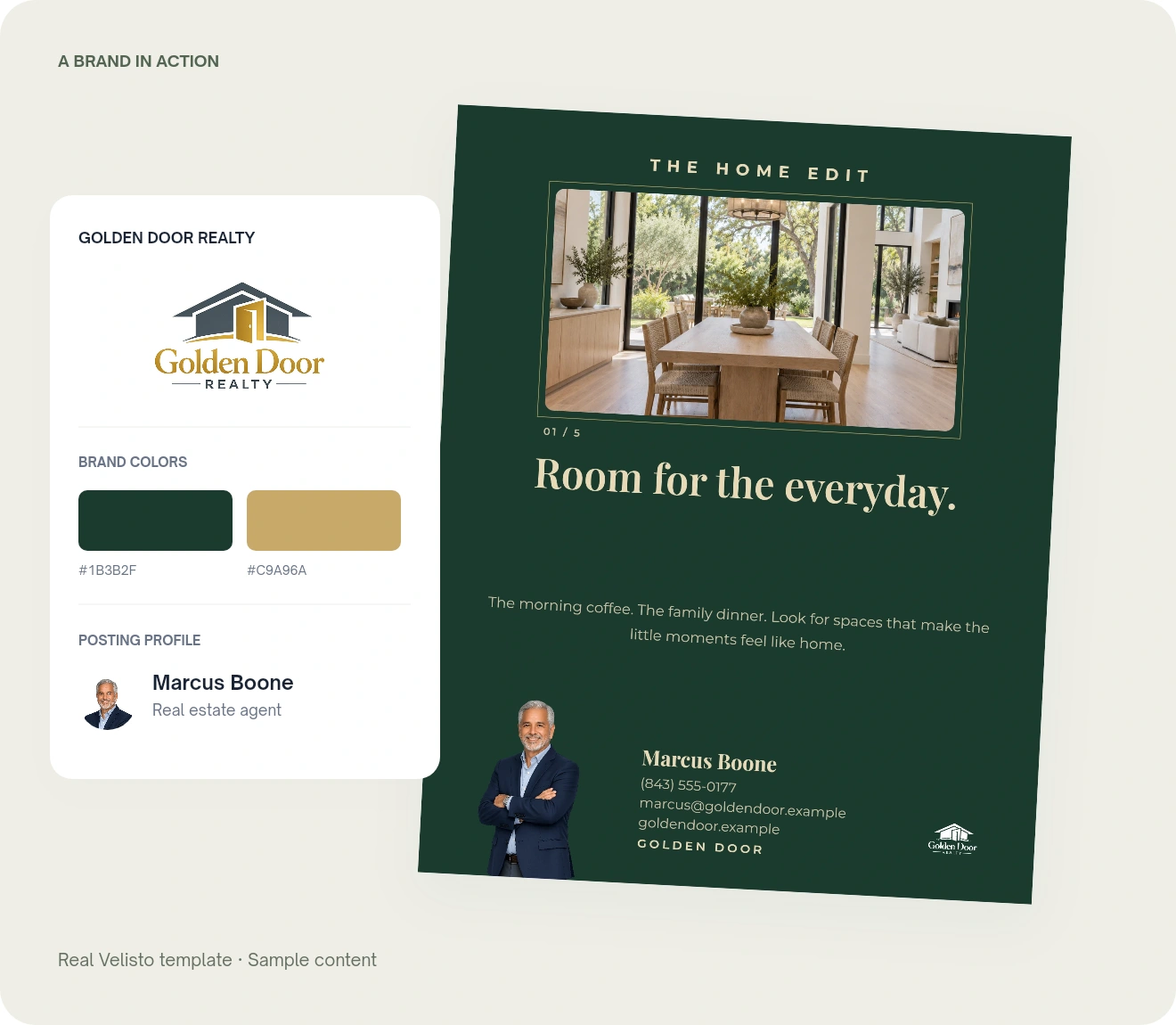
START WITH THE FAMILIAR DETAILS
A recognizable look.
A place to keep it.
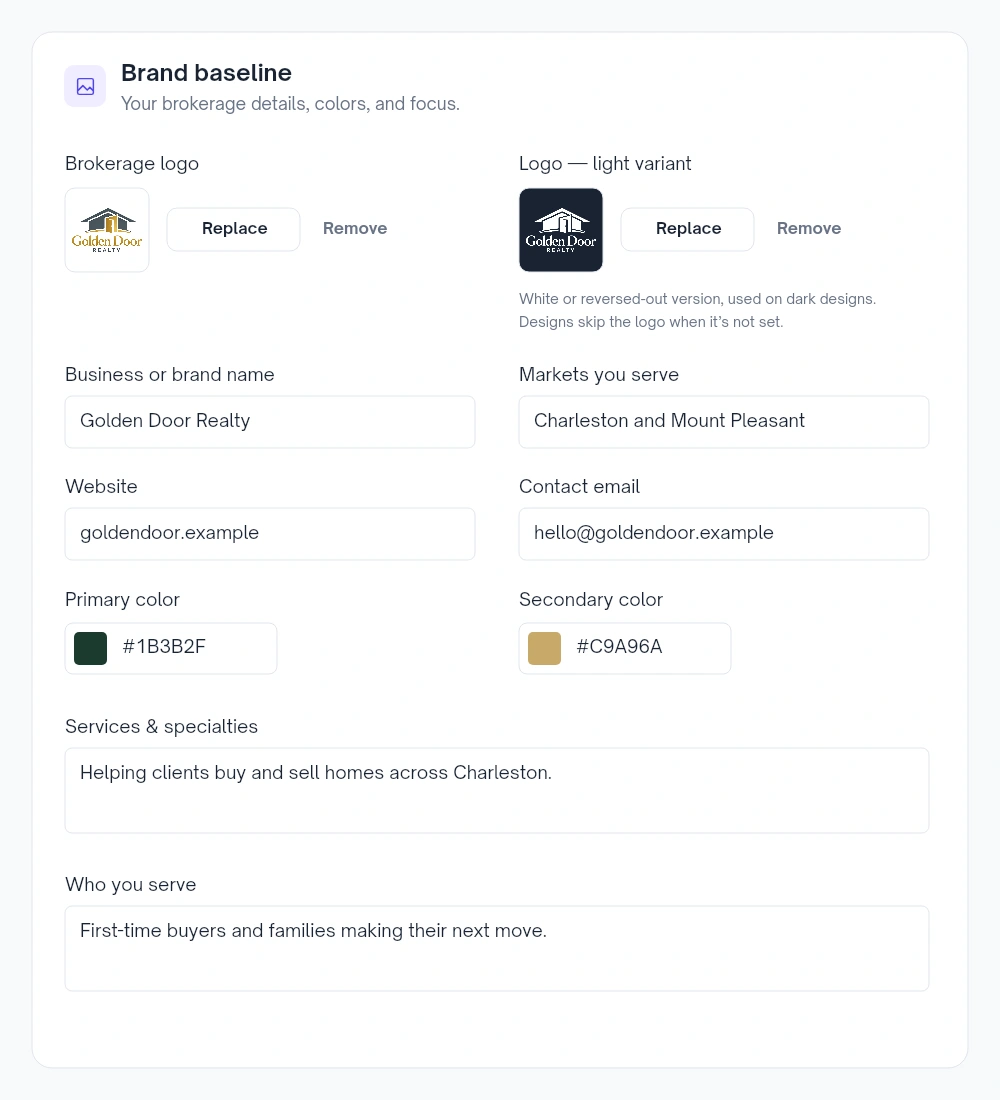
Give every new design a familiar starting point. Save the business details you use again and again in your brand baseline.
The right logo for the background
Upload your brokerage logo and a light version for dark designs.
Your colors, close at hand
Save your primary and secondary colors, ready to use as you customize your content.
The business behind the brand
Add your markets, website, contact email, services and audience. Posting profiles can build on that shared context.
MORE THAN THE WAY IT LOOKS
Give your content
a point of view.
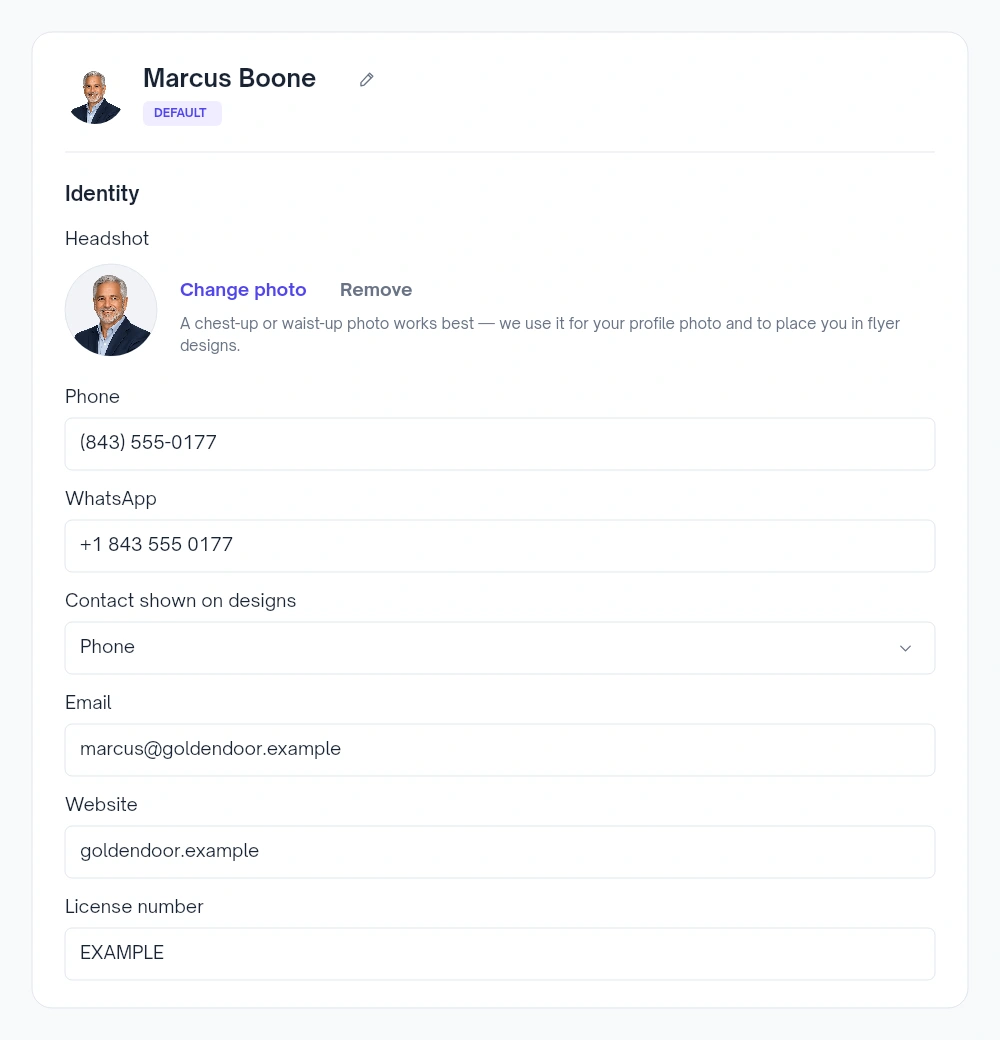
Who you help. Where you work. How you introduce yourself. Your posting profile gives Velisto useful context for your content.
Make the introduction yours
Add your name, role, headshot and contact details. Choose whether designs show your phone number or WhatsApp.
Bring your local knowledge
Describe your markets, specialties and ideal clients. Add a short bio to give your content a more personal starting point.
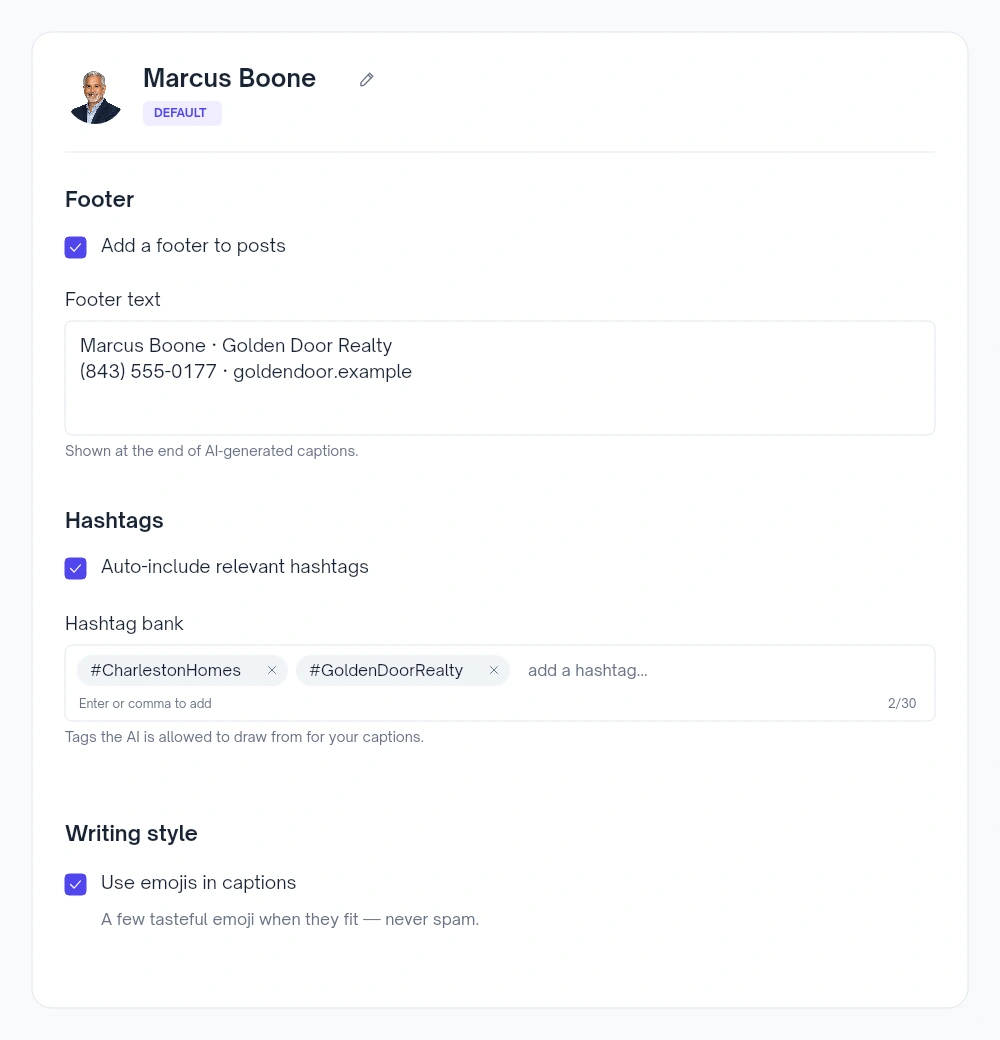
Set your caption preferences
Save a caption footer, build a hashtag bank, and choose whether generated captions use relevant hashtags and emojis.
Writing for another audience?
Choose the caption language when creating content, then review the wording before you publish.
Explore multi-language captions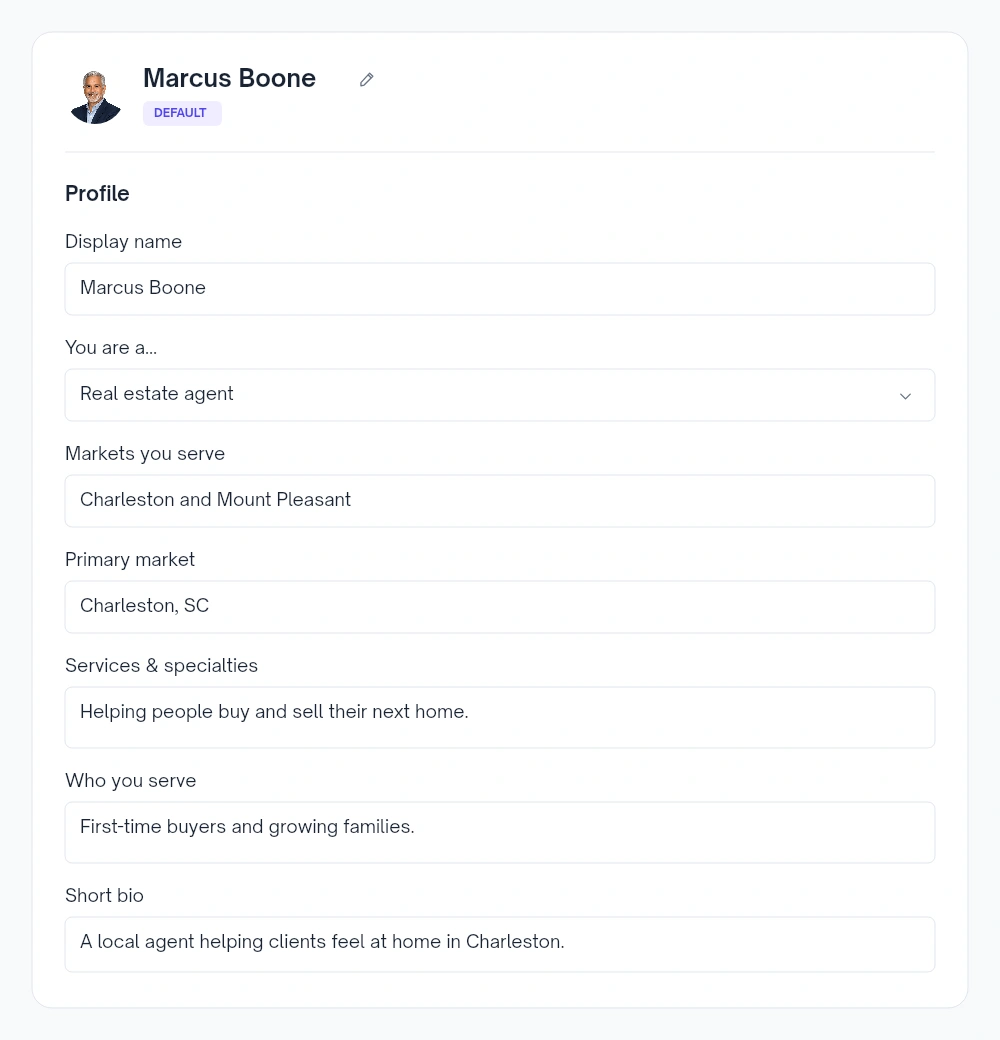
You still have the final word. Edit the caption, adjust the design and check your details before publishing.
A SHARED BRAND. A PERSONAL INTRODUCTION.
One brokerage.
The people behind it.
Keep the brokerage’s logos and colors together while each posting profile carries its own name, photo and contact details.
Select the profile you’re creating for and check its branding as you work. Your team can share a recognizable identity while bringing their own expertise to the content.
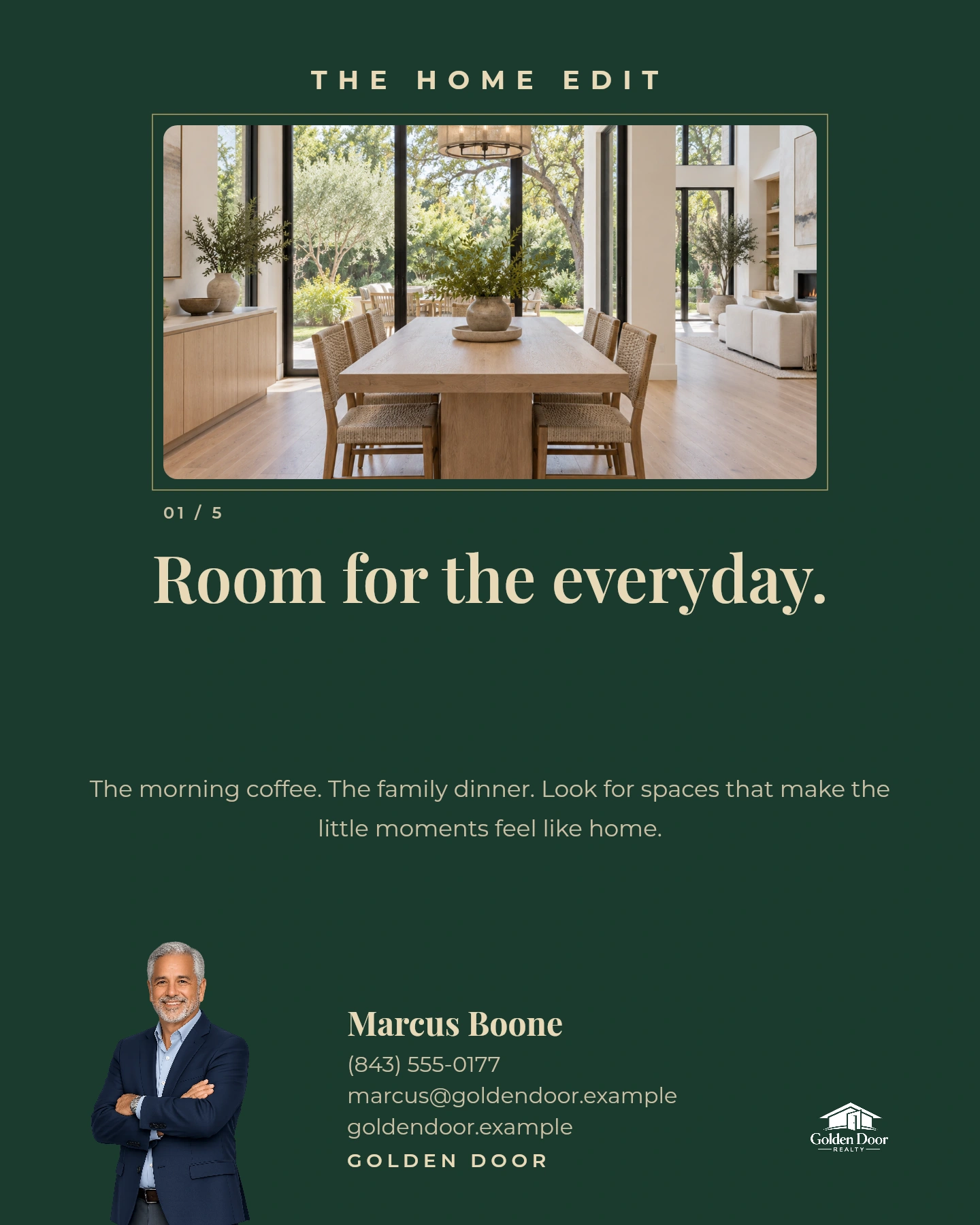
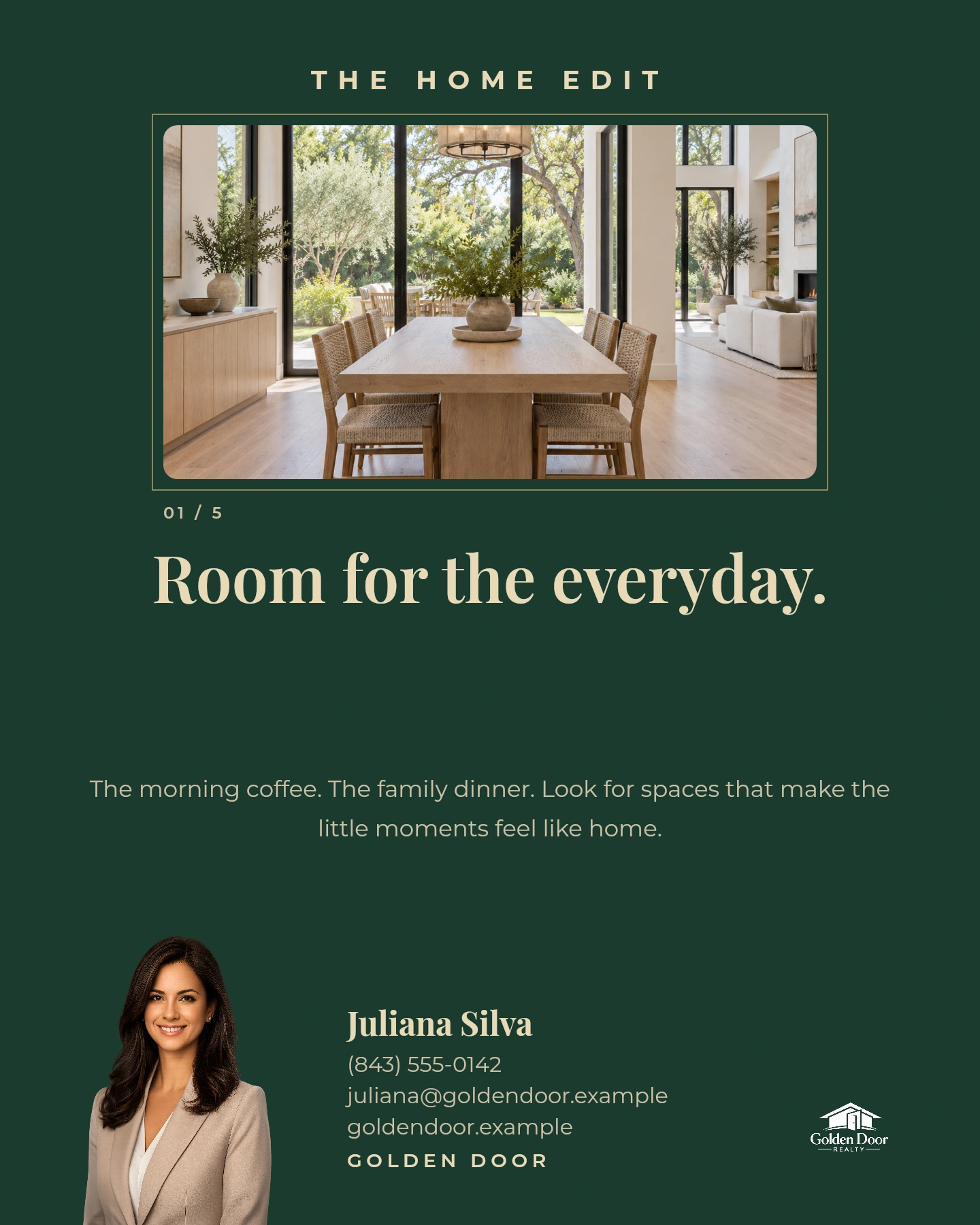
Same template. Same brokerage. Each agent’s own details.
Explore 200+ templatesPUT YOUR BRAND TO WORK
Set it up.
Start creating.
Your brand details live in Workspace settings. Add them once, then select the right profile as you create.
- 01
Save your brand baseline
Open the brand settings for your workspace. Add your logos, two brand colors and business details.
- 02
Complete your posting profile
Add your identity, audience and caption preferences. Choose the default profile you use most often.
- 03
Make your next piece
Start with an idea, a template or a listing. Review the branding, customize the content and publish when it’s ready.
YOUR QUESTIONS, ANSWERED
A closer look
at your Brand Kit.
The details that help you get started.
Visit the FAQ hubWhat can I save in my Brand Kit?
How is the brand baseline different from a posting profile?
Can I use my brand in graphics, flyers and videos?
What controls the way captions are written?
Do I need a second version of my logo?
Who can change the shared brand?
Can I manage different clients’ brands?
MAKE IT FEEL LIKE YOU
Your business has an identity.
Give your content one, too.
Bring your brand to your next post, design or property video.