A LITTLE PREPARATION
Before you begin.
- Connected social accounts
Connect the profiles you want to use. Check the Channels guide for supported account types and formats.
- The finished media
Have your images ready or wait for the video render to finish before publishing.
- Your intended timing
Decide whether to post now, choose a future time or keep the content as a draft.
Open the post in the composer.
Start a new post, open a draft, or continue from content you have just created in Velisto. Add the image or finished video and prepare the caption.
Check the correct workspace before you start. The media, message and connected accounts should all belong to the same business.
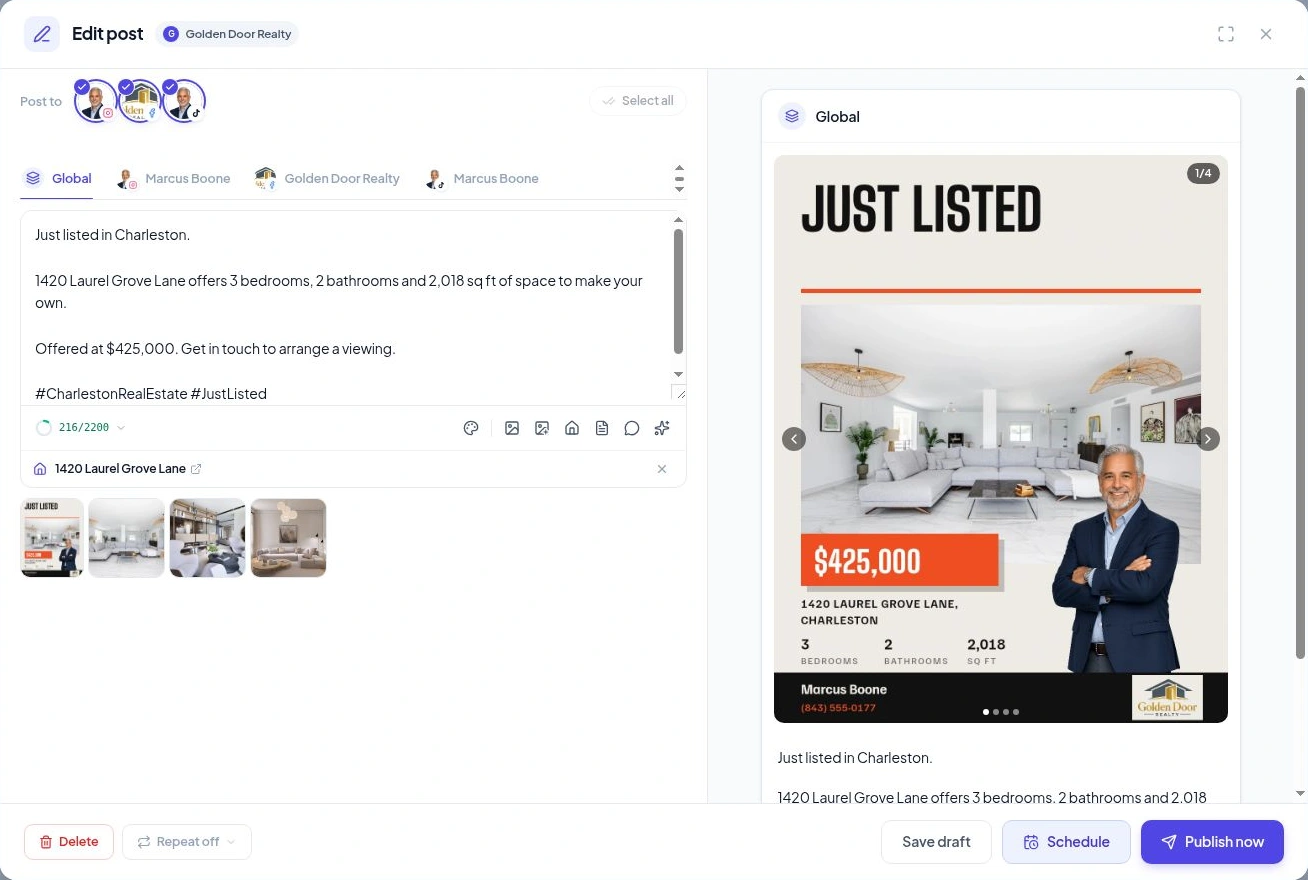
Select the accounts that should receive it.
Select the connected profiles you want to use. You do not have to send every post to every account.
Check that the chosen format is supported by each channel. For example, a story and a landscape video do not have the same publishing destinations.
When several profiles are connected, confirm that you have selected the right Page or professional account.
Tailor the caption and check each preview.
Use the Global tab for the shared caption. Open an individual channel tab when you want to adapt its wording.
Review the media, caption, links and call to action for each destination. Keep the property facts consistent while making the wording feel natural for that audience.
A shared caption is the starting point. Channel-specific edits let you make changes where they help.
Publish now, schedule ahead or save a draft.
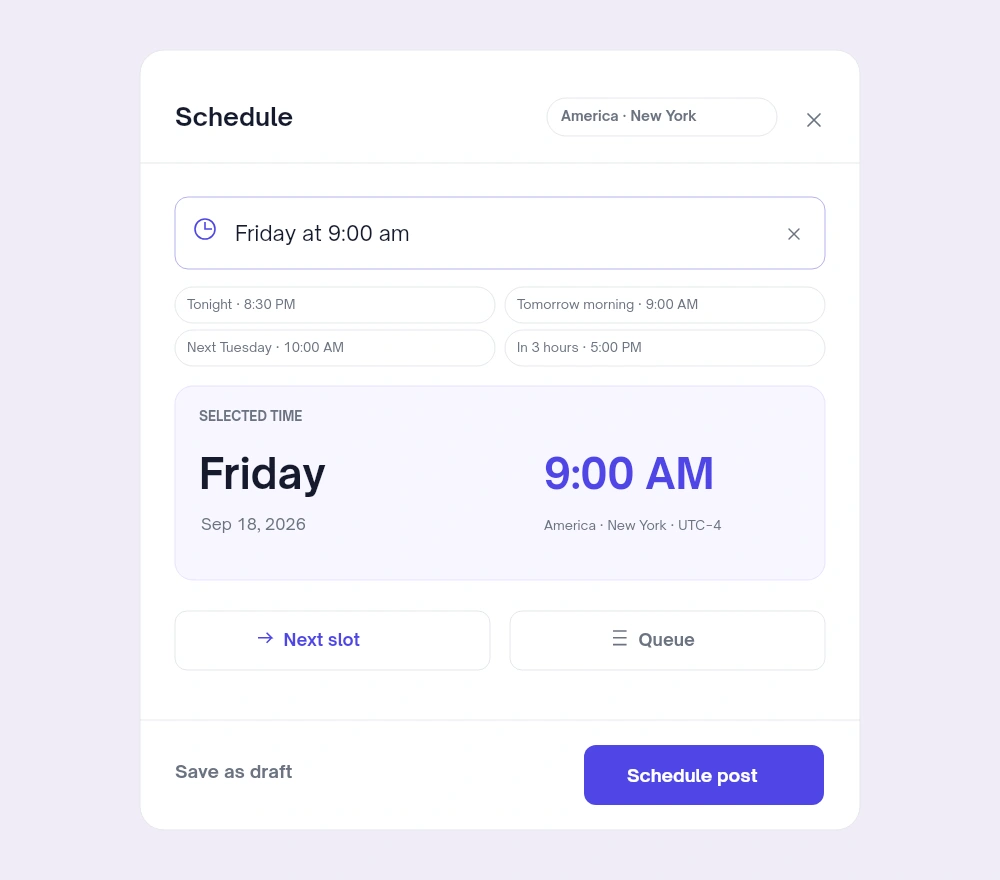
Choose Publish now to send the ready post to the selected accounts. Choose Schedule to pick a date and time, then confirm with Schedule post.
The scheduler shows the timezone. You can choose an available posting slot using Next slot or the queue when posting slots are configured. Use Save draft if the content needs more work.
Check the result in the calendar.
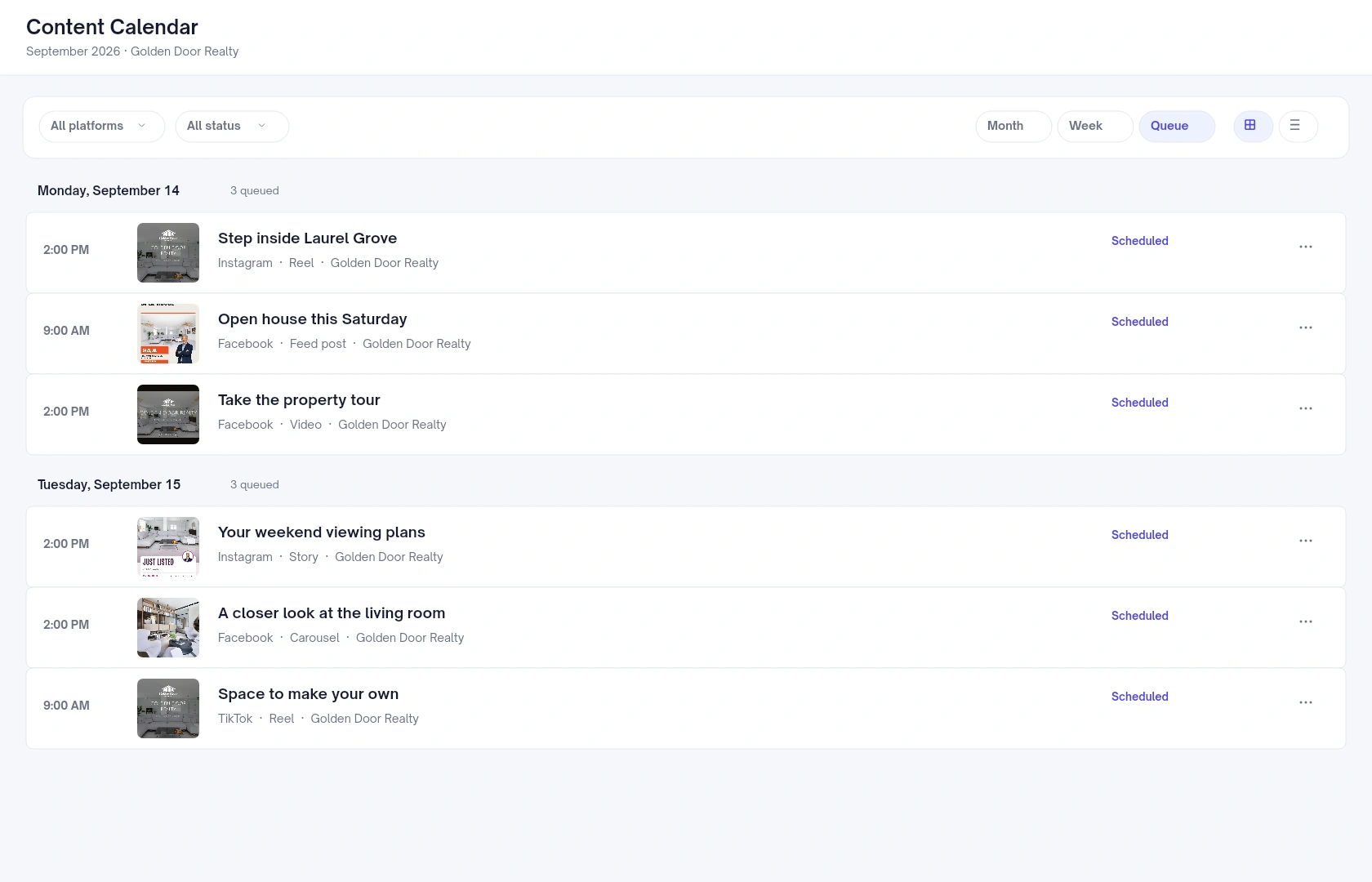
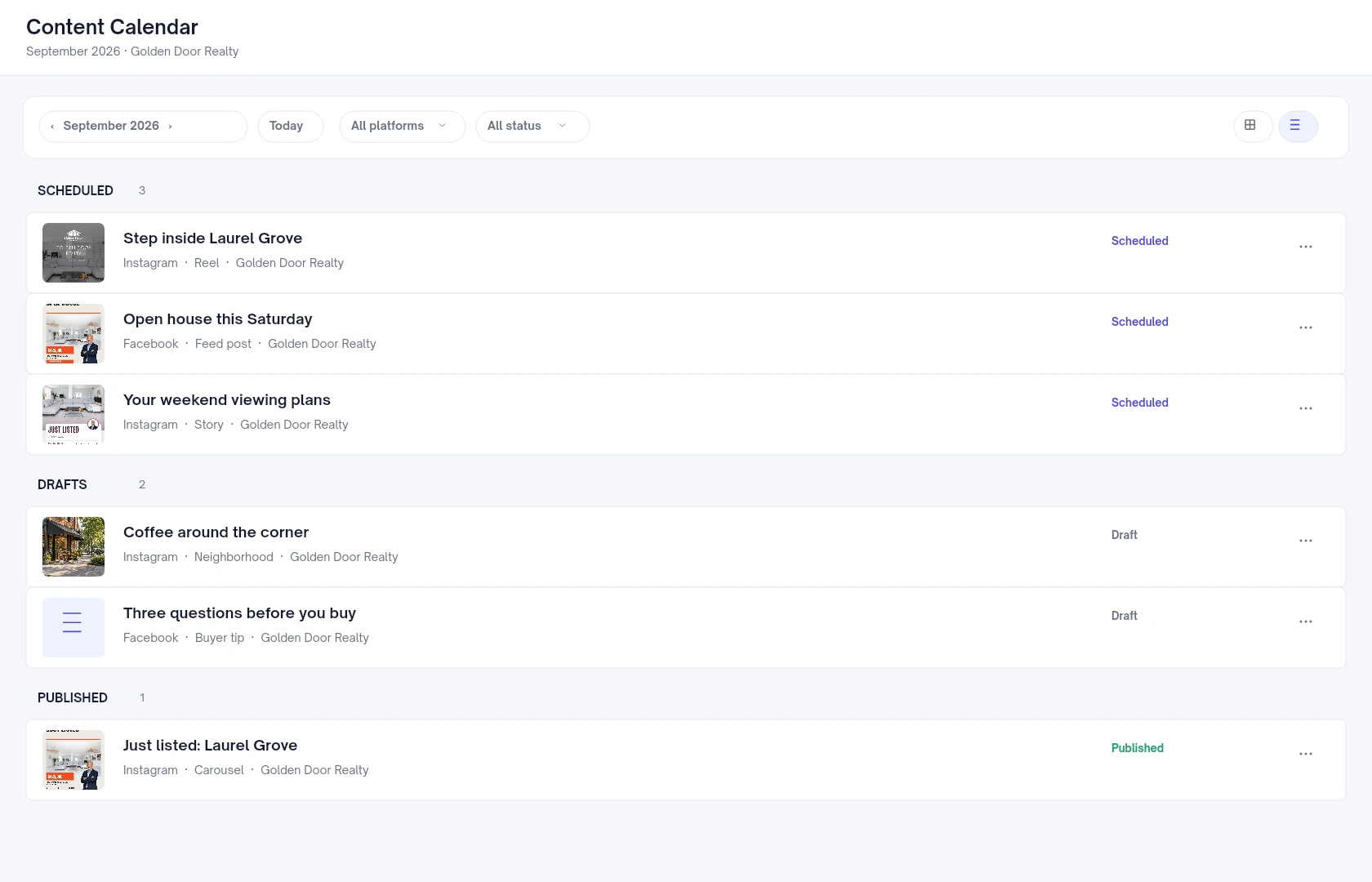
Return to the Content Calendar to see scheduled posts and drafts. Use Queue for upcoming content or List to review posts by status.
Check whether publishing completed. If a post failed, open it to see what needs attention. When a scheduled post needs a change, update it before it goes out and review the resulting schedule.