

Share useful advice
Give buyers and sellers something worth saving.
For agents, teams & real estate marketers
Build trust with buyers and sellers, even on your busiest days. Velisto helps you find ideas, create branded content and schedule it across your channels—so social media doesn’t take over your evenings.
Your content, planned in one placeBuilt around the way real estate works.
A real estate social media scheduler lets you prepare posts ahead of time and publish them automatically at the times you choose, so your Instagram, Facebook and TikTok stay active through weeks of showings, inspections and closings. Most schedulers, including Buffer, Later and Hootsuite, publish content you have already made somewhere else.
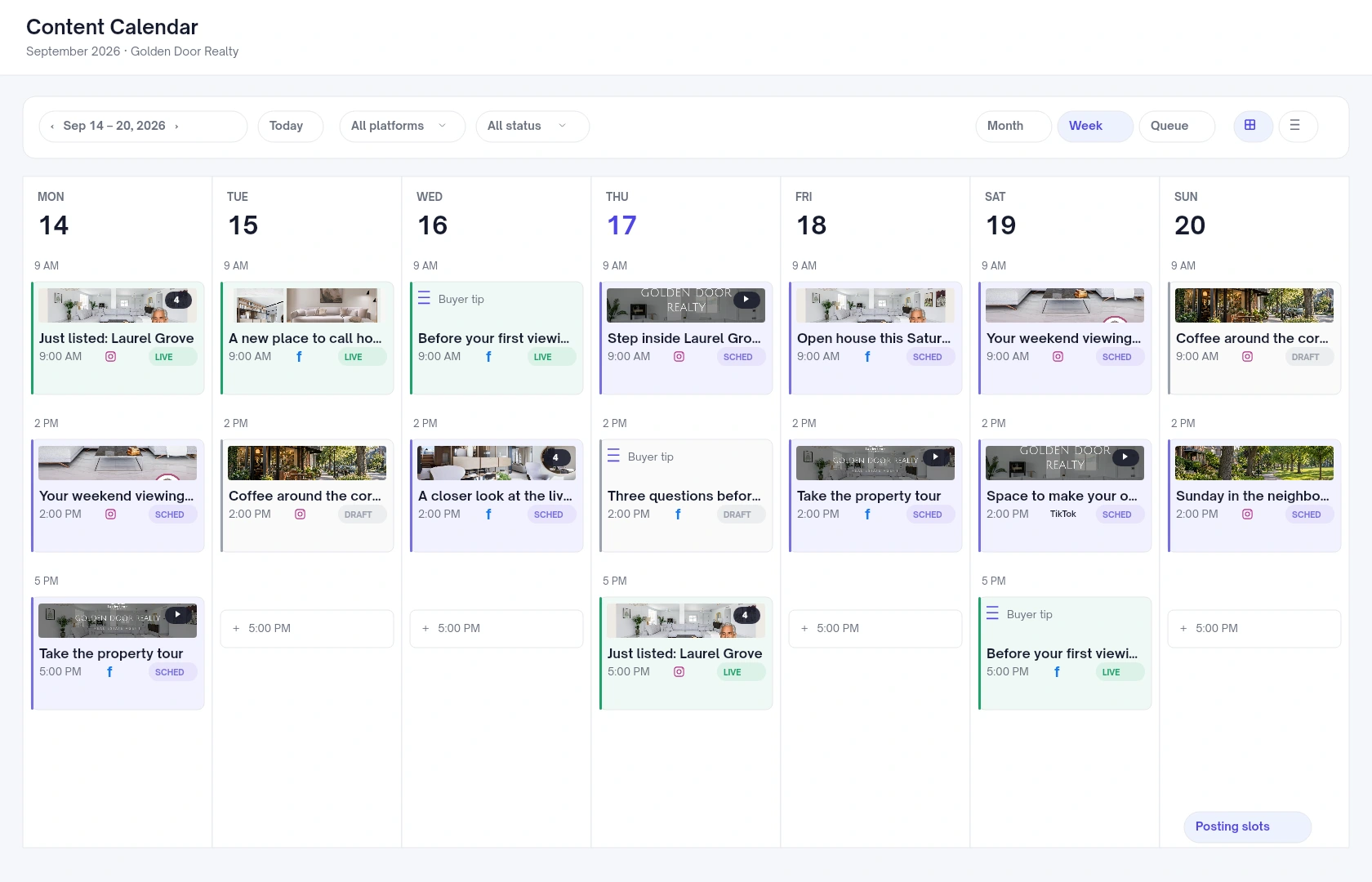
Velisto creates the posts as well as scheduling them. Its content calendar holds both kinds of real estate content side by side: listing campaigns built from a property’s photos and details, from Coming Soon and Just Listed to Open House and Just Sold, and everyday posts such as buyer advice, seller questions and neighborhood news, which Plan my content suggests and generates for the dates you pick. AI captions follow your brand voice, and designs carry your brand kit.
Each workspace has its own timezone and posting slots. Send a post to the next free slot or to a set time, give each channel its own caption, and repeat evergreen posts daily, weekly, every two weeks or monthly. Posts generated by Plan my content wait as Unapproved until you review them. Velisto publishes to Instagram professional accounts, including Reels and Stories, Facebook Pages, TikTok and Threads.
BE THE AGENT THEY REMEMBER
New listings matter. So does the advice and local knowledge that give people a reason to follow you before they’re ready to move.
Give buyers and sellers something worth saving.

Be more than another listing in their feed.

Keep the property and your brand together.
Real Velisto templates, shown with sample content and branding.
FROM “WHAT SHOULD I POST?” TO A PLAN
You don’t need a finished folder of posts to get started. Velisto helps with the work that comes before scheduling, too.
Open Plan my content for topics shaped by your expertise and audience. Choose a varied mix or explore one topic as a series, then pick up to seven dates and the formats for your channels.
Edit the suggestions or add your own. You decide what deserves a place in your feed.
Explore content planning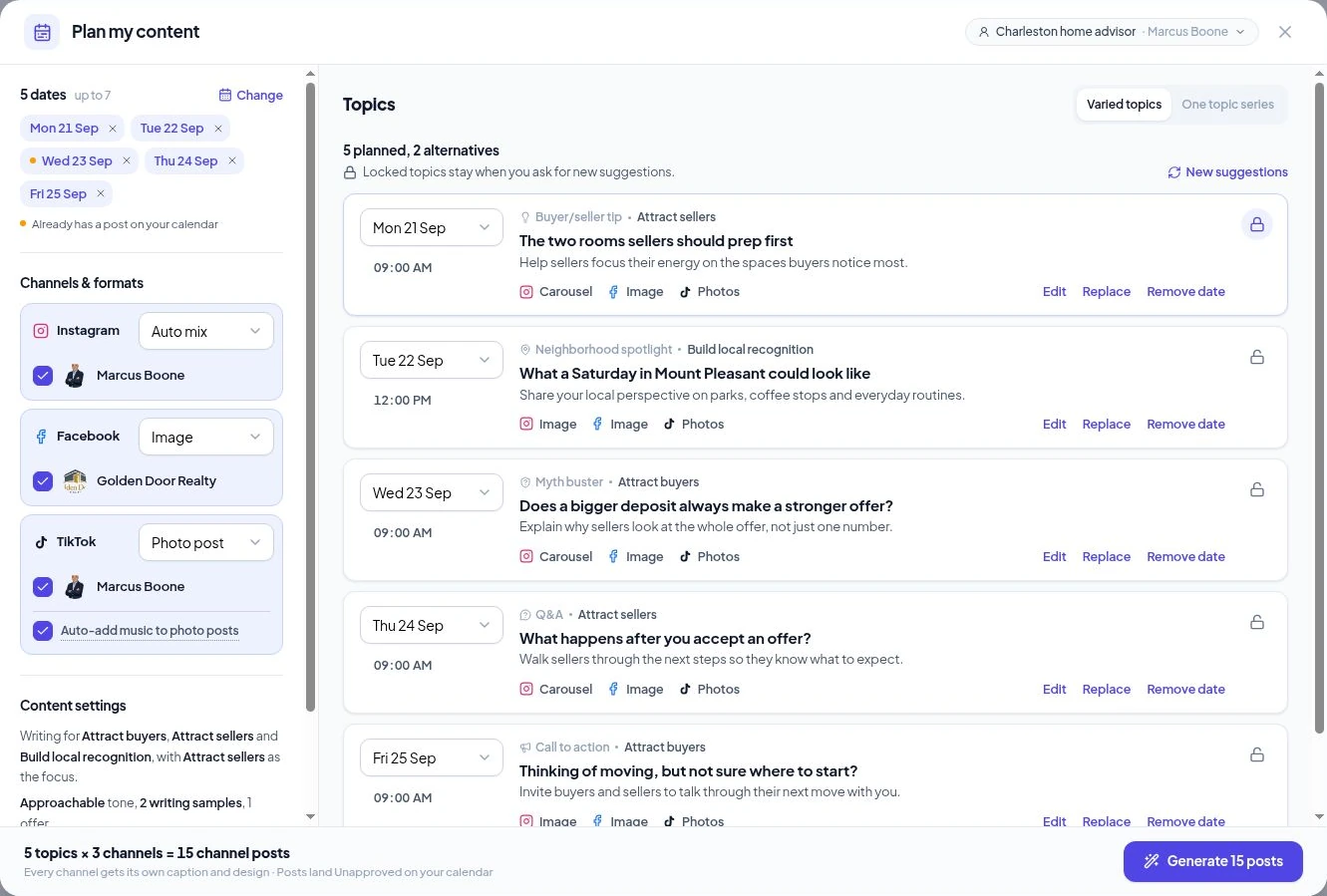
Open Promote a listing and choose a single post or a listing campaign. Use the property photos and details you already have to create branded posts, stories and videos.
Review the captions and designs, then bring the campaign into the same calendar as your everyday content.
See the listing workflow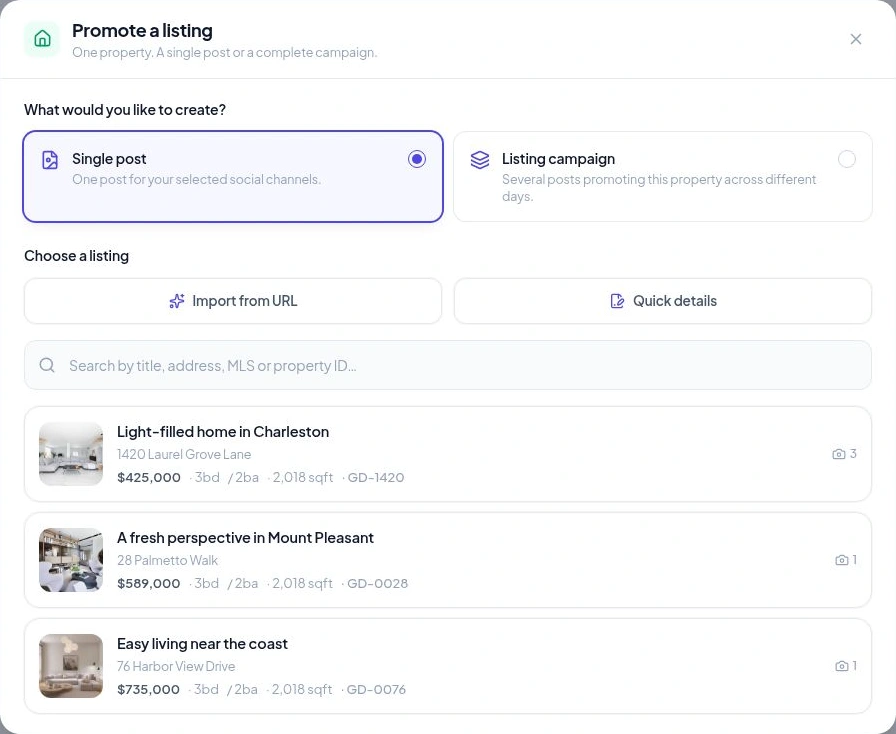
READY BEFORE THE WEEK GETS BUSY
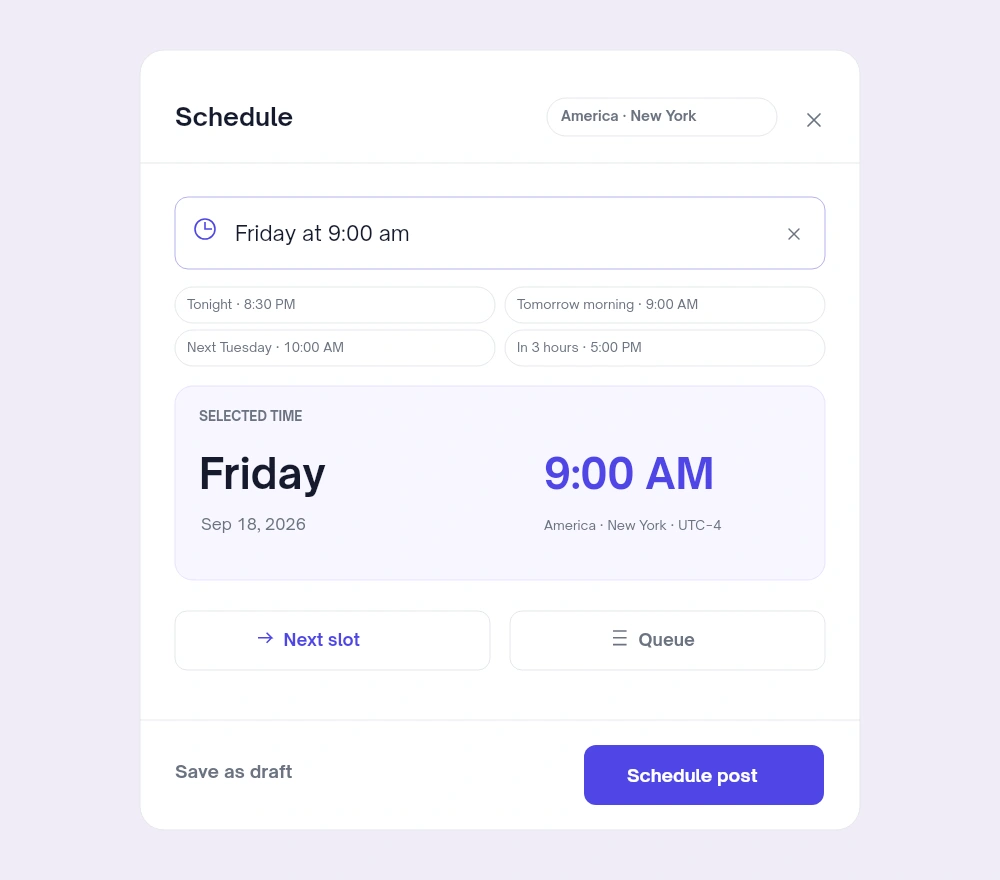
Pick your connected accounts, tailor the caption for each channel, and choose a date and time or an available posting slot. Your scheduled content publishes while you focus on your clients.
CONSISTENCY, WITHOUT LOSING YOUR VOICE
Use your saved branding and agent details in supported templates, and your writing preferences to guide the captions.
Brand Kit & VoiceReview results from your connected channels and individual posts. Use what you learn to shape your next topics, formats and publishing plan.
Social AnalyticsTRY IT WITH YOUR OWN MARKETING
Connect a channel, add your brand and create something you’d actually share. Use the trial to see how Velisto fits into your working week.
Most schedulers publish finished posts to more networks. Velisto creates the posts it schedules, priced per plan rather than per user or channel.
| Velisto | Hootsuite | Buffer | Later | |
|---|---|---|---|---|
| Creates the posts it schedules | Yes, with AI, from listings or any topic | No | No | No |
| Networks | 4 | Broad | 11 | 8 per social set |
| Priced per | Plan | User | Channel | Social set |
| Solo agent, 3 channels | $59/mo ($49 yearly) | $99/mo, billed yearly | $18/mo ($15 yearly) | $25/mo ($18.75 yearly) |
| Team: 3 users, 10 channels | $99/mo ($79 yearly), no second-person approval | $1,197/mo, billed yearly (Advanced × 3) | $120/mo ($100 yearly), Team | $85/mo ($63.75 yearly), Growth |
| Instagram Stories | Publish automatically | Phone notification only | Basic Stories automatic; stickers by notification | Automatic from Business profiles only |
Prices checked September 24, 2026, on each vendor’s pricing page; confirm before you buy. Buffer suits cheap publishing to more networks; Hootsuite suits teams where a second person must approve posts. Read the full scheduler comparison and tools comparison.
YOUR QUESTIONS, ANSWERED
Answers about creating content, scheduling and trying Velisto.
Visit the FAQ hubMORE TIME FOR THE PEOPLE YOU HELP
Give your ideas and listings a place in the week. Create, review and schedule with Velisto.