
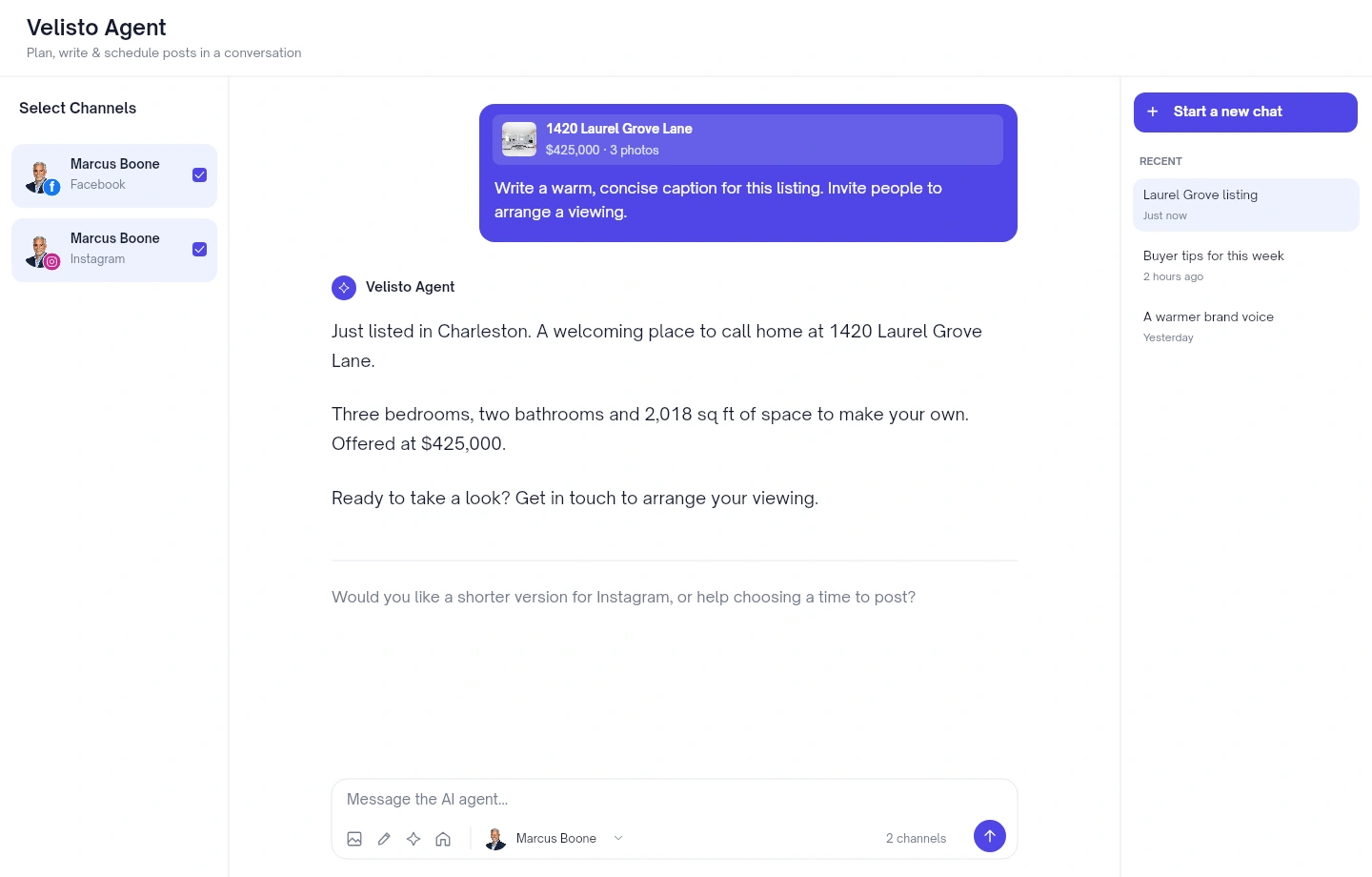
Introduce a listing
“Write a warm caption for this listing and invite people to arrange a showing.”
Start with your saved property details and photos.
AI AGENT
Turn a conversation into your next piece of content. Ask Velisto Agent to draft a caption, work from a saved listing or plan posts for your connected channels. Review the details, then choose what happens next.
START WITH WHAT YOU NEED
You don’t need a perfect prompt. Tell the agent what you’re working on, then refine the result together.
“Write a warm caption for this listing and invite people to arrange a showing.”
Start with your saved property details and photos.
“Give me five useful post ideas for first-time buyers in Charleston.”
Make room for helpful content between listings.
“Make this caption shorter and more conversational. Keep the property facts.”
Refine a draft through a simple follow-up.
“Check my calendar and help me plan three posts for this listing next week.”
Bring your content and upcoming schedule into the conversation.
START FROM WHAT’S ALREADY YOURS
Your saved context gives the agent a useful starting point. Add the local knowledge and details that make the post yours.
Explore your Brand KitBring in a saved property with its details and real listing photos.
Select the brand persona you want the agent to write for.
Attach images, videos or a saved design to the conversation.
Ask the agent to check your upcoming posts as you plan.
YOU CHOOSE WHEN IT’S READY
Choose the channels, review the caption and timing, and ask for any changes. When the plan is ready, use Confirm & schedule to put it on your calendar.
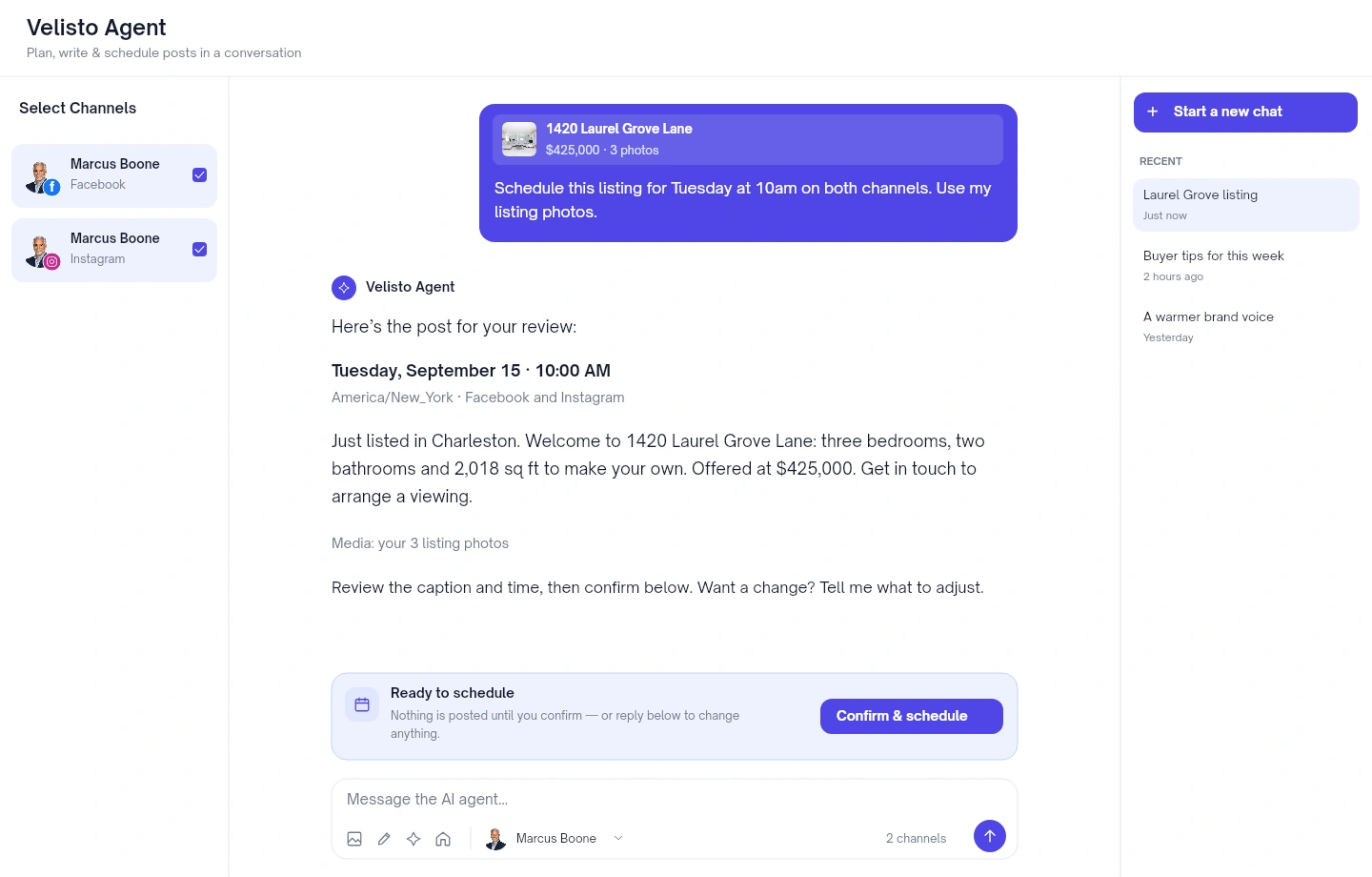
App layout preview with fictional listing, accounts and conversation.
Tell the agent what to post, where it should go and when.
Check the wording, property details, selected channels and time.
Use the confirmation button when you’re ready. Reply in the chat to make changes first.
KEEP WORKING WHERE IT MAKES SENSE
Ask to open the post in the composer when you want to work directly with its caption, media and channel previews.
Save a draft, publish now or choose a time to post. Return to the calendar to see how it fits into your week.
Explore publishing & scheduling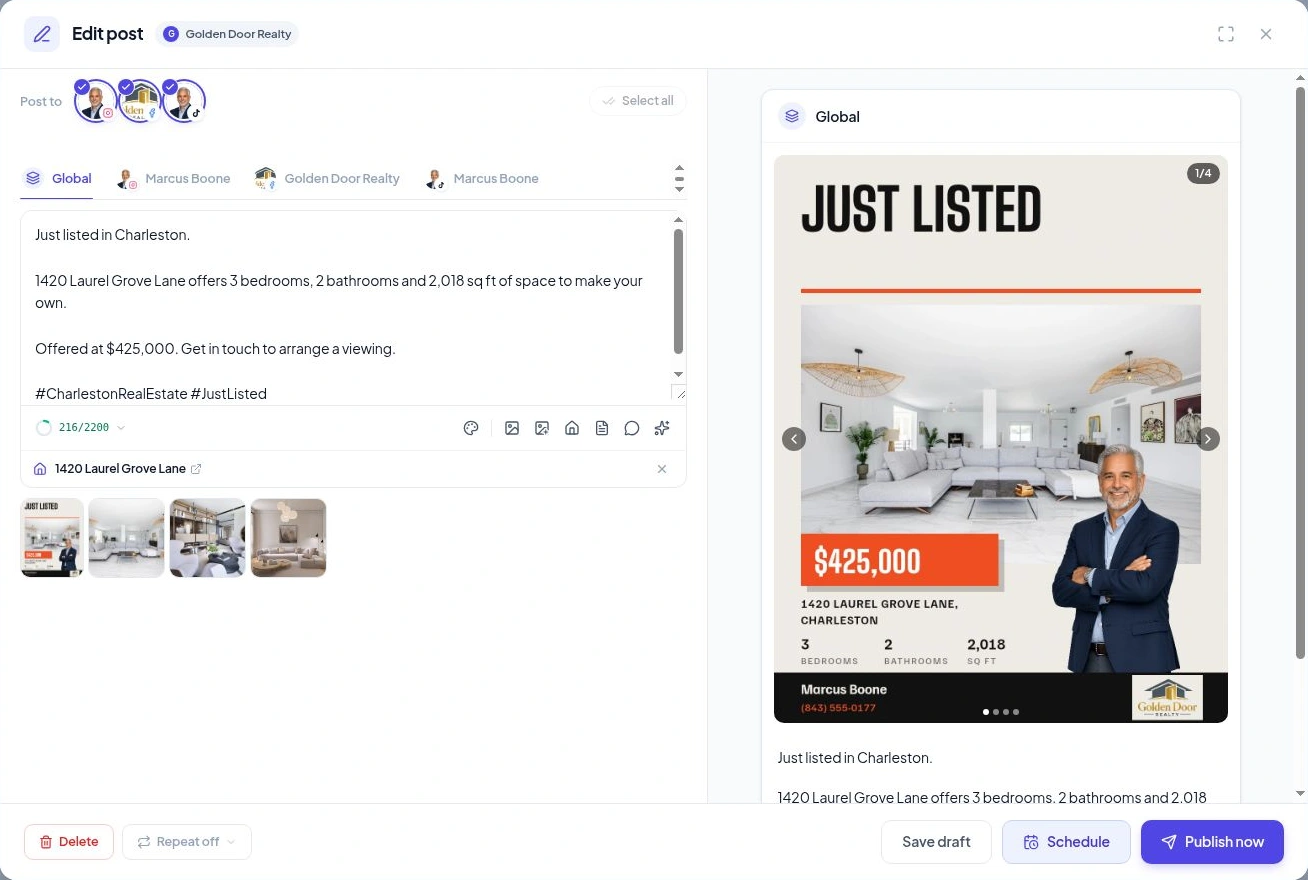
YOUR QUESTIONS, ANSWERED
A few useful details before you start.
Visit the FAQ hubMAKE ROOM FOR YOUR REAL ESTATE BUSINESS
Bring your listings, your voice and your next content task to Velisto Agent.