
Caption only
Choose None for the visual. Use the words on their own or add your own media in the composer.
CREATE FROM AN IDEA
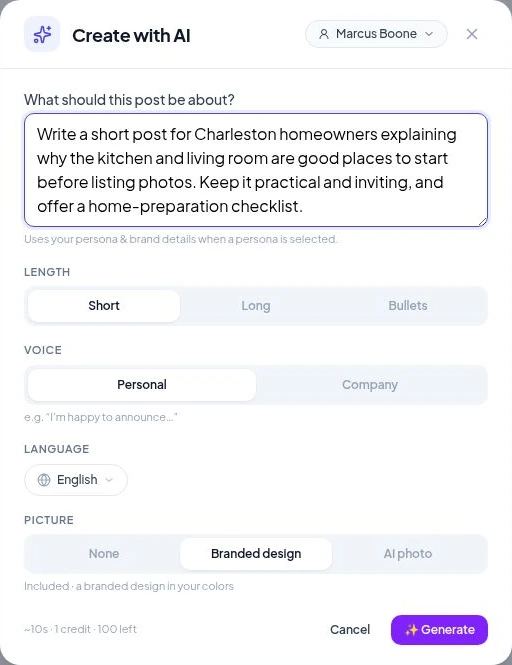
A question from a buyer. A local tip. A business milestone. Describe your idea and let Velisto help with the caption and visual, ready for your finishing touches.
FROM YOUR THOUGHT TO THE FEED
Bring the knowledge only you have. Let Velisto help turn it into content you’re happy to put your name on.
Add the point you want to make, your audience and any local details. A sentence or two is enough to start.
Select your persona, language, caption style and personal or company voice. Add a branded design, an AI photo, or use text on its own.
Check the caption and media, make changes and choose your channels. Publish now, schedule for later or save a draft.
CHOOSE WHAT THE IDEA NEEDS
Start with a caption, or include an image while you create. The available visual options are shown in the app.
Choose None for the visual. Use the words on their own or add your own media in the composer.
Turn the idea into a designed image using your selected persona and saved brand details.
Add a generated photo when this option is available. The app shows the image-credit cost before you generate.
MAKE IT SOUND LIKE YOU
Choose Short, Long or Bullets, write as an individual or a company, and set the language for your audience.
The selected persona and brand guide the result. Add the facts, stories and details that make the post useful to the people you work with.
Explore Brand Kit & Voice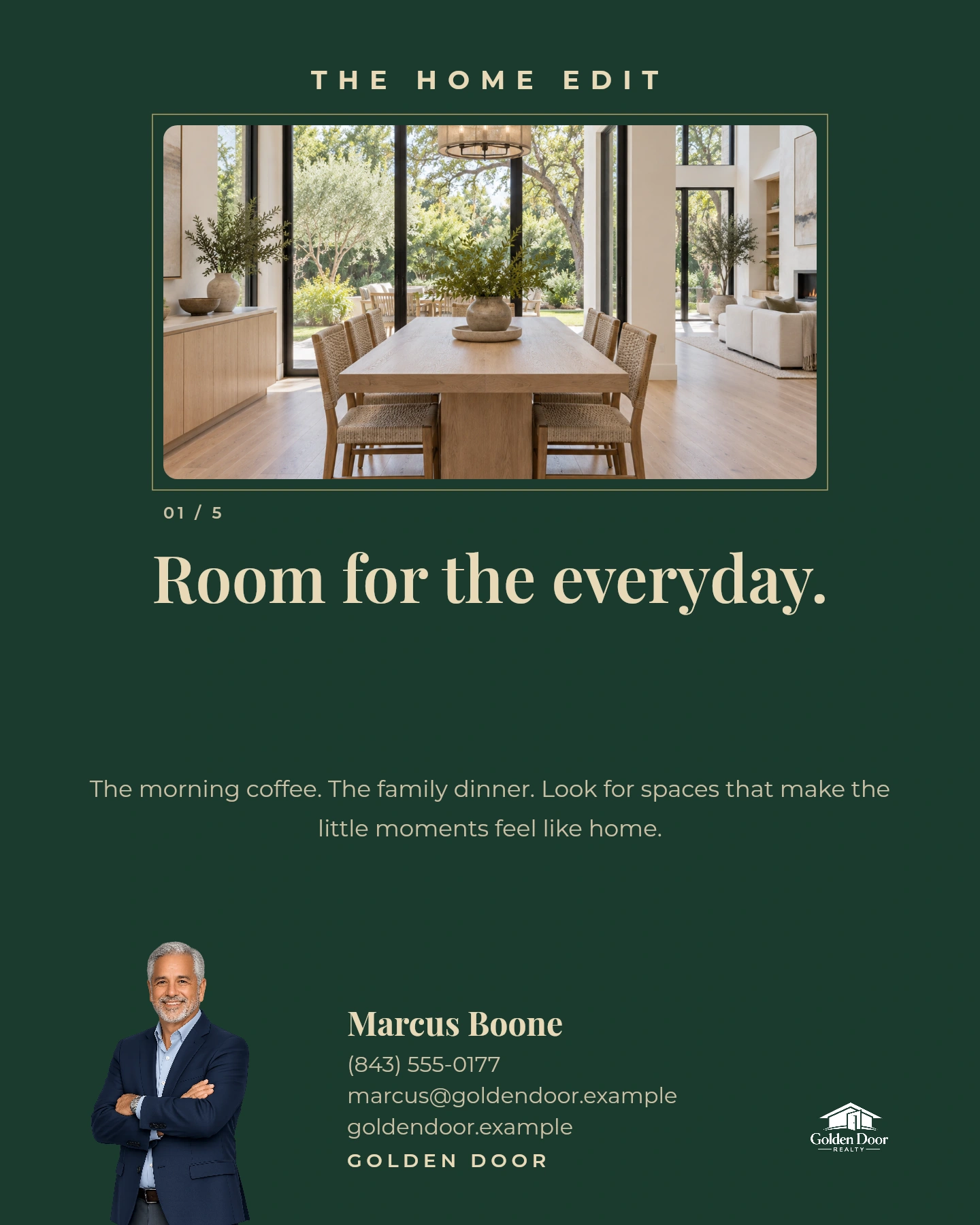
NEED IDEAS FIRST?
Use Plan my content for tailored suggestions, a varied mix or a series, and posts across your chosen dates.
Explore Plan your content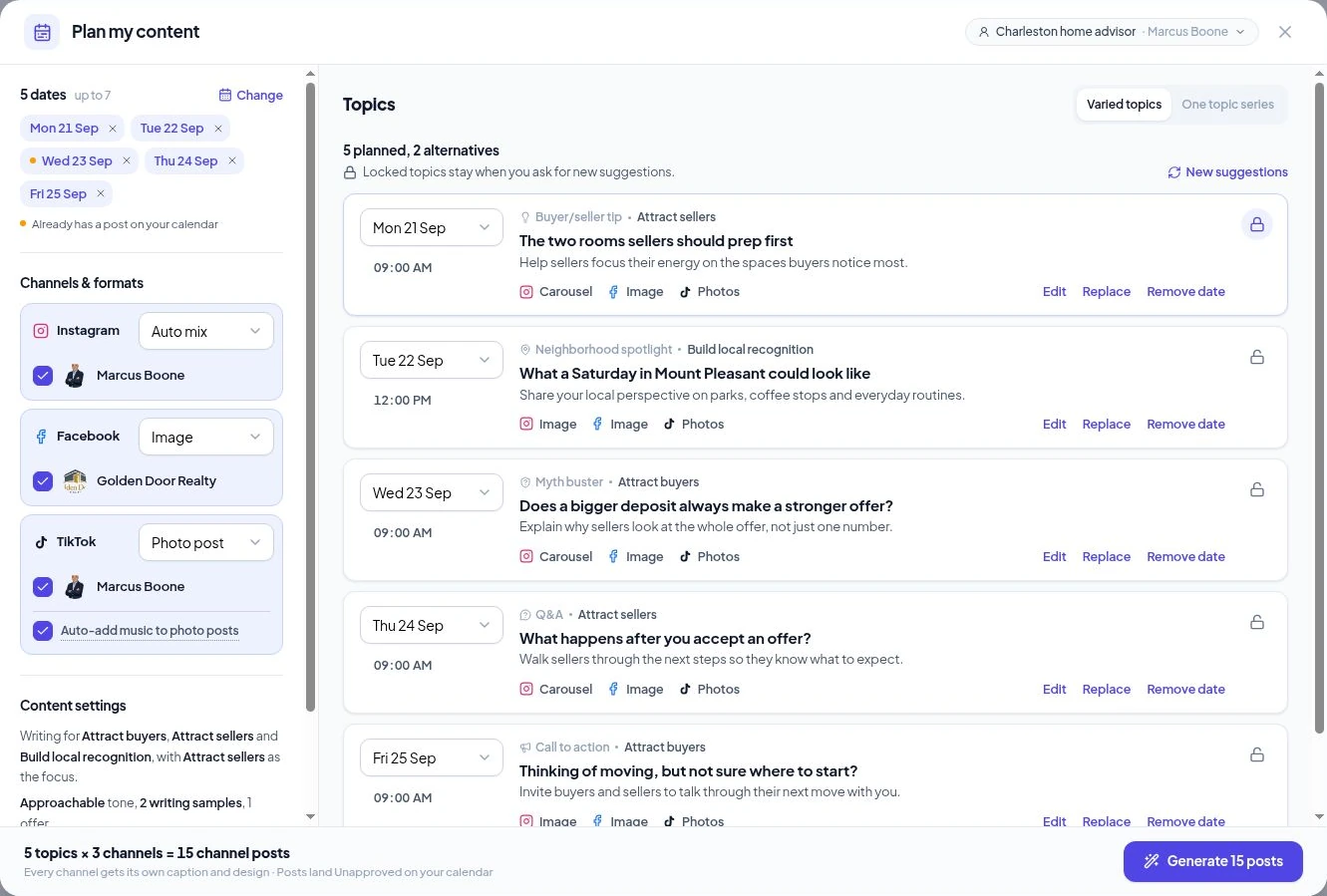
YOUR QUESTIONS, ANSWERED
The useful details about creating from your own request.
Visit the FAQ hubMAKE MORE TIME FOR YOUR CLIENTS
Bring the idea. Make it something worth sharing.