Real estate video marketing is using short and long video, such as listing tours, neighborhood guides, market updates, agent intros and client stories, to reach buyers and sellers who don't know you yet and to stay in front of the ones who do. Most of it now happens in short vertical video on Instagram, Facebook, TikTok and YouTube Shorts.
Buyers are already watching: 37% of recent buyers used online video sites during their home search, according to NAR's 2025 Home Buyers and Sellers Generational Trends report. The hard part for most agents isn't believing in video. It's knowing which videos to make, finding time to make them, and deciding whether to be on camera at all.
This guide covers the nine videos worth making and which of them you can build from photos without filming. It also covers how to film the rest on a phone, how long each video should be, a weekly plan you can keep, the US rules to check before you post, and how to tell whether it's working.
Why video matters for real estate agents now
Short video is the format every major platform shows to people who don't follow you. Instagram recommends Reels beyond your followers, TikTok's For You feed is built to show videos from accounts people don't follow, and YouTube Shorts and Facebook Reels work the same way. A photo post mostly reaches the people who already follow you. A good short video can reach the buyer three streets away who has never heard of you.
That reach is the point, not the view count. A video that reaches 400 people in your market is worth more than one that reaches 40,000 people in other states.
Video does two jobs for an agent:
- It markets listings. A listing video shows the flow of a home in a way a photo grid can't, and it gives sellers something visible to point to when they ask what you're doing to sell their home.
- It keeps you visible between listings. Neighborhood guides, market updates and answers to buyer and seller questions keep you in people's feeds when you have nothing for sale, which for most agents is most weeks.
Other agents are already doing it. NAR's 2026 REALTORS® Technology Report puts drone photography and video among the top tools agents use, at 48%. For where video fits among everything else you post, see our real estate social media marketing guide.
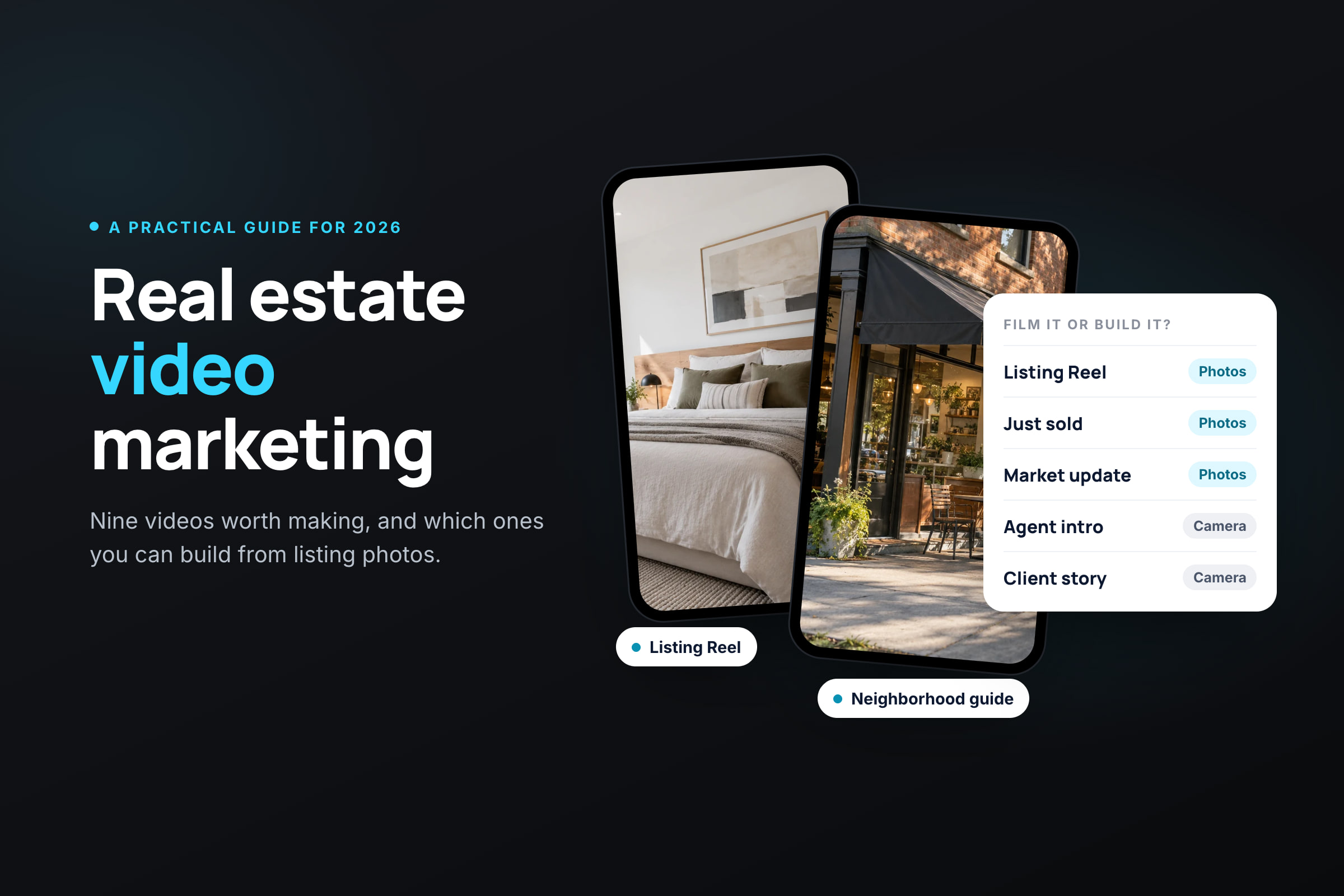
9 types of real estate videos, and which you can make without filming
Most agents need only a handful of these. Pick three or four you can keep making, and rotate them.
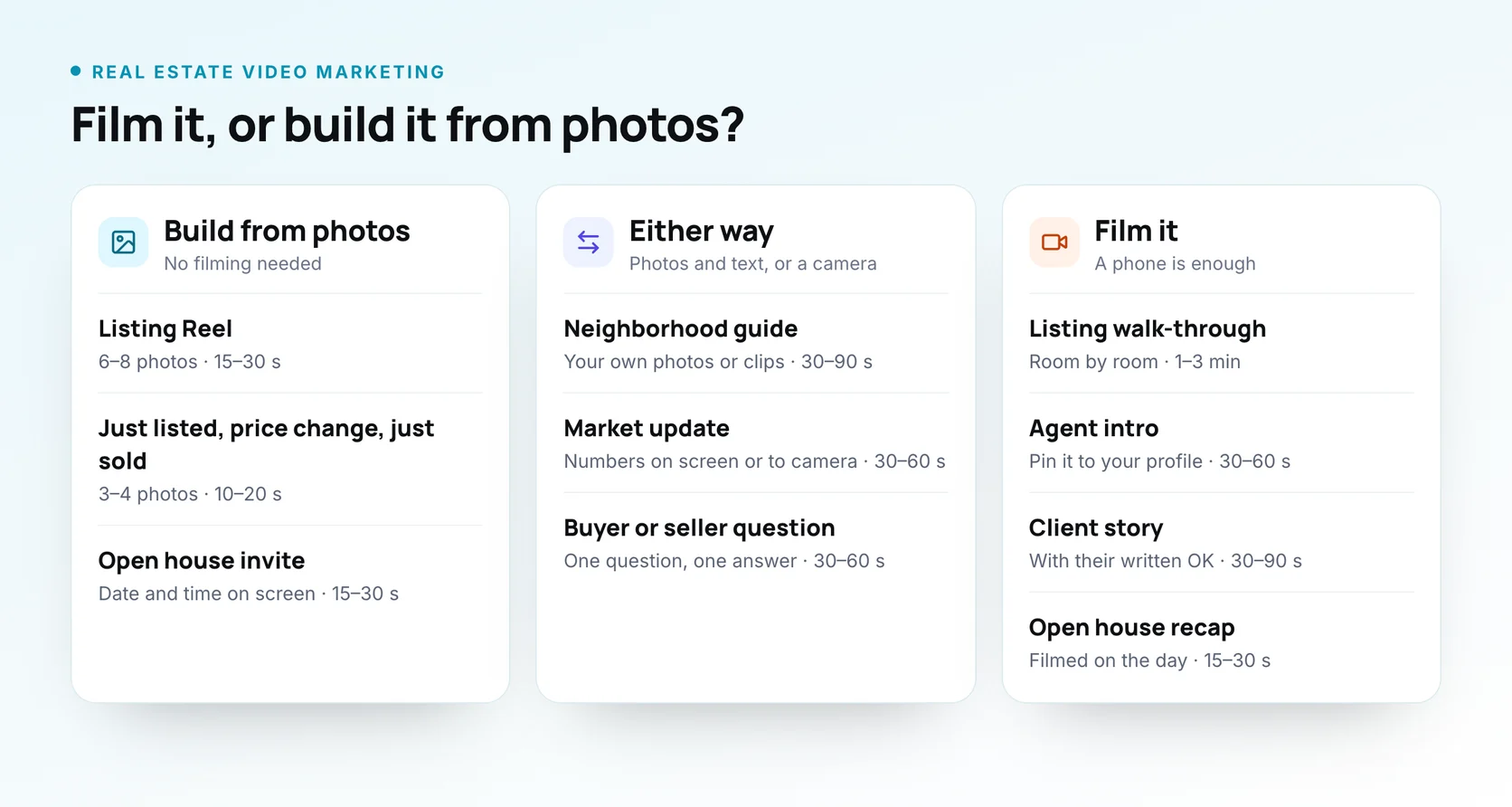
| Video | What it's for | Film it or build it from photos? | Good length | Where it works best |
|---|---|---|---|---|
| Listing Reel | Show a new listing fast | Build from photos | 15–30 s | Reels, TikTok, Facebook |
| Listing walk-through | Show the layout and flow | Film it | 1–3 min | YouTube, listing page, Facebook |
| Just listed, price change, just sold | Announce a listing moment | Build from photos | 10–20 s | Reels, Stories, Facebook |
| Open house invite and recap | Get people through the door | Build the invite, film the recap | 15–30 s | Reels, Stories, Facebook |
| Neighborhood guide | Show you know the area | Either: your own photos or filmed clips | 30–90 s | Reels, TikTok, YouTube |
| Market update | Show you know the numbers | Either: text on screen or talking to camera | 30–60 s | Reels, Facebook, LinkedIn |
| Agent intro | Let people meet you | Film it | 30–60 s | Profile, website, YouTube |
| Client story | Let a past client vouch for you | Film it | 30–90 s | Reels, Facebook, website |
| Buyer or seller question | Answer one question well | Either | 30–60 s | Reels, TikTok, Shorts |
Listing Reel
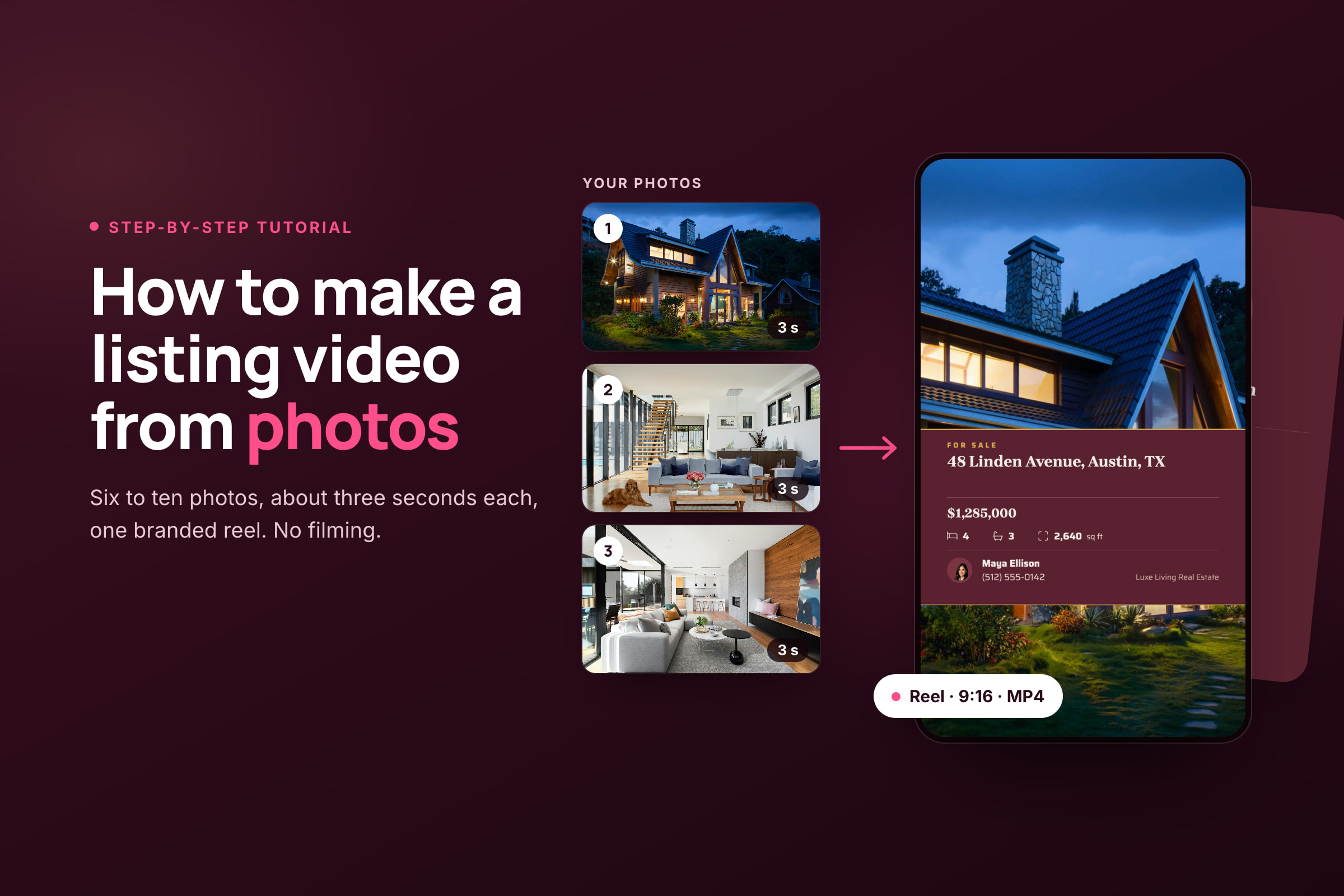
A listing Reel is 6 to 8 photos in walk-through order with the price and address on the opening shot and your contact details at the end. It's the easiest video to make and the one you'll make most often. Don't open on the front door; open on the best room. Our tutorial on how to make a listing video from photos covers the eight steps.
Listing walk-through
A filmed walk-through is the closest thing to a showing. Walk slowly, film each room once from its doorway, and keep the camera at chest height. A walk-through doesn't need talking; on-screen labels such as "primary suite" or "1/4-acre backyard" do the work. Film it horizontally if it will live on YouTube or the listing page.
Just listed, price change and just sold
These are short announcements built on one listing moment. Keep them to three or four photos and one message on screen: "Just listed", "New price", "Sold in 9 days". Only the listing or cooperating broker in the deal may say a home was "sold" in their advertising, so check before you post another agent's sale.
Open house invite and recap
The invite is a listing Reel with the date and time on screen, posted a few days before. The recap is filmed on the day: the crowd at the door (with their OK), the kitchen everyone stood in, the line "offers due Monday". Our guide on promoting an open house on social media covers the full timeline.
Neighborhood guide
A neighborhood guide shows the coffee shop, the park, the walk to the train and the farmers market. It's the kind of video people send to friends who are thinking of moving. Describe places, not people, and see the Fair Housing notes below.
Market update
A market update gives one or two numbers that matter, such as median price, days on market or new listings this month, and what they mean for a buyer or seller. You can say it to camera, or put each number on screen over photos of local homes. Name your source and the period on screen.
Agent intro
An agent intro is a 30 to 60-second video of you saying who you help, where, and how. Pin it to your profiles and put it on your website. It's the video people watch before they call you, so make it sound like you talking, not reading.
Client story
A client story is a past buyer or seller saying, in their own words, what it was like to work with you. It's the most convincing video you can post and the hardest to get. Ask at closing, when people are happiest, and get their written OK to post it.
Buyer or seller question
Answer one question per video: "Do I need 20% down?", "Should I sell before I buy?", "What does contingent mean?". Keep it to one answer and one example. These videos keep working for months because people search for the same questions every year.
Video you don't have to film
You don't need to appear on camera to do real estate video marketing. About half the videos above can be built from photos, music and on-screen text:
- Every listing moment: new listing, open house invite, price change, under contract and sold.
- Neighborhood videos from photos you take on a walk: the park, the main street, the view from the trail.
- Market updates with each number on screen over photos of local homes.
- Buyer and seller tips as three or four text screens over photos, such as "3 costs first-time buyers forget".
These videos can't do everything. They don't give the feel of walking through a home, and they don't let people hear you or see your face, which is what turns a viewer into someone who calls you. If you can, pair the photo-built videos with one filmed video a week, even a 30-second one.
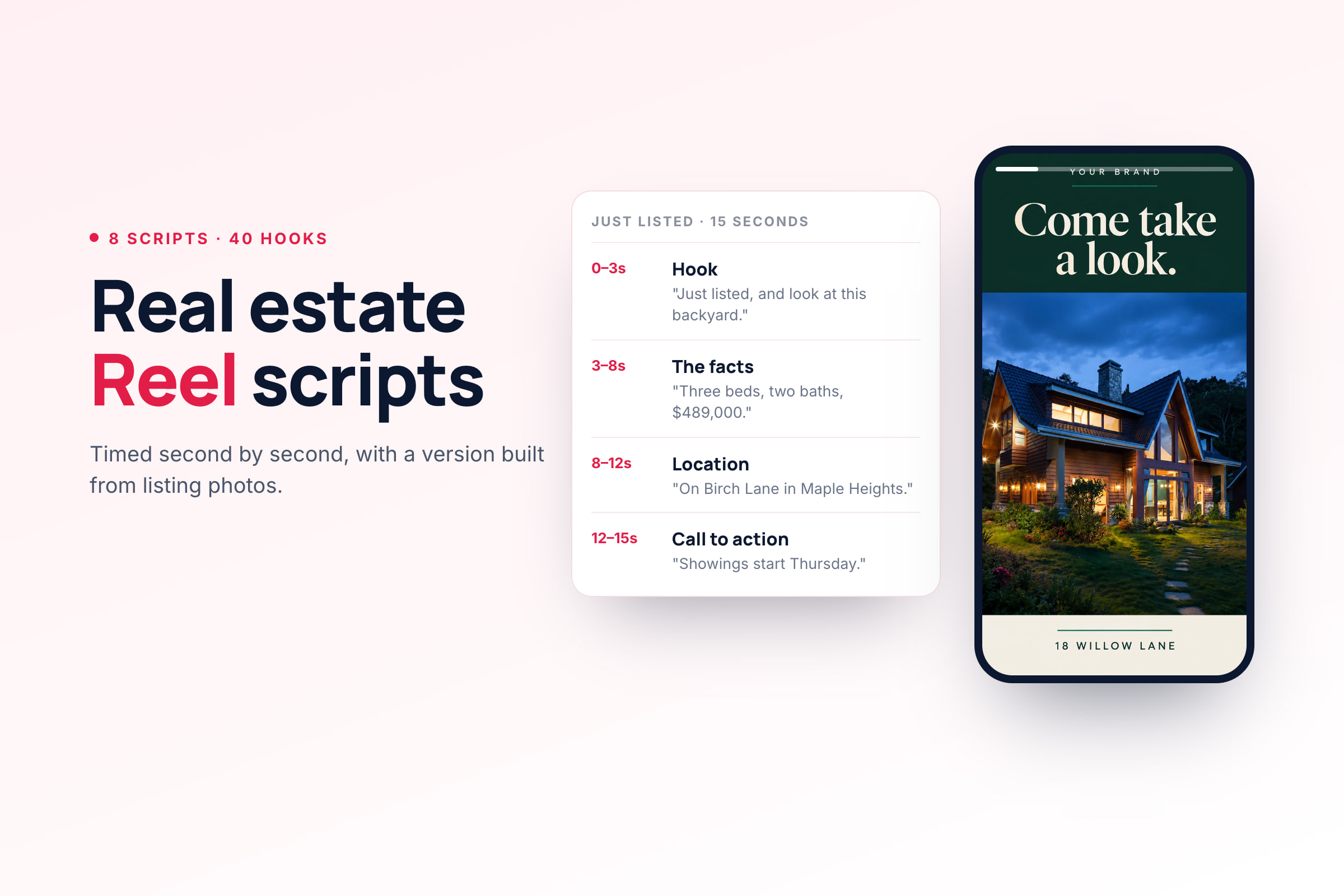
To make them, follow our listing video tutorial, and borrow the "build it from photos" version of each script in our real estate Reel scripts.
Filming the rest on your phone
The phone you already own is enough. Four things make more difference than the camera:
- Light. Film in daylight with every light on. Don't film toward a bright window; stand with the window behind you or beside you, so the room isn't dark.
- Steadiness. Walk slowly and turn slowly. A gimbal helps, and so does holding the phone with both hands close to your body.
- Sound. For anything you say to camera, a clip-on microphone does more than any camera upgrade. People will watch a slightly soft picture; they won't listen to an echo.
- Orientation. Film vertically (9:16) for Reels, TikTok, Shorts and Stories, and horizontally (16:9) for YouTube and your listing page. If you need both, film both. Cropping a horizontal clip to vertical throws away more than half the frame.
For talking to camera, write your first line and your last line, and talk through the middle. Read the hooks in our Reel scripts for first lines that make people stop scrolling. Film three takes and keep the one that sounds most like you.
When to hire a pro. A videographer earns their fee on luxury homes, acreage, waterfront and new developments, where the setting is part of the price. Drone footage is the same: it shows lot size, views and proximity in a way nothing else can. In the US, anyone flying a drone for work needs an FAA Remote Pilot Certificate, so hire a certified pilot or get certified yourself.
How long should real estate videos be?
Shorter than you think. For listings, 15 to 30 seconds is enough; for neighborhood guides and explainers, 30 to 90 seconds. Long-form tours belong on YouTube and your listing page.
As of October 2026, here's what each platform allows:
| Platform | Maximum length | Shape | Notes |
|---|---|---|---|
| Instagram Reels | Up to 20 minutes | 9:16 | Reels over 3 minutes aren't recommended to new audiences, and only Reels of 90 seconds or less can be boosted |
| Facebook Reels | No set maximum | 9:16 | Vertical video posted to a Page plays as a Reel |
| TikTok | 10 minutes recorded in the app, 60 minutes uploaded | 9:16 | Apps that post for you can be capped lower for some accounts |
| YouTube Shorts | Up to 3 minutes | 9:16 or square | A Short over one minute with an active copyright claim is blocked |
| YouTube | 15 minutes, longer once verified | 16:9 | The home for full tours and neighborhood guides |
For Instagram settings, safe zones for text and hashtag limits, see the Reel specs in our scripts guide.
A weekly video plan you can keep
For a solo agent, one or two videos a week is a plan you can keep for a year. That fits inside the posting rhythm in our real estate social media marketing guide, where video is one or two of your three to five weekly posts.
Here's a four-week rotation that mixes photo-built and filmed videos:
| Week | Video 1 (build from photos) | Video 2 (film it) |
|---|---|---|
| 1 | Listing Reel, or a neighborhood photo video | Buyer or seller question |
| 2 | Market update, numbers on screen | Neighborhood guide, filmed |
| 3 | Just listed, price change or just sold | Client story, or a listing walk-through |
| 4 | Open house invite | Agent intro, or a refreshed version of your pinned one |
When you have a listing, it replaces the photo-built video that week. When you don't, the plan still has something to post.
Batch the filmed videos. One afternoon a month is enough to film four questions, a neighborhood walk and an intro. Filming in one session also means one setup, one outfit and one trip to the park.
Post once, use it everywhere
Every video you make can go to four or five places with small changes:
- The vertical version goes to Instagram Reels, Facebook, TikTok and YouTube Shorts. Write a different caption for each; the video can stay the same.
- A shorter cut goes to Stories, with a link or a "message me" prompt.
- The horizontal version goes to YouTube, your listing page, your Google Business Profile and your email newsletter.
- The MLS. Many MLSs accept video or a virtual tour link but only unbranded: no name, logo or phone number. Connecticut's SmartMLS, for one, accepts only unbranded videos. Check your MLS's rules and keep a version without your end card.
For what works on each platform, read our guide to Instagram Reels for listings and our real estate TikTok video ideas. Post each version when your audience is online. Our guide to the best time to post on social media for real estate shows how to find your own times.
Rules to check before you post (US)
Video is advertising, so the same rules apply to it as to any listing ad, plus a few that only come up on camera. This is general information, not legal advice; your state, brokerage and MLS rules decide the details.
- Fair Housing in neighborhood videos. Describe places, not people. "Two blocks from Riverside Park" describes the home; "safe, quiet neighborhood" or "great for young families" describes who should live there. Name a school and its distance as a fact, not as a reason a type of buyer should move in. Our compliance guide has the word list.
- Your firm's name. NAR's Code of Ethics requires your firm's name in your advertising, and some states require your license number too. Put them on the end card, not only in the caption.
- Client stories. Get the client's written OK. Don't script their words or pay for a positive one: the FTC's rule on reviews and testimonials bans fake testimonials and incentives tied to a positive review.
- Music. Instagram's licensed music library is meant for personal use, and some business accounts don't have access to it. Use Meta's Sound Collection, TikTok's Commercial Sounds, or music you've licensed.
- Inside the seller's home. Get the seller's OK before you publish interior video, and keep family photos, mail, screens and anything with a name or address out of the frame. Don't film a tenant-occupied home without the tenant's agreement.
- Drones. Flying for work needs an FAA Remote Pilot Certificate, and some areas near airports need authorization before you fly.
- Someone else's listing. Don't make a video of another broker's listing without their permission.
- Boosting a video. In the US, a paid listing video is a housing ad, and Meta requires the housing Special Ad Category, which limits targeting.
What to measure
Every video has a job. Judge it by the number that matches the job, not by views alone:
| The video's job | The number to watch | What good looks like |
|---|---|---|
| Reach local people who don't know you | Views and reach | Rising over a month, with most viewers in your area |
| Show a home or an area properly | Average watch time | A large share of the video's length |
| Build an audience | Profile visits and follows | Follows after each intro or neighborhood video |
| Start conversations | Messages, link clicks, calls | Any, and who they came from |
Look once a month, not after every post. Keep making the videos that hold attention and bring messages, and drop the ones that don't. One video that gets a seller to message you is worth more than a month of views.
Make video from your listing photos in Velisto
Velisto makes branded 9:16 Reels and 16:9 videos from your photos, for listings and for everyday content, and schedules them to Instagram, Facebook, TikTok, Threads and YouTube. On YouTube, a vertical or square video of up to three minutes publishes as a Short, and a longer or landscape one as a regular video.
- From a listing: open Create → Promote a listing, keep Single post, choose Video, and tap the photos in the order you want, up to 20. Velisto fits the shape to each channel, renders the video and writes a caption for each one.
- From any photos: go to Content → Create → Start fresh and choose Reel or Video from photos. Use it for neighborhood videos, market updates and tips, with or without a listing.
- In listing campaigns: turn on Reels in campaigns, and each campaign offers a Listing reel alongside the other posts.
Each video uses your branded overlay, with your photo and contact details if you choose, and music from Velisto's licensed library in five moods, or your own track. In analytics, Instagram Reels show Views, Reach, Avg watch time and Total watch time, and YouTube has its own page with views, watch time and new subscribers, so you can see which videos hold attention.
Velisto doesn't film for you, so the agent intro and the client story are still yours to film. You can upload those videos and schedule them from the same calendar.
Video is one part of the real estate content creation tool. You review and approve the content; Velisto publishes it at the scheduled time. Each video uses one render: Solo includes 30 a month, Team 150 and Brokerage 500, and the 7-day free trial includes 5, no card needed. See how the real estate video maker works.
Real estate video marketing FAQ
Do I have to be on camera to do video marketing? No. Listing videos, just sold, price changes, open house invites, neighborhood videos and market updates can all be built from photos and on-screen text. Being on camera helps people feel they know you, so add one filmed video a week if you can.
How many videos should a real estate agent post a week? One or two is a plan most solo agents can keep. Use one photo-built video, such as a listing or market update, and one filmed video, such as a question answered or a neighborhood clip.
What's the best platform for real estate videos? Start with Instagram Reels and Facebook, where most agents' audiences already are. Add TikTok to reach people who don't follow you yet, and YouTube for longer tours and neighborhood guides that people search for.
How long should a real estate listing video be? About 15 to 30 seconds for Reels and TikTok, which is six to eight photos. Keep it under 90 seconds if you might boost it on Instagram. A full tour for YouTube or your listing page can run one to three minutes.
Can I use popular songs in real estate videos? Not safely on a business account. The general music libraries are meant for personal use. Use the platform's commercial library, such as Meta's Sound Collection or TikTok's Commercial Sounds, or music you've licensed.
Is video worth it for a new agent with no listings? Yes. Neighborhood guides, market updates and answers to buyer and seller questions don't need a listing, and they're how a new agent becomes the person locals think of first.
Build Reels and videos from your listing photos in Velisto, and review every post before it's scheduled. Get started.