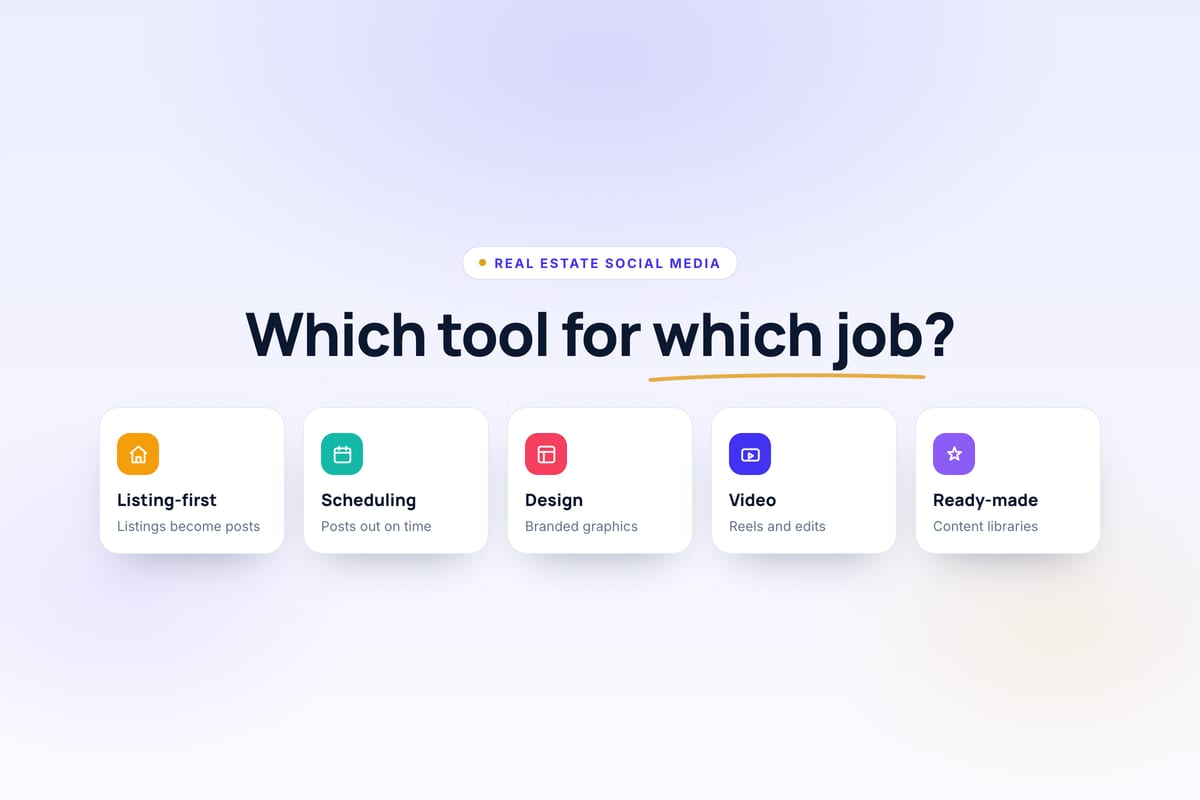
Most "best tools" lists rank seven products against each other as though they do the same job. They don't. Buffer and CapCut are both on this list and they have almost nothing in common — one publishes finished posts, the other edits video frame by frame.
So the useful question isn't which tool is best. It's which part of your workflow is currently the bottleneck. An agent who designs beautiful graphics but forgets to post needs a scheduler. An agent who posts diligently but stares at a blank canvas every Monday needs something else entirely. Those two people should buy different software.
This guide sorts seven tools by the job each does best, and says plainly where each one stops. For the strategy these tools serve (platforms, cadence, content and the advertising rules), see our guide to real estate social media marketing.
Transparency
Velisto publishes this guide and is included in the comparison below. We have tried to compare each product by the job it does best rather than ranking Velisto first by default. Where another product is a better fit for a particular workflow, we say so — and there are several places below where we do.
We have not been paid to include or exclude anything here, and there are no affiliate links in this article.
Quick answer: which tool is best for what?
| Tool | Best for | Real-estate specific? | Content creation | Scheduling | Video | Starting price |
|---|---|---|---|---|---|---|
| Velisto | AI content creation and publishing | Yes | AI captions and images, 200+ templates, from listings or any topic | Instagram, Facebook, TikTok, Threads | Reels and videos from photos, with music | From $59/mo |
| Buffer | Simple scheduling | No | AI assistance | 11 networks | Publishing only | Free; from $6/mo per channel |
| Canva | Graphic design | No | Design + AI | Planning features — check current | Video editor | Check current pricing |
| Later | Visual planning | No | AI credits | 8 profiles per social set | Publishing only | From $18.75/mo billed yearly |
| Hootsuite | Teams and enterprise | No | AI assistance | Broad network support | Publishing only | From $99/user/mo billed annually |
| Coffee & Contracts | Ready-made content | Yes | Templates, captions, scripts | Not part of the documented product | Reels ideas and scripts | $74/mo |
| CapCut | Video editing | No | Video only | No | Dedicated editor | Check current pricing |
Pricing checked August 2026, from each company's official pricing page. Software pricing moves constantly — verify before you buy. Where a company does not publish a fixed figure, we have said so rather than guessing.
How we evaluated these tools
We compared publicly documented product capabilities, current pricing from official sources, and how each workflow fits the needs of real estate agents. We have not run a controlled hands-on trial of all seven, and we are not going to pretend otherwise.
The criteria that mattered: real-estate relevance, content creation, listing awareness, visual design, video capability, scheduling, supported networks, analytics, ease of use, team and agency suitability, and value for the specific job the tool is meant to do.
That last point does a lot of work. Hootsuite at $99 per user per month looks expensive next to Buffer at $6 per channel until you need approval workflows for a fifteen-person team, at which point Buffer cannot do the job at any price.
Velisto — best for AI real estate content creation and publishing
Most social tools begin with a finished post. Velisto begins earlier, with the content itself.
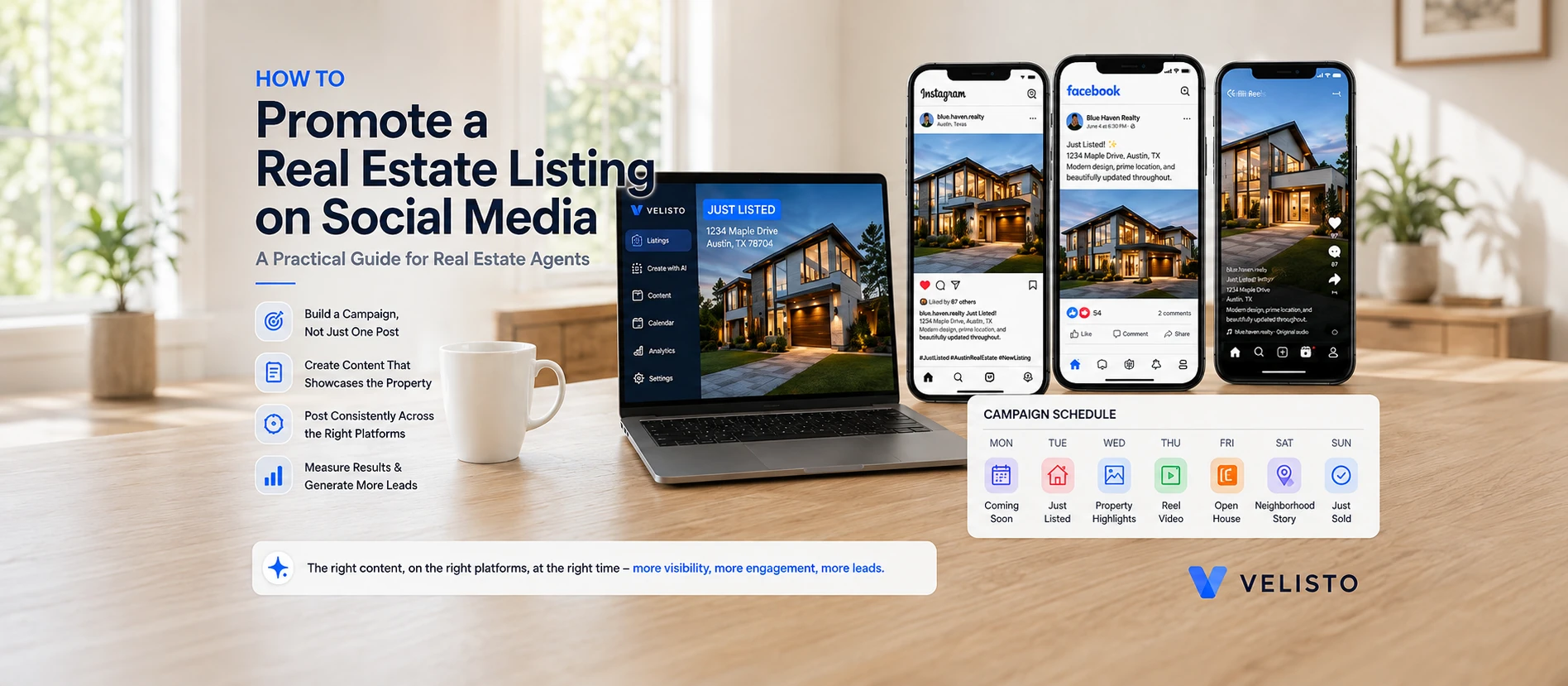
AI captions are written in your brand voice, in 14 languages, and Velisto can generate an AI photo when you have none. Design Studio has 200+ real estate templates for posts, Stories, carousels and flyers, filled from your brand kit. The content does not have to start from a listing: Plan my content suggests real estate topics for your audience and generates branded posts for the dates and channels you pick, Use my own idea turns your topic into a caption and design, and the Velisto Agent drafts and schedules posts by chat.
What it does well with listings. A listing carries its photos, price, bedrooms, bathrooms, address and description, so captions and designs are written from the actual property rather than a prompt you retype. Listing campaigns turn one property into a series, from Coming Soon and Just Listed to Open House, Price Drop and Just Sold, and the reels editor turns its photos into vertical videos with music. Listings arrive by Houzez WordPress sync, CSV import or manual entry.
Where it fits. Ideas, captions, designs, video, calendar and analytics sit in one place, with or without a new listing. If your bottleneck is producing enough good content and then actually getting it out, that connection is the point.
Limitations. Velisto publishes to Instagram, Facebook, TikTok and Threads today — fewer networks than Buffer or Hootsuite, and that gap is real. LinkedIn and YouTube are built but waiting on platform approval. Velisto is also newer than Canva, Buffer or Hootsuite, which is worth weighing if longevity matters to you. It is not an ads manager, it has no direct MLS integration, and it has no white-label reporting. Generated drafts wait for your review before they publish, but there is no step where a second person signs off.
Best for. Agents, teams and real estate marketers whose biggest problem is producing steady, on-brand content, for their listings and for the weeks between them, and getting it published.
Pricing. Solo is $59/month, or $588/year — effectively $49/month with annual billing. Solo, Team and Brokerage plans start with a 7-day free trial; agency plans start with a demo instead. See pricing or read more about the platform.
Buffer — best for simple, affordable scheduling
Buffer has spent over a decade doing one thing carefully: getting finished posts published on time, cheaply.
What it does well. A free plan for up to 3 channels, then paid plans priced per channel from $6 a month ($5 billed yearly). Buffer publishes to eleven networks, including LinkedIn, X, YouTube, Pinterest and Google Business Profile, which is comfortably more than Velisto. There is an AI Assistant on every plan, and you can reply to comments from inside Buffer.
Where it fits. If you already make your own content — you like Canva, you are quick in CapCut, you write your own captions — Buffer is a clean, inexpensive way to get it scheduled across more networks than most real-estate tools reach.
Limitations. Buffer is general-purpose. It has no idea what a listing is. The property details, the photos and the campaign thinking are all yours to bring, every time. Per-channel pricing is cheap at three channels and adds up at ten; our scheduler comparison works out what Buffer and six others cost for a solo agent, a team and a brokerage.
Best for. Agents who already create content confidently and mainly need dependable, affordable publishing.
Honest verdict: if content creation is not your problem, Buffer is a better fit than Velisto — and it costs less. buffer.com/pricing
Canva — best for flexible real estate graphic design
Canva is the design tool most agents already have open, and for good reason.
What it does well. Property graphics, flyers, presentations, carousels, social posts, print pieces, video — the template library and the creative ceiling are both far beyond what any real-estate-specific tool offers. Canva also publishes planning and scheduling features on its paid tiers, so describing it as "design only" would be wrong; check Canva's current feature list, since the lineup changes often.
Where it fits. Anything bespoke. A listing presentation for a $4M property, a custom market report, a brand refresh — these are Canva jobs.
Limitations. Canva does not know your listings. Every property graphic starts by finding photos, copying the price and typing the address. That is fine once; it is tedious forty times a year. Canva also spans Free, Pro, Business and Enterprise tiers, and we could not verify current figures from Canva's pricing page at the time of writing.
Best for. Agents whose priority is creative control and design flexibility.
Honest verdict: as a general design application, Canva is more powerful than Velisto's Design Studio, and we are not going to claim otherwise. Velisto's advantage is that its templates are connected to your brand kit, your listings, AI captions and publishing — not that it out-designs Canva. canva.com/pricing
Later — best for visual social planning
Later built its reputation on letting you see the grid before you commit to it.
What it does well. The Visual Planner is a genuinely good way to plan a feed that hangs together visually, which matters more in property marketing than most people admit. Plans are sold in social sets of up to eight profiles, starting at $18.75 a month billed yearly for one set and one user, and every plan includes link-in-bio and AI credits.
Where it fits. Agents running a deliberately curated Instagram presence, where how the profile looks as a whole is part of the pitch.
Limitations. Same structural gap as Buffer — no listing awareness, no property context. The social-set model also means you buy profiles in blocks of eight whether you need them or not.
Best for. Instagram-centric agents who already have content and want to plan how it looks together.
Honest verdict: if your workflow is highly Instagram-led and visual planning is the thing you care about, Later's planner is more mature than anything Velisto offers. later.com/pricing
Hootsuite — best for established teams and enterprise social management
Hootsuite is what large organizations buy when social media stops being one person's job.
What it does well. Plans are priced per user, from $99 a month billed annually. The tier that justifies the price for a larger office is Advanced, at $399 per user, which adds post approval workflows, message routing and team performance measurement; Enterprise adds listening, SSO and compliance. Our scheduler comparison works out what that costs for a team of three or five.
Where it fits. A brokerage with a marketing department, multiple offices, compliance obligations and people who need to approve things before they go out.
Limitations. The price is serious, and per user. For a solo agent it is difficult to justify. Like the others, it knows nothing about property listings.
Best for. Larger organizations that need mature social operations, governance and broad network coverage.
Honest verdict: Velisto does not compete with Hootsuite on enterprise governance and does not try to. Velisto lets you review generated drafts before they publish, but it has no multi-person approval step. If a second person has to sign off before anything goes out, Hootsuite Advanced does that and Velisto does not. hootsuite.com/plans
Coffee & Contracts — best for ready-made real estate content
Coffee & Contracts solves the blank-page problem by handing you the page already written.
What it does well. Membership is $74/month, $199 quarterly or $740/year. You get social templates, captions and hooks, Reels ideas and scripts, a content calendar, email templates and drip campaigns, lead magnets like buyer guides, and client-facing resources — delivered fresh weekly. There is also Instagram analytics and a link-in-bio page. Team and enterprise options exist on request.
Where it fits. Agents who know they should post but have no idea what to say. That is a real and common problem, and a content library solves it directly.
Limitations. The documented product is a content library rather than a publishing tool — scheduling and direct publishing are not described as part of the offering, so you will likely pair it with a scheduler. And because the content is made for every member, it is not built from your listings; the properties are still yours to add.
Best for. Agents whose main gap is ideas and ready-made creative.
Honest verdict: if you want professionally written, ready-made content, plus email templates and lead magnets, Coffee & Contracts fits that need better than Velisto does. Velisto generates content with AI from your own topics, brand voice and listings rather than handing every member the same library, and it publishes it too. coffeecontracts.com/pricing
CapCut — best for hands-on short-form video editing
CapCut is a real video editor, and the gap between it and any automated reel builder is wide.
What it does well. Multi-track editing, transitions, effects, auto-captions, audio work, templates — across web, desktop, mobile and tablet. If you want frame-level control over a property walkthrough, this is the tool.
Where it fits. Premium listings that deserve a properly edited film, talking-to-camera content, anything where the edit itself is the craft.
Limitations. It is only an editor. No scheduling, no publishing, no captions for the post, no calendar. It also does not publish a fixed price — CapCut's own help pages state that Pro pricing varies by region, device and promotion, so check the current figure in your region rather than trusting a number in an article.
Best for. Agents who want to edit video properly and enjoy doing it.
Honest verdict: Velisto does not replace CapCut. Velisto renders listing reels from property photos quickly and repeatably, inside the wider workflow. That is a different job from editing, and for a flagship property you may well want both. capcut.com
Do you need one tool or a tool stack?
Both approaches work. They fail in different ways.
A specialized stack — say Canva for design, CapCut for video, Buffer or Later for scheduling, and something for ideas — gives you the best version of each individual function, more creative control, and broader network coverage. The cost is subscriptions to manage, and the property details traveling by copy-paste between four applications every time you market a listing.
An integrated real estate workflow keeps ideas, listings, design, video, scheduling and analytics in one place, with fewer handoffs for routine marketing. The trade-off is real too — specialist tools stay better at advanced design, advanced video and enterprise social operations, and Velisto currently publishes to fewer networks than the general-purpose platforms.
Neither is the right answer in the abstract. It depends whether your routine work is mostly listings, or mostly everything else.
Which social media tool should a real estate agent choose?
If your problem is narrower than this — you have the content and simply need it published on time — our comparison of the best social media scheduling tools for real estate agents goes deeper on schedulers specifically, including Metricool, SocialPilot and Sprout Social.
- Choose Velisto if you want AI to create your real estate content, from your listings or any topic, and publish it from the same place.
- Choose Buffer if you mainly need inexpensive scheduling across several networks and already have content.
- Choose Canva if design flexibility is the primary need.
- Choose Later if visual, Instagram-led planning is the primary workflow.
- Choose Hootsuite if you need mature team or enterprise social management with approvals.
- Choose Coffee & Contracts if you primarily want ready-made real-estate content.
- Choose CapCut if your main need is advanced hands-on video editing.
Useful combinations
Most agents end up with two tools, not one. These pairings work in practice — note that "combination" here means workflow, not a formal software integration.
Velisto on its own. For agents who want their routine content, listing posts and everything between them, created and published in one place on Instagram, Facebook, TikTok and Threads.
Velisto + Canva. Routine content runs in Velisto; Canva handles the occasional bespoke piece — the listing presentation, the custom market report.
Velisto + CapCut. Routine listing reels get rendered in Velisto; the flagship property gets a proper edit.
Canva + Buffer. A capable, inexpensive general stack for someone who prefers making everything by hand and just wants it scheduled.
Coffee & Contracts + Buffer. Ready-made content plus separate scheduling, for agents whose gap is ideas rather than inventory.
Frequently asked questions
What is the best social media tool for real estate agents? There isn't one. The right tool depends on which part of your workflow is failing: Buffer or Later for scheduling content you already have, Canva for design, CapCut for video editing, Coffee & Contracts for ready-made content, Hootsuite for team and enterprise operations, and Velisto for creating real estate content with AI, from listings or any topic, and publishing it.
What should I look for in real estate social media software? Work out your bottleneck first, then check the tool against it: does it help you create content, design it, make video, plan the weeks when no listing launches, publish to the networks you actually use, and show you what performed? Also check which social networks it currently publishes to, since that varies widely.
Is a real-estate-specific tool better than Buffer or Hootsuite? Not automatically. Real-estate tools understand property listings, which saves repeated data entry and makes listing marketing faster. General-purpose platforms typically support more social networks and have deeper team and enterprise features. Which matters more depends on whether your work is mostly listing marketing or mostly broad social operations.
Is Canva enough for real estate social media? Canva is enough for the design half and offers planning features on paid tiers. It does not hold your property listings, so property details are re-entered for each graphic. Many agents pair Canva with a scheduler or a listing-aware tool.
What is the best social media scheduler for a real estate agent? Buffer is the most affordable straightforward option and supports eleven networks. Later suits visually planned Instagram accounts, and Hootsuite fits teams that need approvals. Velisto works as a real estate social media scheduler where the content is also created with AI in the same place. Our scheduler comparison covers seven schedulers on cost, approvals and posting slots.
What is the best tool for creating real estate listing videos? For hands-on editing with full creative control, CapCut. For turning existing listing photography into vertical property videos quickly and repeatably, Velisto renders 9:16 listing reels from the photos already attached to the property. They serve different purposes and plenty of agents use both.
Can one tool create and schedule real estate social media? Yes. Velisto creates AI captions, template-based designs, AI images and reels, from your listings or from topics it suggests, and schedules them to Instagram, Facebook, TikTok and Threads from one calendar. Canva also combines design with planning features. Most schedulers, including Buffer and Later, are built to publish content created elsewhere.
Do I need separate tools for design, video and scheduling? No, though many agents do use separate tools. An integrated platform reduces the copying between applications; a specialized stack gives better individual tools. If your routine work is listing marketing, integration usually wins; if it is bespoke creative, specialists usually do.
Which social media platforms should real estate agents use? Most agents get the most from Instagram, Facebook and TikTok — Instagram for visual listing content, Facebook for local reach and Pages, TikTok for short-form property video. Pick the ones where your market actually is rather than all of them at once.
How is Velisto different from Canva? Canva is a general design application with a far higher creative ceiling. Velisto's Design Studio has 200+ real estate templates that fill from your brand kit and, for property posts, your listing's photos and details, and connects them to AI captions, scheduling and analytics. Canva is the better design tool; Velisto is the more connected workflow for routine listing marketing.
Does Velisto replace professional design and video tools? No. Velisto handles routine, repeatable real-estate content well. Bespoke design work still belongs in a tool like Canva, and properly edited video still belongs in an editor like CapCut — as do professional photography and drone footage, which no software replaces.
Want your content created and published in one place?
If your main challenge is producing steady real estate content and getting it onto Instagram, Facebook, TikTok and Threads, see how Velisto connects those steps — or read more about the social media workflow for real estate agents.