
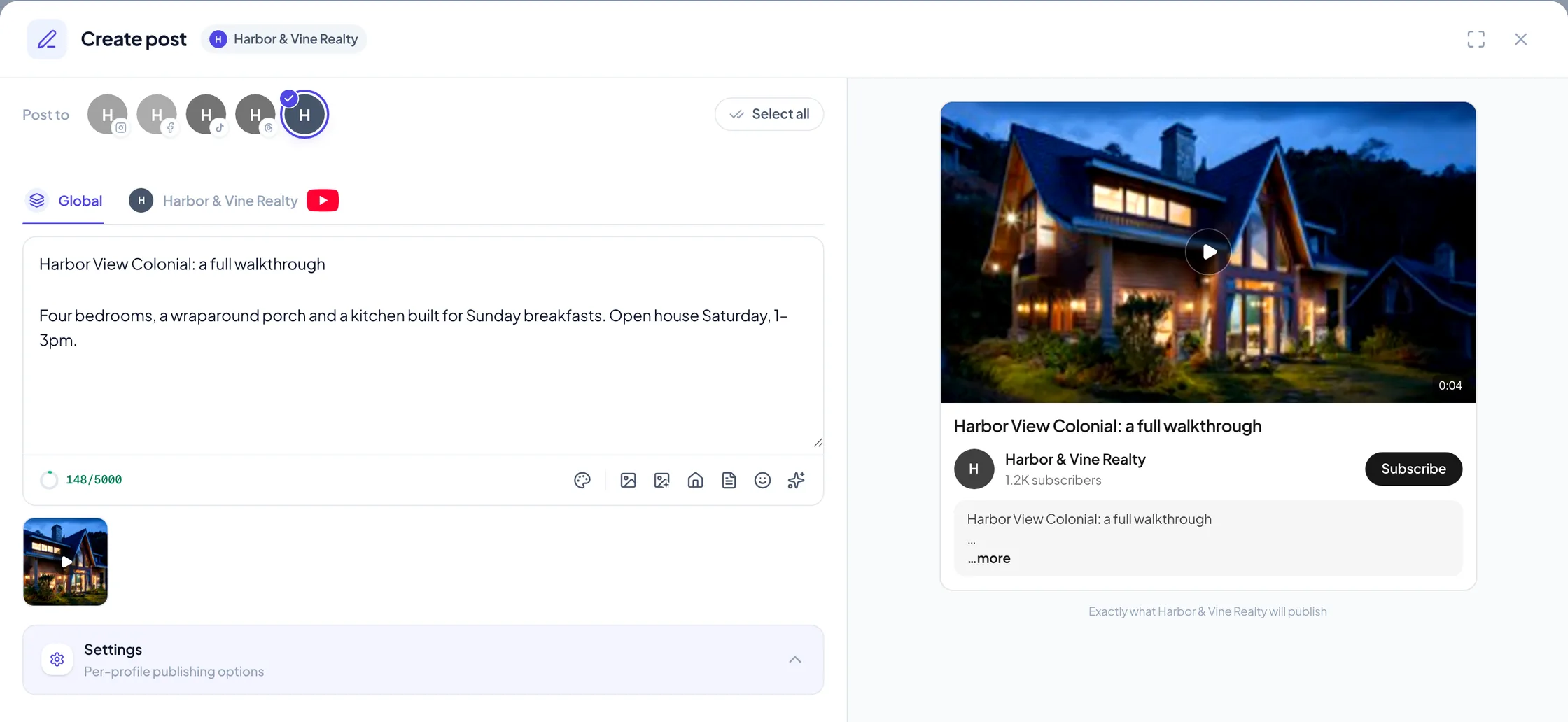
YouTube is now a channel in Velisto. Connect your channel and it sits beside Instagram, Facebook, TikTok and Threads: in the composer, on the calendar, in listing campaigns and in Analytics.
Connect in a minute
 View full size
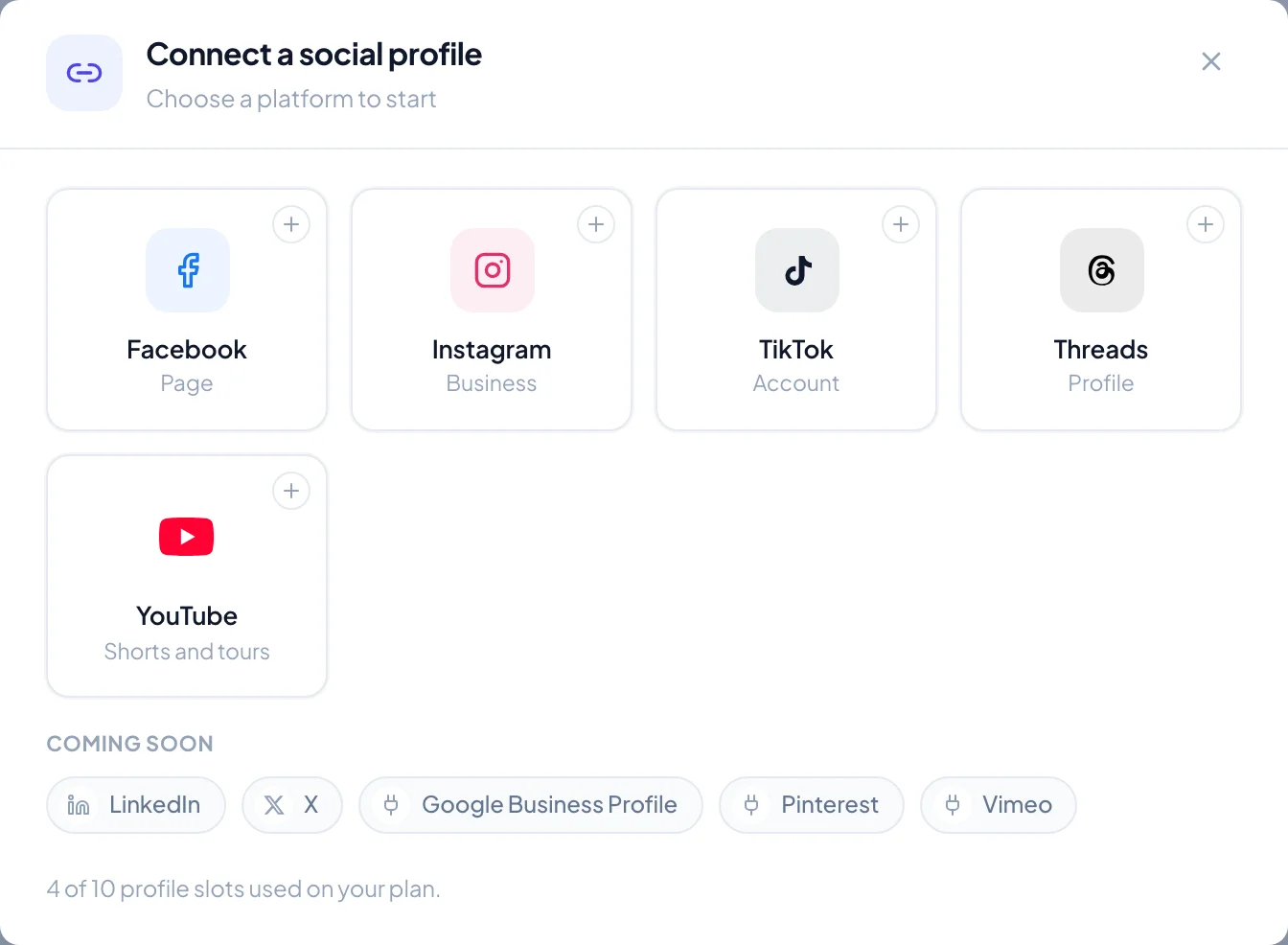
 Open Settings → Social profiles, choose Connect profile and pick YouTube. You sign in with Google, choose the account that owns your channel, and approve Velisto. The channel appears with your other channels, ready to add to any workspace.
If the Google account you pick has no YouTube channel yet, Velisto tells you, so you can create one in YouTube and connect again.
Shorts and videos
 View full size
 A YouTube post is one video. Upload a vertical or square video of up to three minutes and it publishes as a Short; anything longer or wider publishes as a regular video. The composer tells you which one before you schedule it.
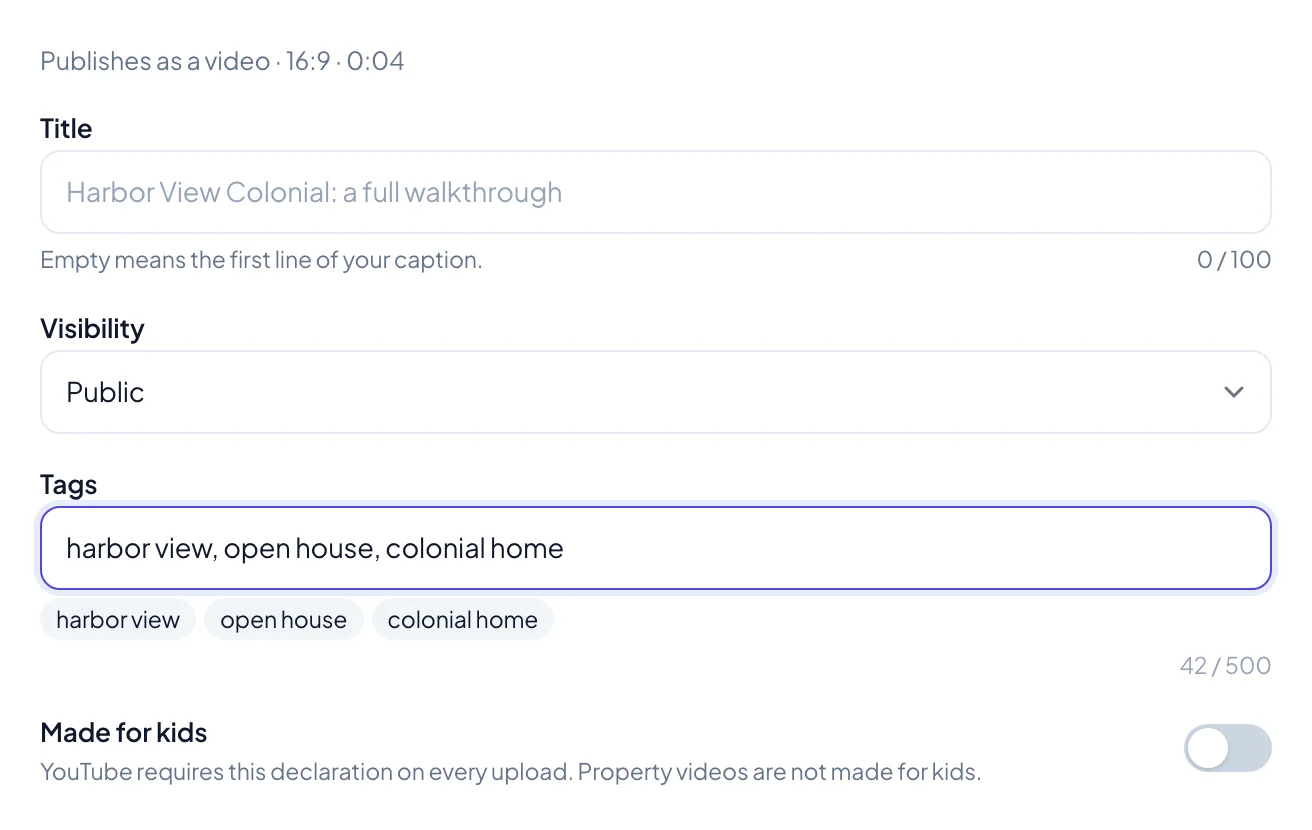
The YouTube settings in the composer cover what YouTube asks for:
- Title: leave it empty and Velisto uses the first line of your caption.
- Visibility: public, unlisted or private.
- Tags: the words people might search for, such as the area or “open house”.
- Made for kids: YouTube asks this on every upload. Property videos are not made for kids, so it starts switched off.
Your caption becomes the video's description, and when the post is about a listing, its link goes in the description too.
From a listing to YouTube
In a listing campaign, the listing reel and the video tour can both go to YouTube. When Velisto writes a caption for YouTube, it puts a title on the first line, so the title and the description come from the same draft.
You can also ask the AI Agent to schedule a YouTube post, with its title, visibility and tags, in plain words.
YouTube in Analytics
 View full size
 YouTube gets its own page in Analytics: views, watch time, interactions and new subscribers over 7, 30 or 90 days, each against the previous period; likes, comments and shares; and your subscriber growth. Top content ranks your videos by views and shows each one's average watch time.
YouTube reports its numbers two to three days late, so the most recent days fill in over the following mornings. YouTube figures stay on their own page and are not added into the all-channels totals.
Connect YouTube to see it for your own channel.
Connect YouTube in your workspace.
Sign in, open Social profiles and add your YouTube channel.