
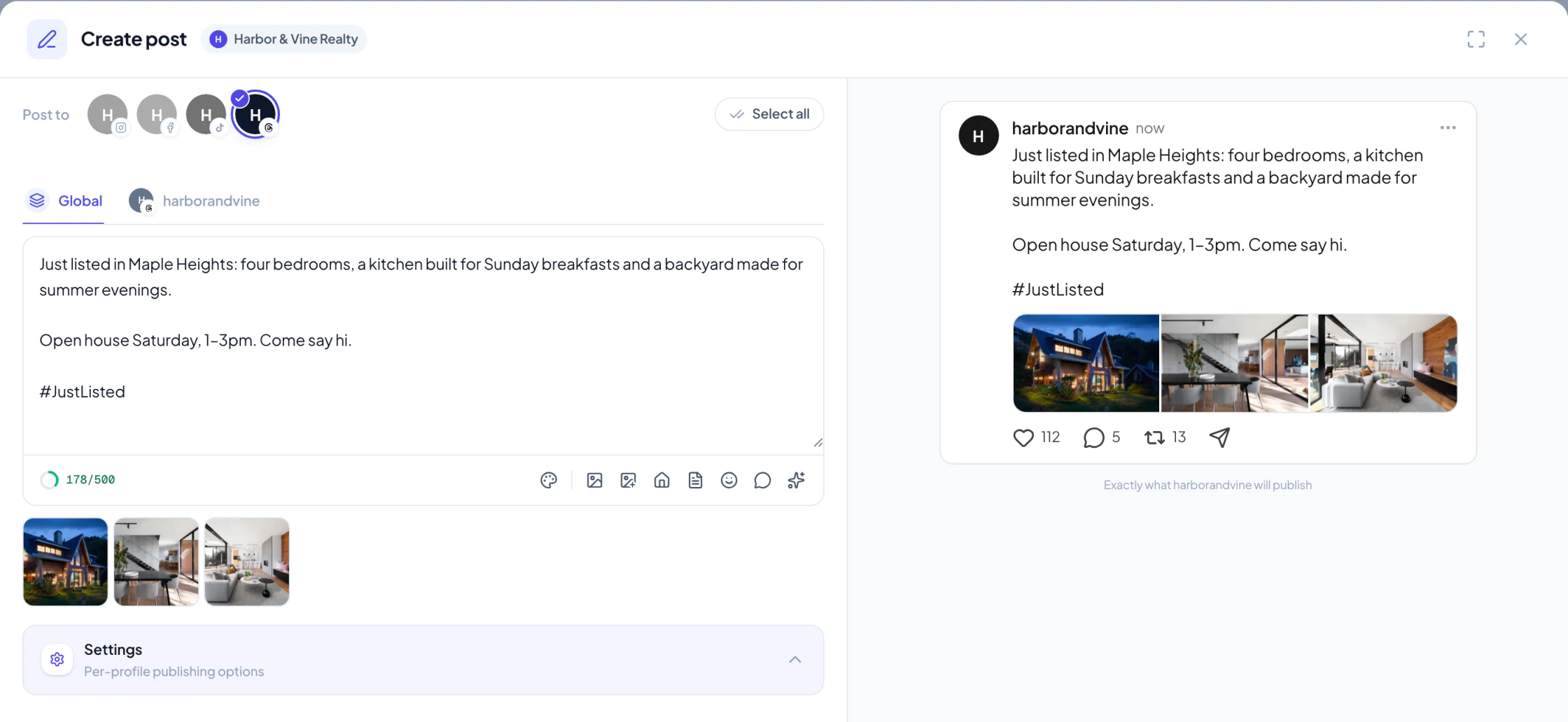
Threads is now a channel in Velisto. Connect your profile and it sits beside Instagram, Facebook and TikTok: in the composer, on the calendar, in Plan my content and in Analytics.
Connect in a minute
 View full size
 Open Settings → Social profiles, choose Connect profile and pick Threads. You sign in with Threads, approve Velisto, and the profile appears with your other channels, ready to add to any workspace.
Velisto reads your recent Threads numbers as soon as you connect, so Analytics has something to show from day one rather than filling in over the following weeks.
Everything you can post
Text posts, photos, carousels of up to 20 photos, and a single video of up to five minutes. As on Instagram, a post carries photos or one video, not both.
The character counter counts the way Threads does. Threads allows 500 characters but counts an emoji as several, so the counter does too, and a caption that fits in Velisto fits on Threads.
When a caption's only hashtag sits at the very end, Velisto files it as the post's Threads topic, the way the Threads app does, instead of leaving it in the text.
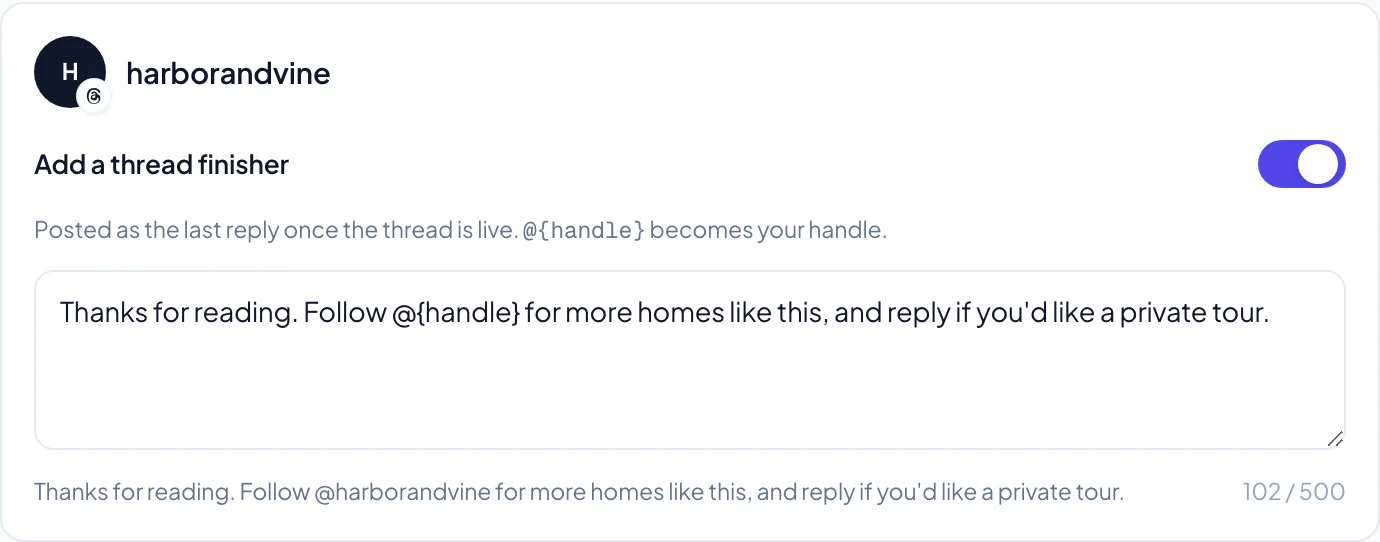
A thread finisher
 View full size
 Switch on Add a thread finisher and Velisto posts one closing reply under your post as soon as it is live: an invitation to follow you, reply for a private tour, or book a showing. Write @{handle} and it becomes your Threads handle. Velisto remembers your choice for the next post.
Written for Threads
When Velisto writes for Threads, it writes for Threads. Plan my content, a listing campaign and the AI Agent all give a Threads post its own caption: conversational, inside the 500-character limit, and with no more than one topic tag. In a planned week or a listing campaign, a post going to several channels gets a Threads caption of its own rather than a copy of the Instagram one.
Threads in Analytics
 View full size
 Threads gets its own page in Analytics: views, interactions and new followers over 7, 30 or 90 days, each against the previous period; likes, replies, reposts and quotes; and your follower growth. Threads reports followers as a total only, so Velisto shows the net change and says so.
 View full size
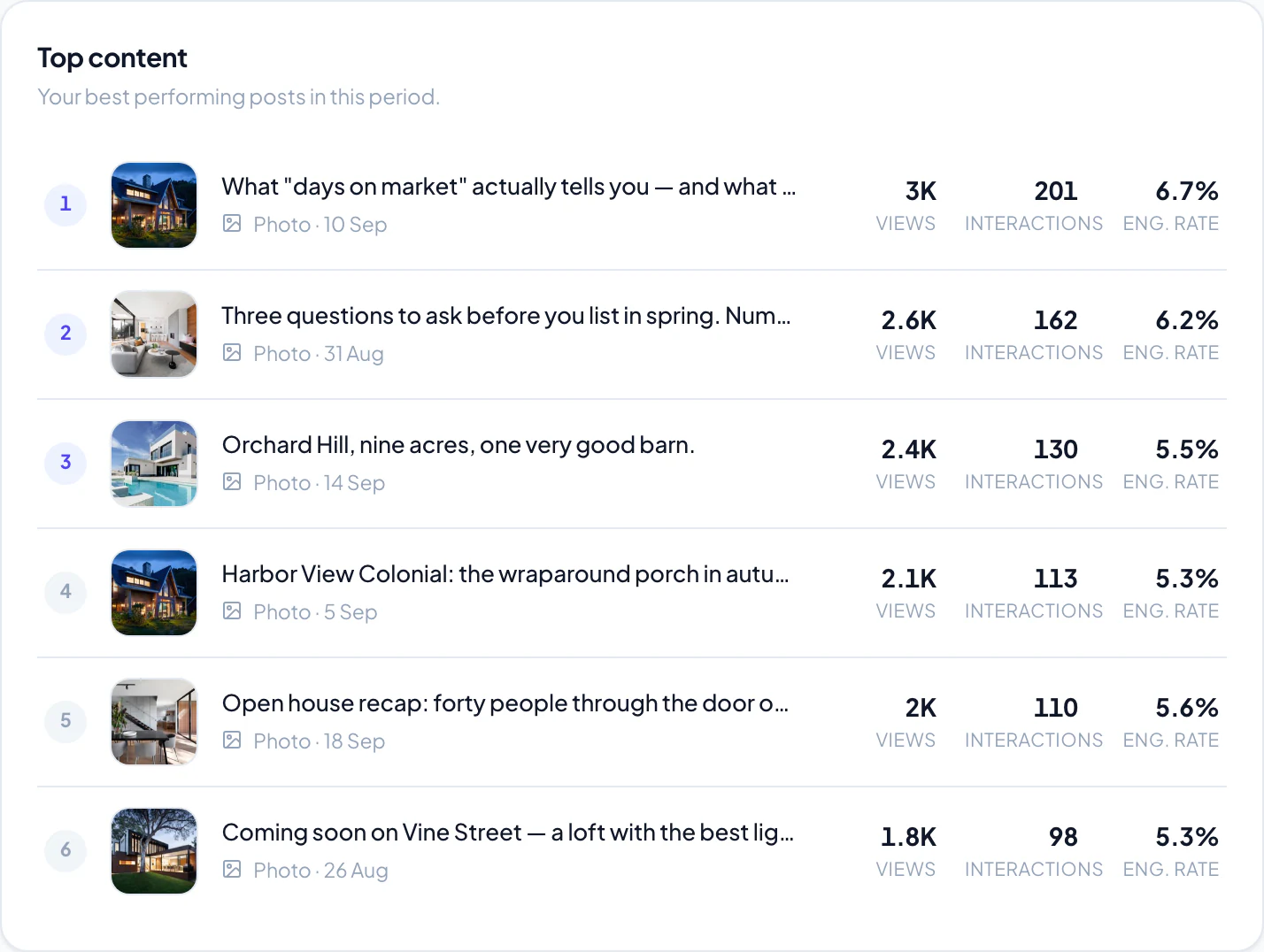
 Top content ranks your Threads posts by views and interactions, and Threads joins the all-channels overview beside everything else you publish. Threads figures are read the morning after, and Meta can revise them for up to 48 hours, so a number can still settle over the next two days.
Connect Threads to see it for your own profile.
Connect Threads in your workspace.
Sign in, open Social profiles and add your Threads profile.