
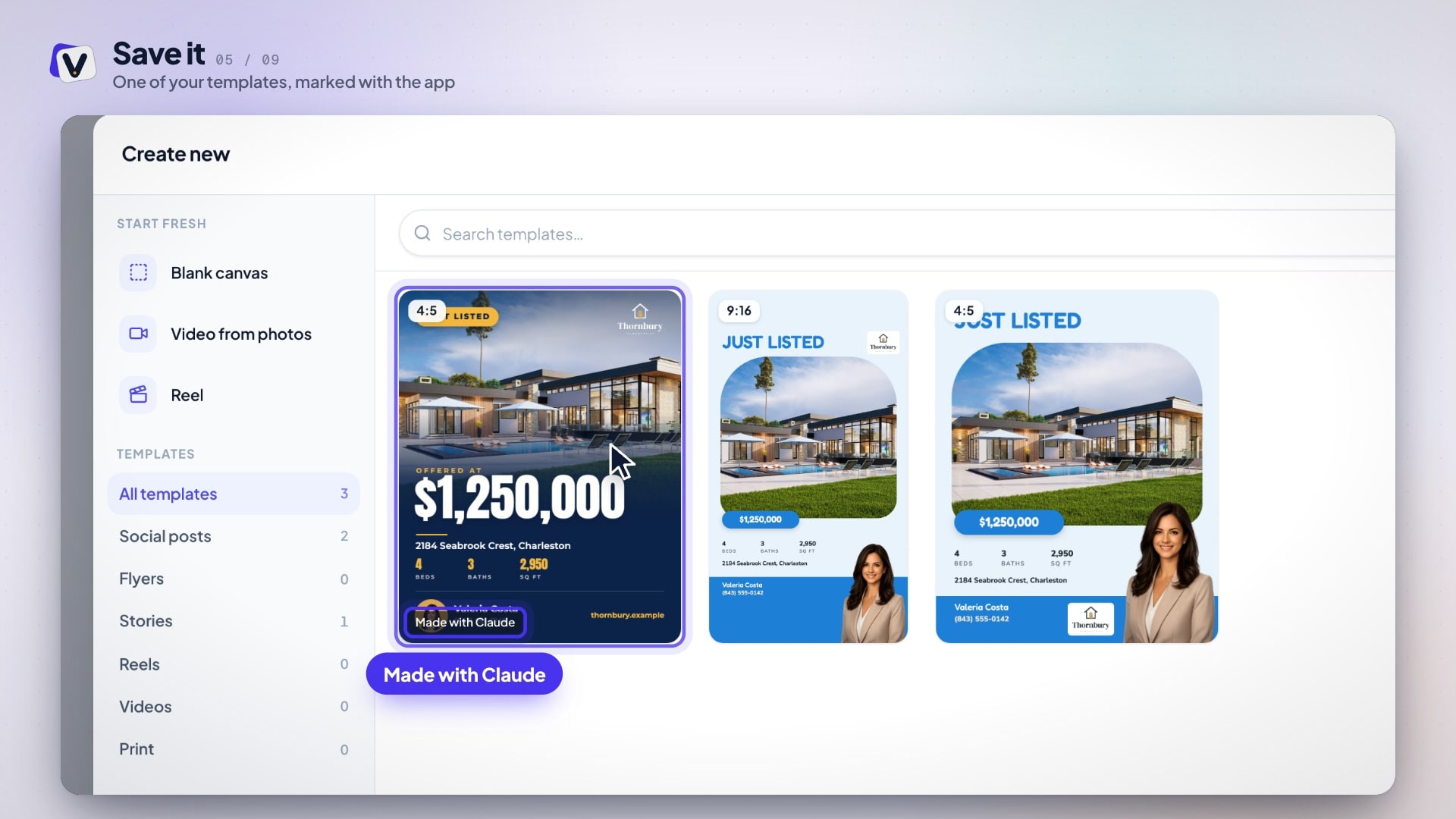
You can now use Velisto from the AI app you already work in. Connect Claude, ChatGPT or Perplexity to your Velisto account, and ask it in plain words to promote a listing, design a new post template or make a reel. It works with your listings, your brand and your calendar, and everything it makes is in Velisto, ready for your team to see, change and publish.
This works through MCP, the Model Context Protocol: the way AI apps use other apps' tools. You don't need to know anything about it. You add Velisto's address to your AI app once, sign in, and start asking.
Works with the apps you use
 View full size
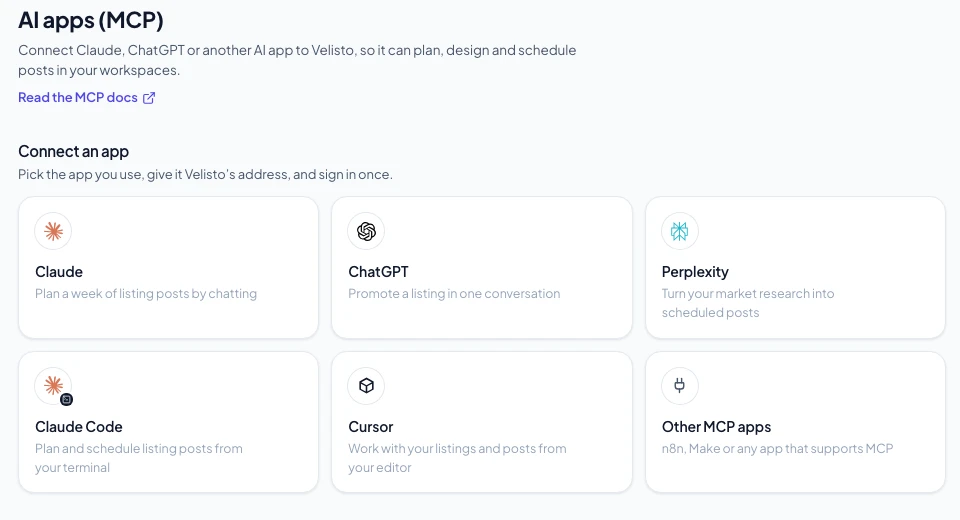
- Claude, as a custom connector.
- ChatGPT, as a custom MCP server.
- Perplexity, as a custom connector.
- Claude Code and Cursor, for people who work in a terminal or an editor.
- Any other app that supports MCP, such as n8n or Make.
Open Settings → AI apps (MCP) in Velisto, pick your app and follow its steps. Each one takes about two minutes.
Promote a listing
 View full size
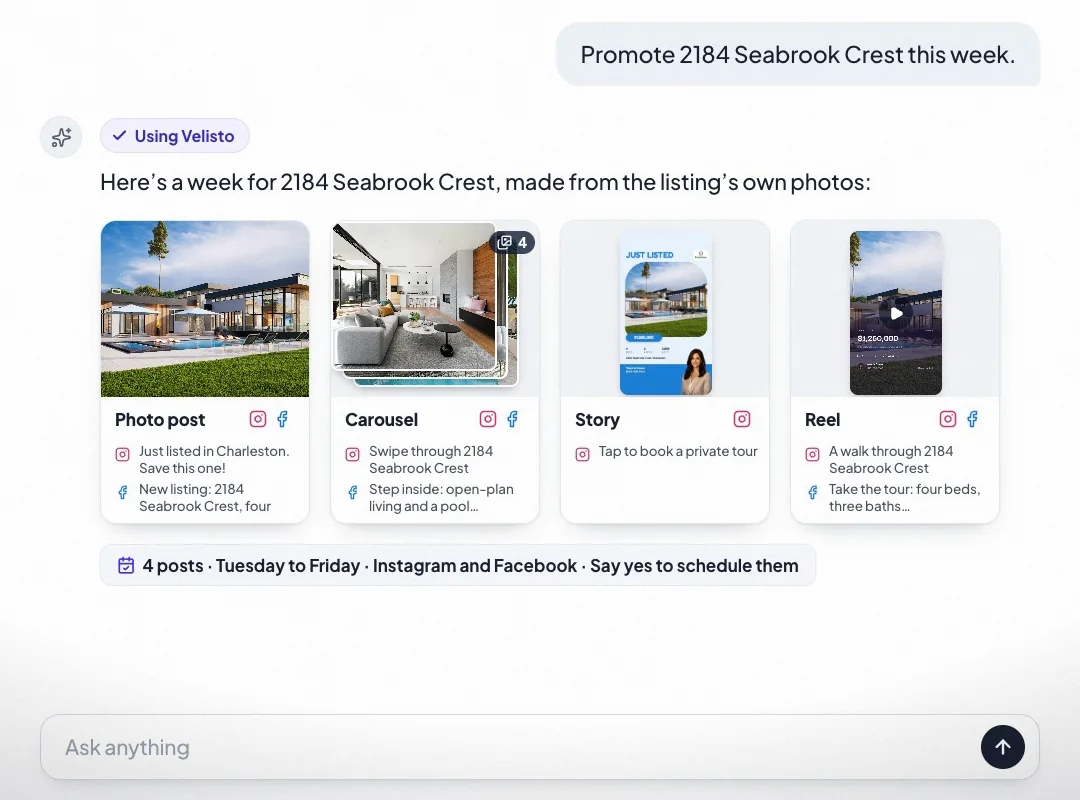
Name a listing and the app plans a set of posts for it across your channels: a just-listed post with the listing’s own photos, a carousel, a story and a reel. Posts about a property always use that property’s photos or your templates, never a stock photo.
- “Promote the villa on Palm Street this week.”
- “The price of 14 Oak Road dropped to 450,000. Update the listing and make a price-change post for Friday.”
- “Add this new listing to Velisto,” followed by the details you have.
Design your own social post templates
 View full size
Describe the post you want and the app designs it in your brand:
- “Design a Just Listed template for Instagram, 1080 × 1350, with a big price and our logo.”
- “Make the price bigger and use our dark colour.”
- “Save it as a template.”
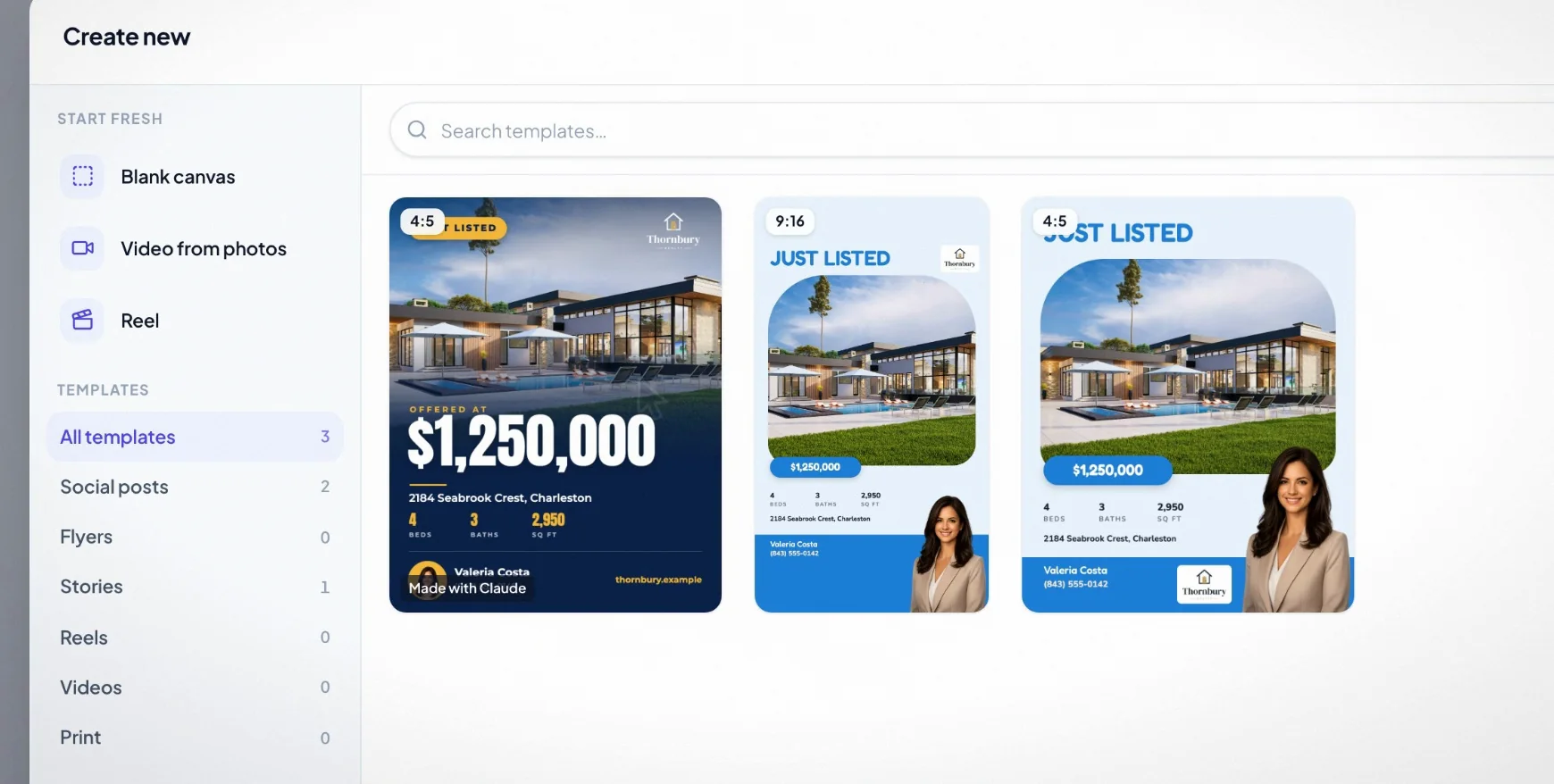
It shows you each version, changes it as you ask, and saves it as one of your workspace’s templates only when you say yes. Your team then finds it in Velisto’s template pickers, marked as made with the app, and every listing fills it: the price, address, photos and the agent’s details drop into their places. Ask for the story size too, and the post and its story are saved as one design in two sizes.
It also fills any of your existing templates from a listing, or changes one for a single post.
Design anything the editor can
The app designs everything Velisto’s editor makes, drawn on Velisto’s servers, so what it shows you is exactly what goes in the post.
- Posts, stories and carousels in every social size.
- Flyers, A4 or US Letter, with a print-ready PDF: bleed, crop marks where the size has them, sharp text and a working QR code.
- Print with a front and a back, such as a business card or a postcard.
- Any custom size, such as a 1500 × 500 banner or a Facebook cover.
Make reels
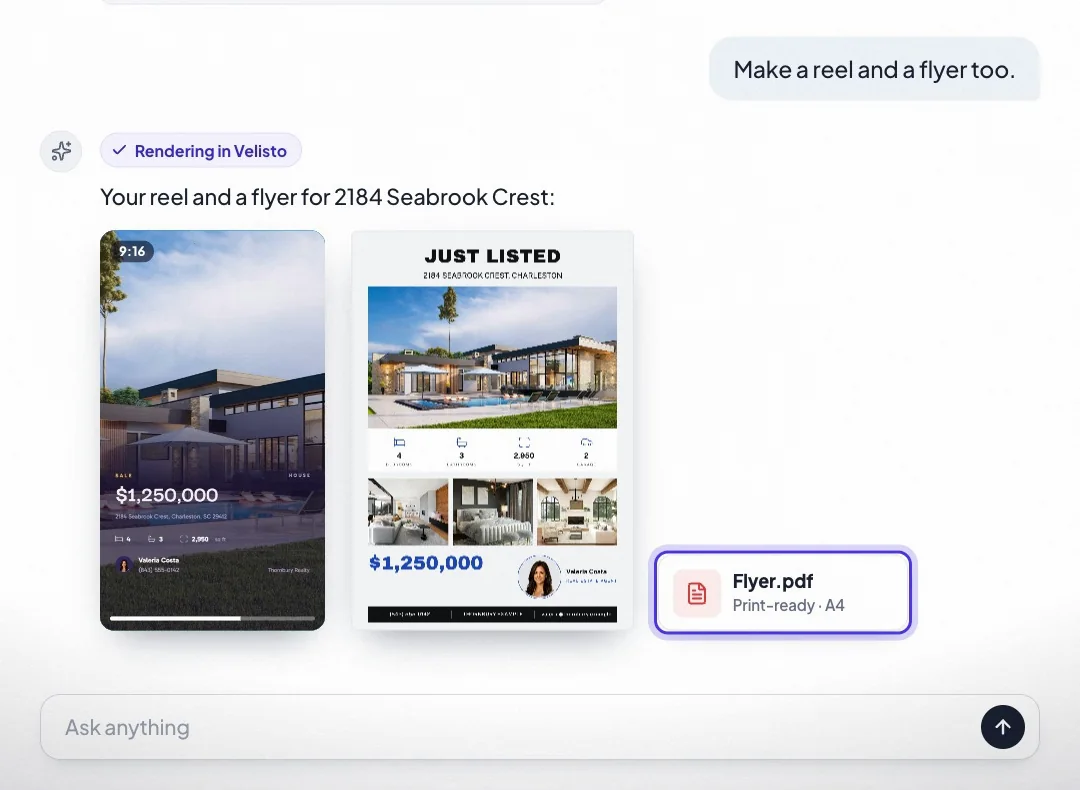 View full size
Ask for a reel and Velisto makes it on its own servers with the same designs and music as Make video: the listing’s photos moving gently from one to the next, under a cover, captions and a closing card. Ask for both shapes and you get a tall 9:16 reel for Instagram, TikTok and Shorts, and a wide 16:9 one for YouTube and Facebook. Reels use your plan’s video renders.
Plan your content
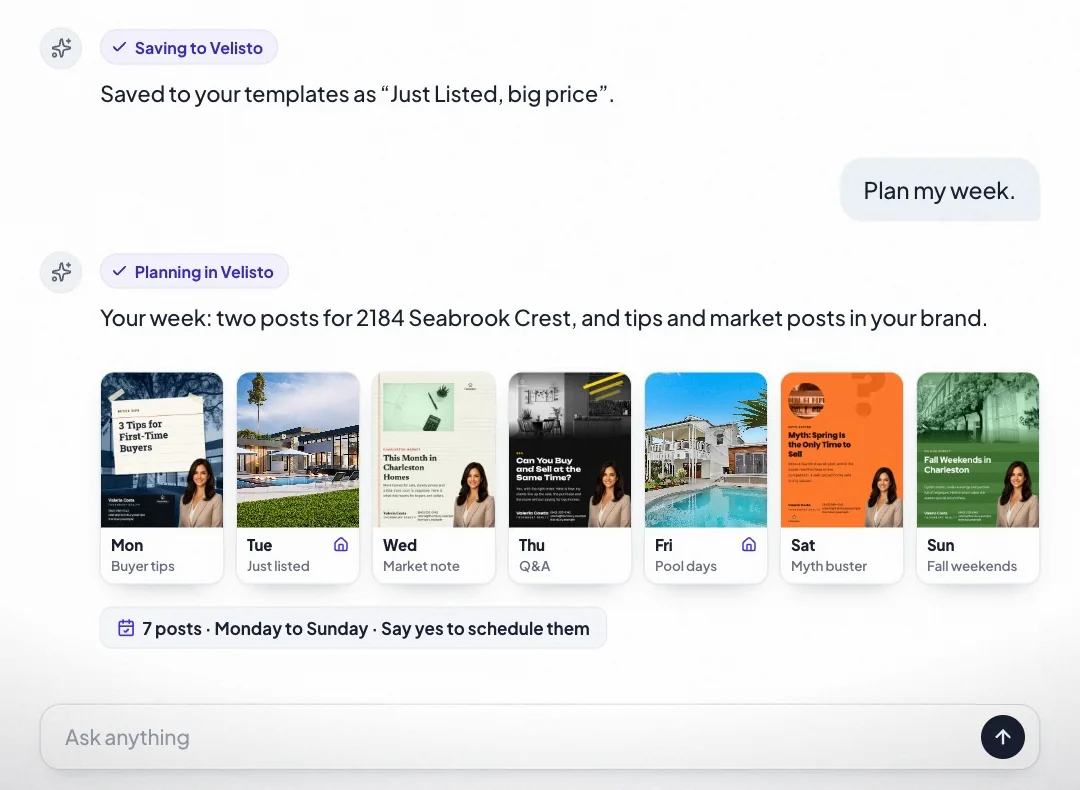 View full size
Ask for a week and the app plans it the way Plan my content does: your listings beside tips, neighbourhood questions, myth busters, Q&As and seasonal posts, with one call to action. It writes every caption for each channel, shows you the whole plan, and puts it on your calendar only when you say yes.
- “Plan next week’s posts for my Velisto workspace.”
- “Plan a week that leans on first-time buyers.”
- “Make a post with 5 tips for selling in winter.”
Text-first posts become designed graphics in one of Velisto’s styles, in your brand’s colours, logo and fonts. Don’t like the look? Say “try another style” and you get the same words in a different design.
Schedule and publish
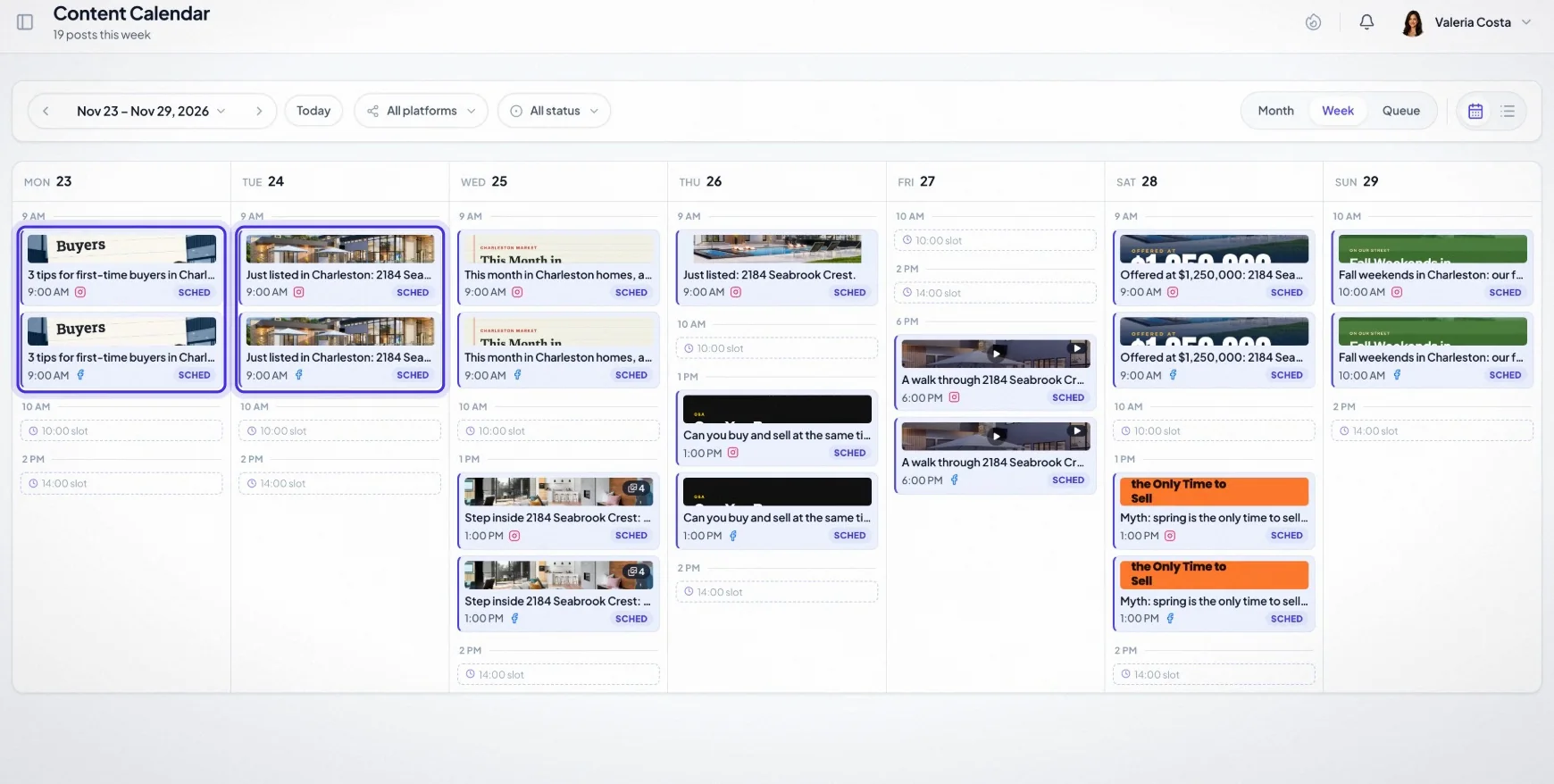 View full size
The app reads each channel’s rules and next free posting time, then schedules posts for a time, adds them to a channel’s queue or saves them as drafts. Posts it makes follow your workspace’s approval rules, so a post that needs approval waits for it.
- “Schedule these for Tuesday and Thursday at 9 in the morning.”
- “What’s on my calendar next week?”
- “Move Friday’s post to Saturday.”
See how you did
With the Analytics permission, the app reads how your channels and posts are doing and answers in plain words.
- “Write a short report on last week’s posts.”
- “Which post got the most engagement this month, and why?”
Bring your own images
In Claude and ChatGPT, Velisto shows an upload box right in the chat: drop a photo and it goes to the workspace’s Library. Post previews show each post as it will look on every channel, and render previews show the images a design made, a carousel’s slides side by side.
Ready-made prompts
Three prompts come with Velisto, in the app’s prompt menu: Plan my week, Promote a listing and Weekly report. Each one shows you the plan first and asks before it changes anything.
You stay in charge
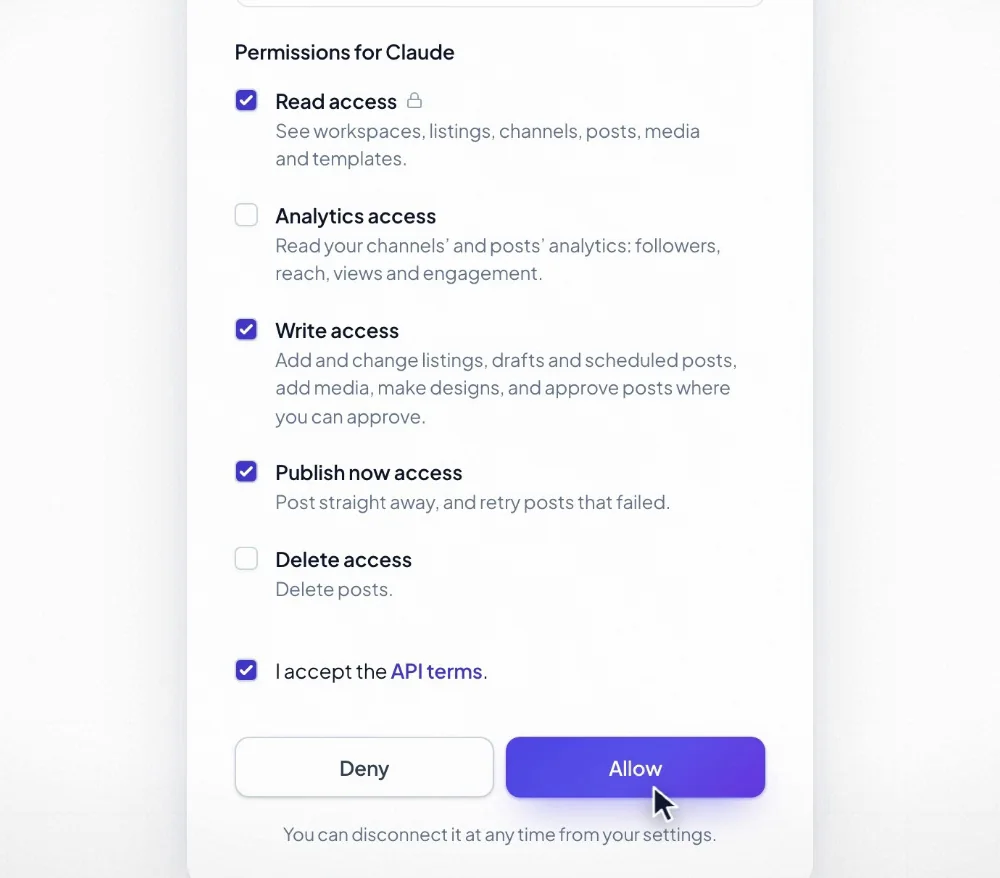 View full size
- You pick the workspaces an app reaches, all of them or only some.
- You pick what it may do: Read, Analytics, Write, Publish now and Delete. Leave out Publish now, and nothing it makes goes out without you.
- It acts as you. It reaches only the workspaces you can open, and never does more than your role allows there.
- See what it did. Settings → AI apps (MCP) lists every connected app, its activity and its calls, and Disconnect stops it at once.
The AI app writes the captions and plans the posts, so its work doesn’t use your plan’s AI credits.
Good to know
- Needs a paid plan to make things. On a free trial, AI apps can read your account but not change it.
- Accept the API terms once. You tick them when you connect an app, and again each time you connect it anew.
- Some apps need their paid plan for custom connectors, such as Perplexity.
For developers
Velisto also has a REST API for websites and CRMs: send listings in under your own ids, design images from your templates, create and schedule posts, and get webhooks as things happen. The guides are at developers.velisto.ai.
Open Settings → AI apps (MCP) to connect your app.
Connect an AI app to Velisto.
Sign in, open Settings → AI apps (MCP) and pick your app.