
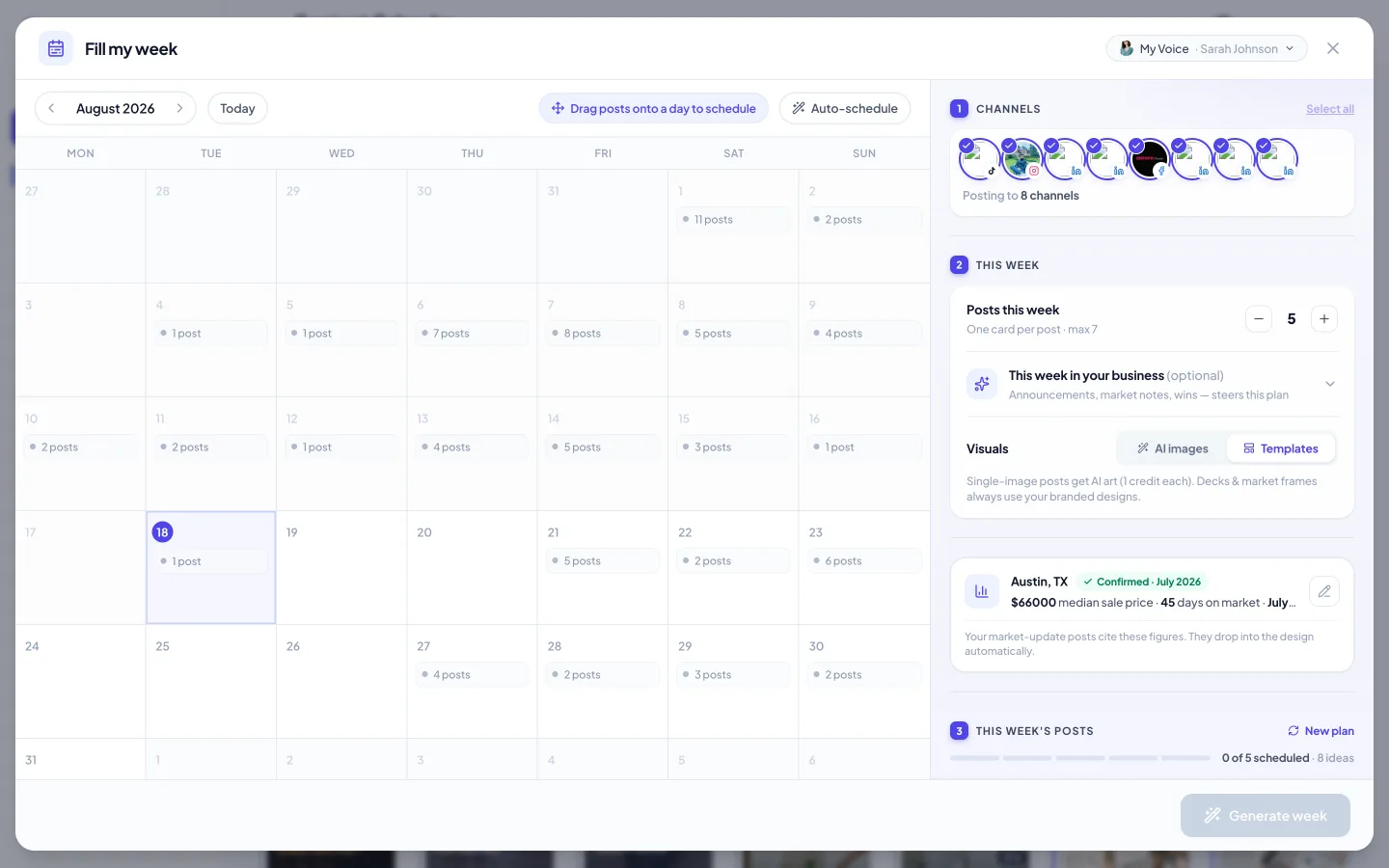
Fill my week solves the blank-calendar problem. Instead of inventing posts one at a time, Velisto plans your week: a mix of listing content, market talk and personal-brand posts, written and designed in one pass, scheduled across the days you choose.
Run it
- Choose Fill my week from the sidebar's Create with AI menu.
- Pick your channels — which connected profiles this week posts to.
- Set the week's shape. Choose how many posts (up to 7 — three to five is the sweet spot for most agents), optionally tell it what's happening in your business this week (announcements, market notes, wins — the plan steers around them), and pick the visual style: AI images or your branded templates.
- Generate week. Velisto plans the posts — varying the angles so the week doesn't read as five copies of the same idea — and builds each one in your brand. Market-update posts cite real figures for your primary market automatically.
Review the week
Every planned post appears as a card: its day, caption and design. Before anything is scheduled you can:
- Edit a caption or swap a design, per post.
- Regenerate a post you don't like — only that one changes.
- Drop a post that doesn't fit this week.
Approve, and the posts land on your calendar across the days you chose. You can still drag any of them to a different slot afterwards.