
A Listing Kit is Velisto's answer to the one-and-done listing post: from a single property it generates a coordinated set of posts — each with its own angle, design and caption — that you can spread across the listing's life.
Create one
- Choose Listing kit from the sidebar's Create with AI menu.
- Pick the listing. Don't have it in Velisto yet? You can import it from a URL right from the chooser.
- Choose photos and the angle — which shots the kit works with, and the story it tells (just listed, open house, price drop…).
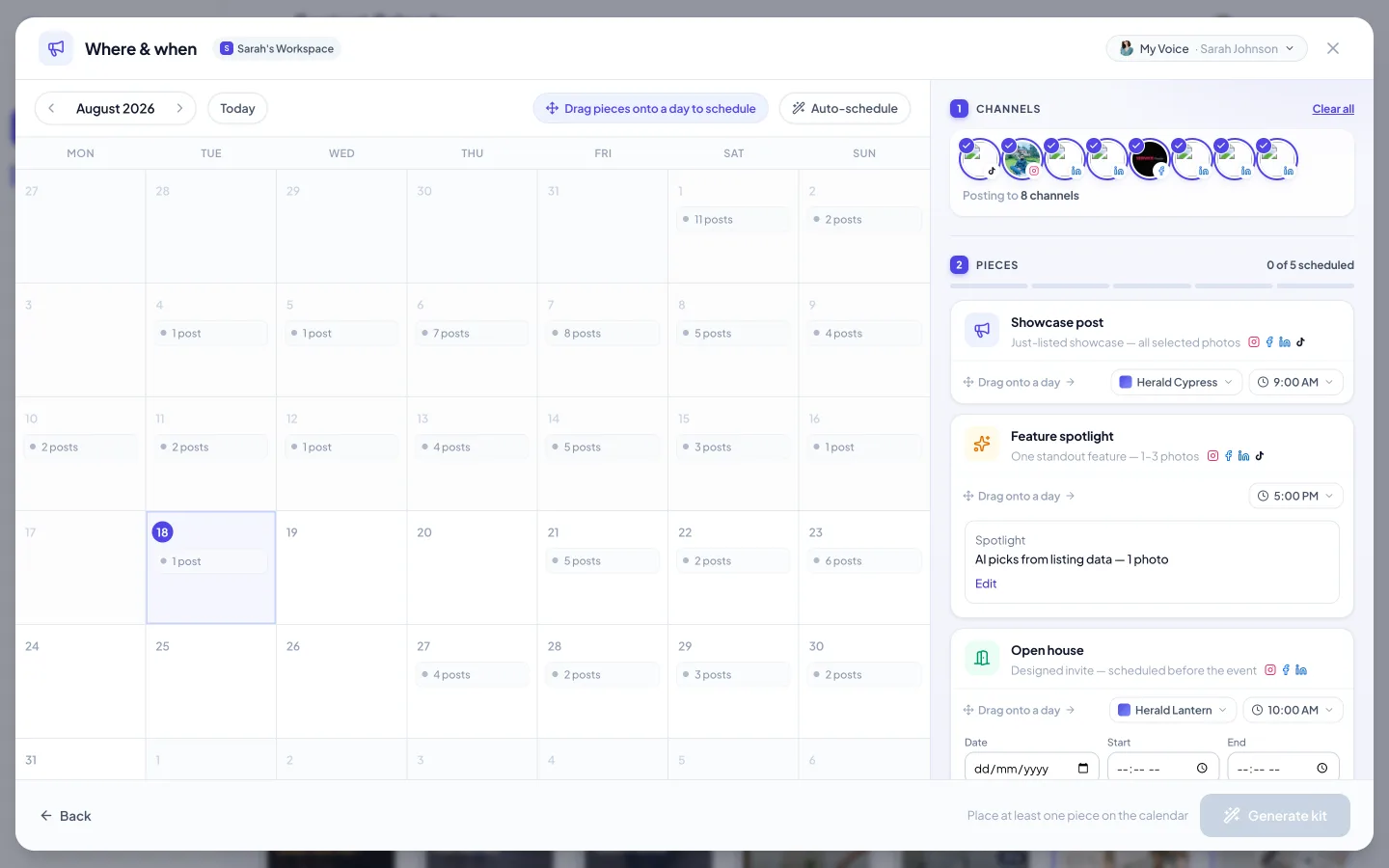
- Where & when. Pick the channels, then review the kit's pieces — showcase post, feature spotlight, open house invite, story, reel — each with its own design and time. Drag pieces onto calendar days, or hit Auto-schedule and let Velisto place them.
- Generate kit. Velisto writes and designs every piece in your brand, using the listing's photos.
Review and schedule
The finished kit is laid out for review. For each piece you can edit the caption, swap the design or photo, or regenerate it alone — the rest of the kit stays put. Then schedule the pieces across the coming days or send individual ones out now.
Don't post the whole kit in one day. An announcement today, a feature highlight in two days, the carousel on the weekend — a spread-out kit keeps the property in feeds for a week instead of an hour.
Kits and statuses
Kits adapt to where the listing is in its life. A Coming soon listing produces teaser-flavored pieces; a Just sold one celebrates the result. When the status changes, a fresh kit gives you the next round of content — see Add a listing on keeping statuses current.